
Jan 31, 2025 • Adrian T
Block Unknown Incoming Calls On Android Phones
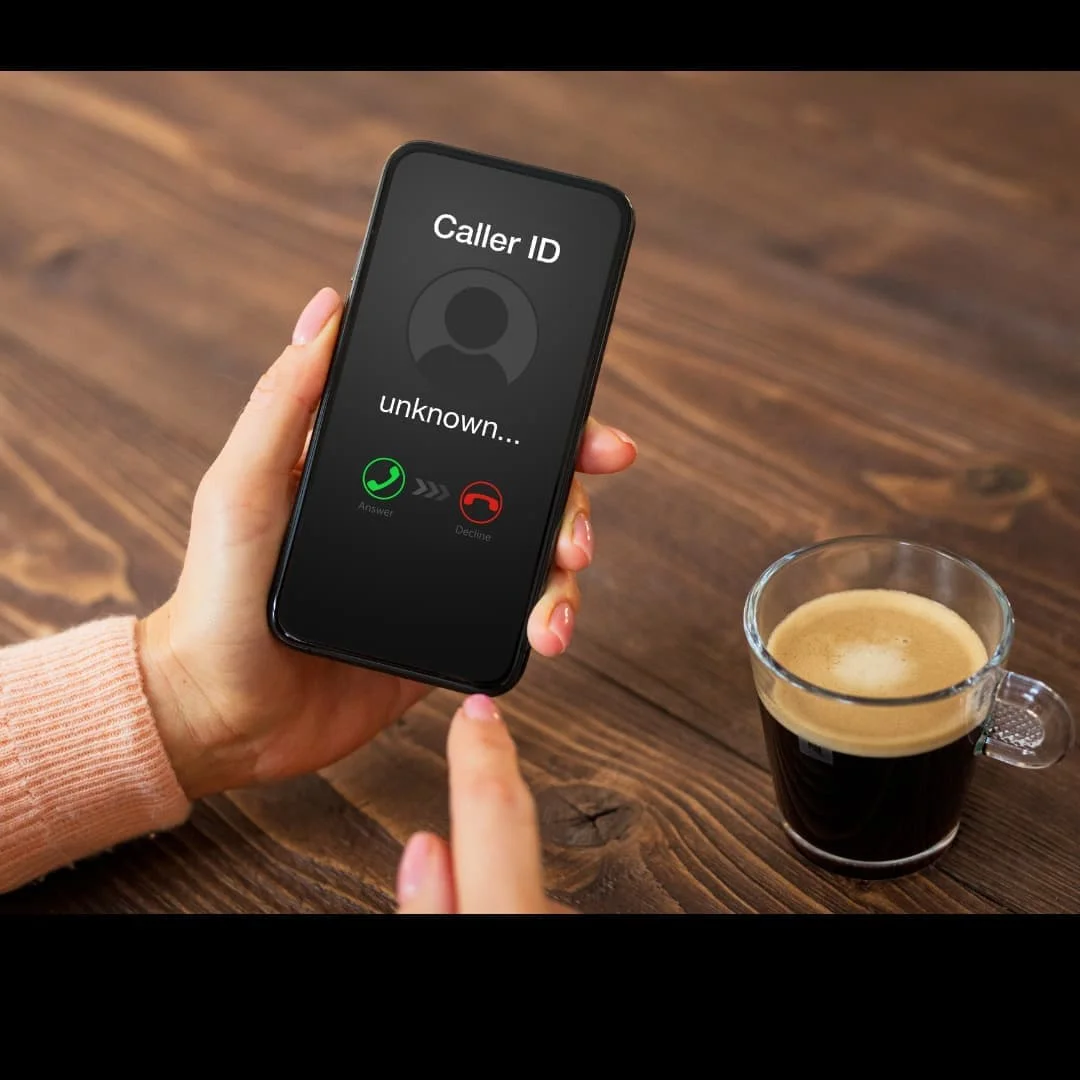
Do you know that many unknown calls you often receive may be from scammers?
Scammers can use different phone numbers to call you from all over the world and the number you always receive beginning with the prefix “+” (example +65)
The best way to prevent and stop the unknown call is by call blocking.
Here are a few simple steps for you to learn how you can block unknown phone numbers on your Android Phone.
NOTE: This demo is shown using an OPPO Phone, steps are similar for other brand phones but may differ slightly.
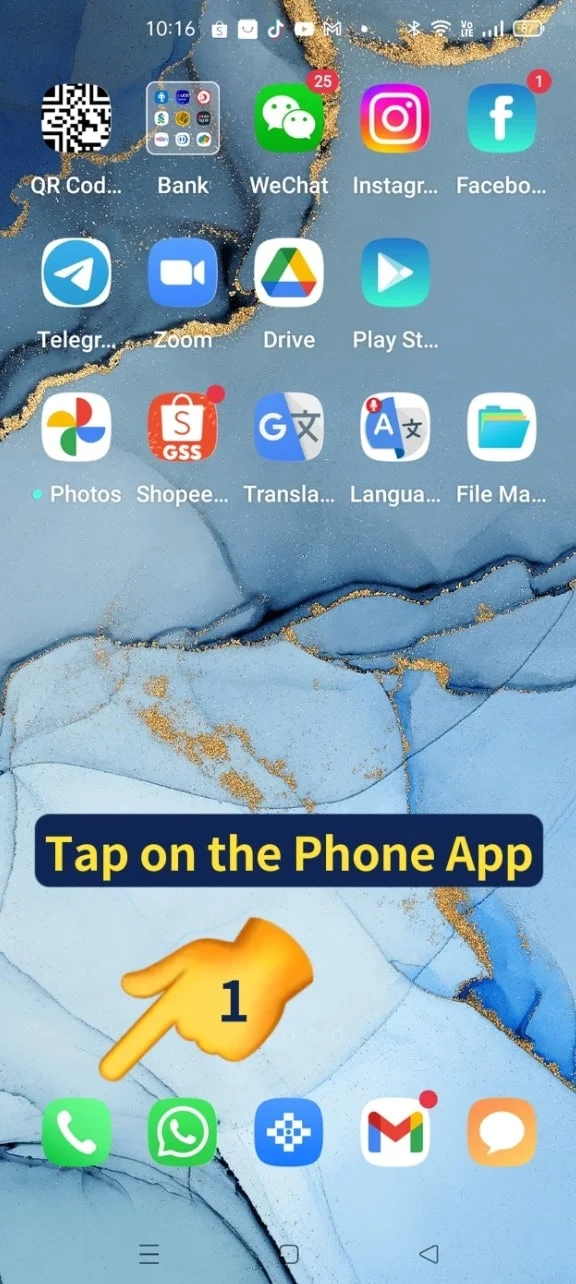
- Tap on the Phone App
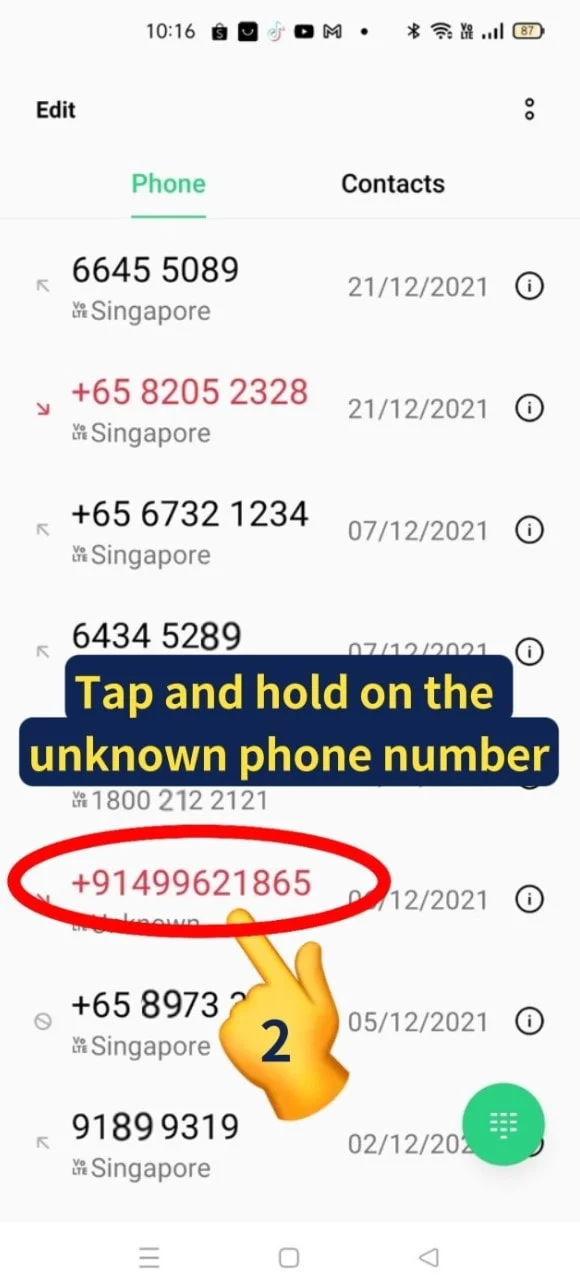
- Tap and hold on the unknown phone number
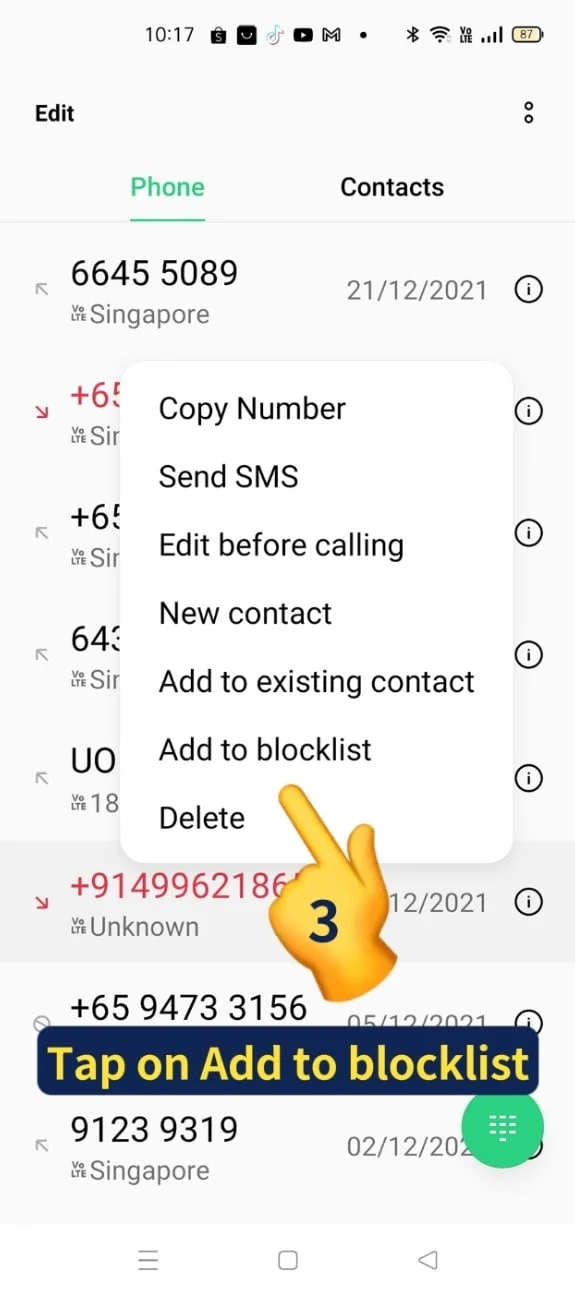
- A menu will pop up. Tap on “Add to Blocklist”
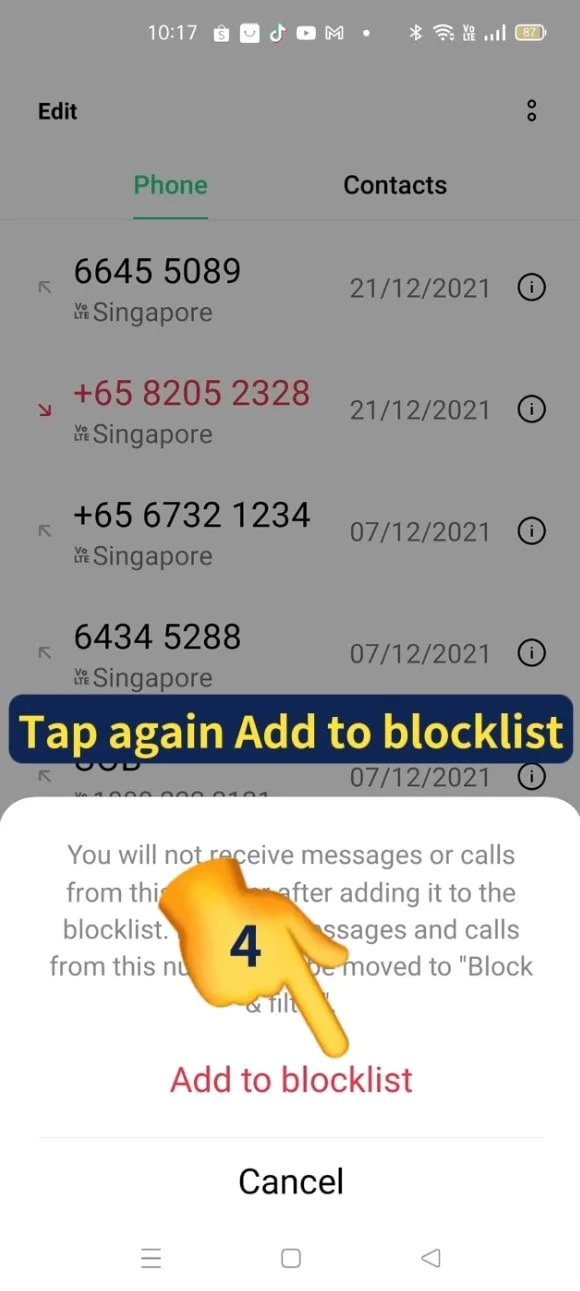
- Tap again on “Add to Blocklist”
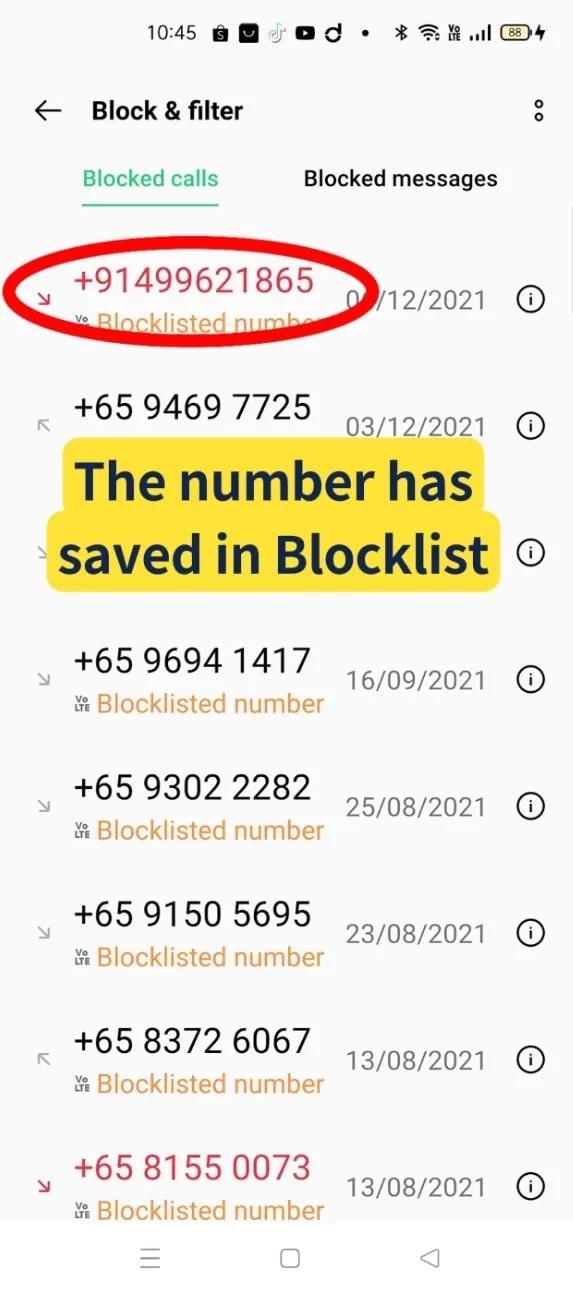
- The unknown number has been saved in the Blocklist.
You will not receive messages or call after adding it to the Blocklist

- Do you know you can set Speed Dial on your android phone? Speed Dial provides you an easy method by tapping a single-digit number to any specific contact numbers.
Do you want to know how?
Come sign up XIOHOO Introduction to Android Class to find out more details.
Video Tutorial
View this video to learn How to Block Unknown Incoming Calls on Your Android Phone. ENJOY VIEWING!
Related Posts

Do Apps Like WhatsApp, Gmail Work in China? How Singapore Travellers Stay Connected

AI Generated Photos and Videos: Safety Tips and New Ideas to Try

Why More Singapore Seniors Are Joining Instagram (and How to Start)

How to Build a Design System for your Business and Brands Using Claude Design

Claude Plugins Explained: What They Are and How to Use Them for Business

Edit images using Google Gemini Nano Banana without photoshop

Leading Image, Video and Audio Generative AI Companies With Free Tiers and Usage

Leading Generative AI Companies Around the World With Free Tiers and Usage
