
Feb 17, 2025 • Adrian T
Create Fun Animations (GIFs) Using Google Photos!

Animated (GIFs) is a graphic image that can move, just like a flipbook that can loop endlessly and they come with no sound and audio.
You can create Fun Animation (GIFs) using your Google Photo App. This feature only works for photos but not for videos.
Open your Google App and let us start creating
your own Animation (GIFs)!
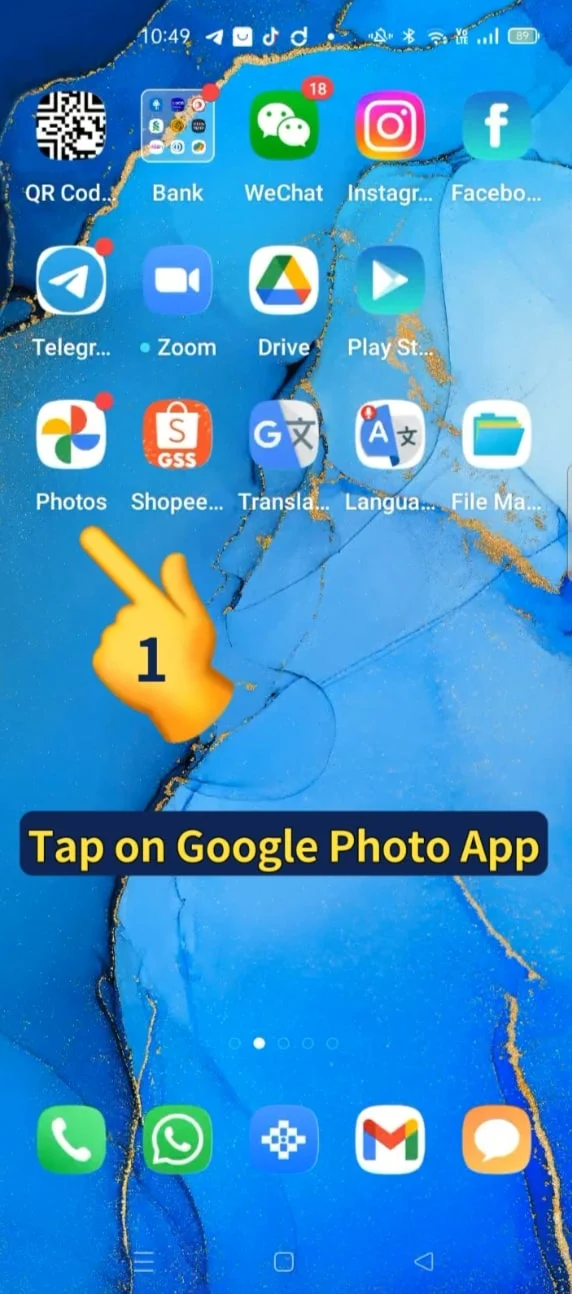
- Tap on Google photo App
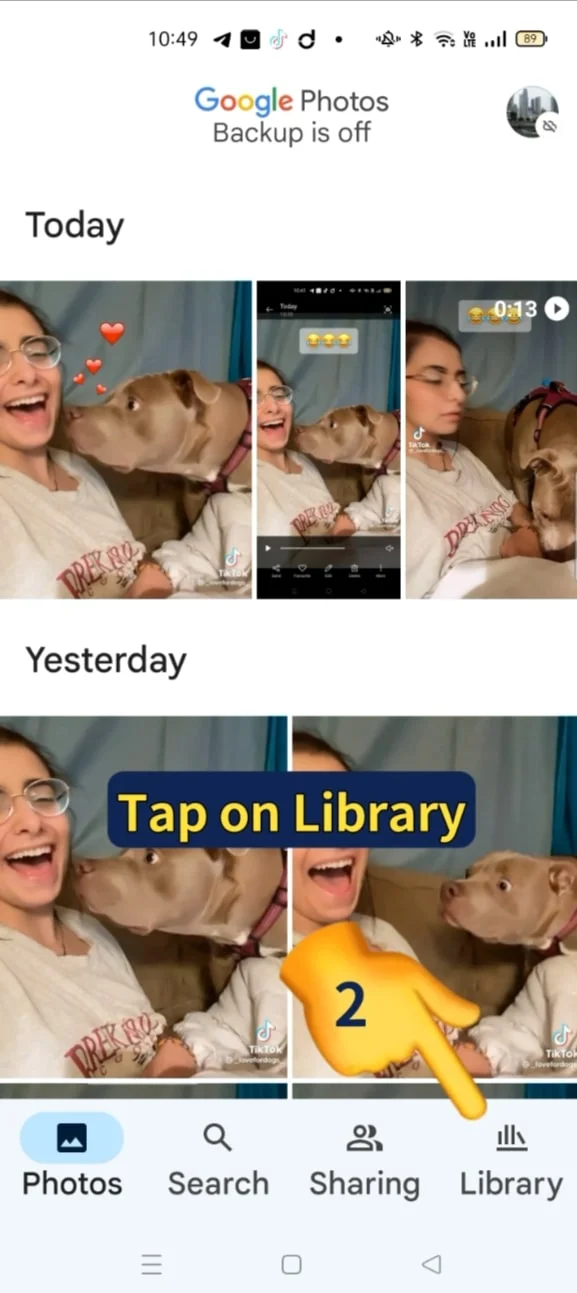
- Tap on Library
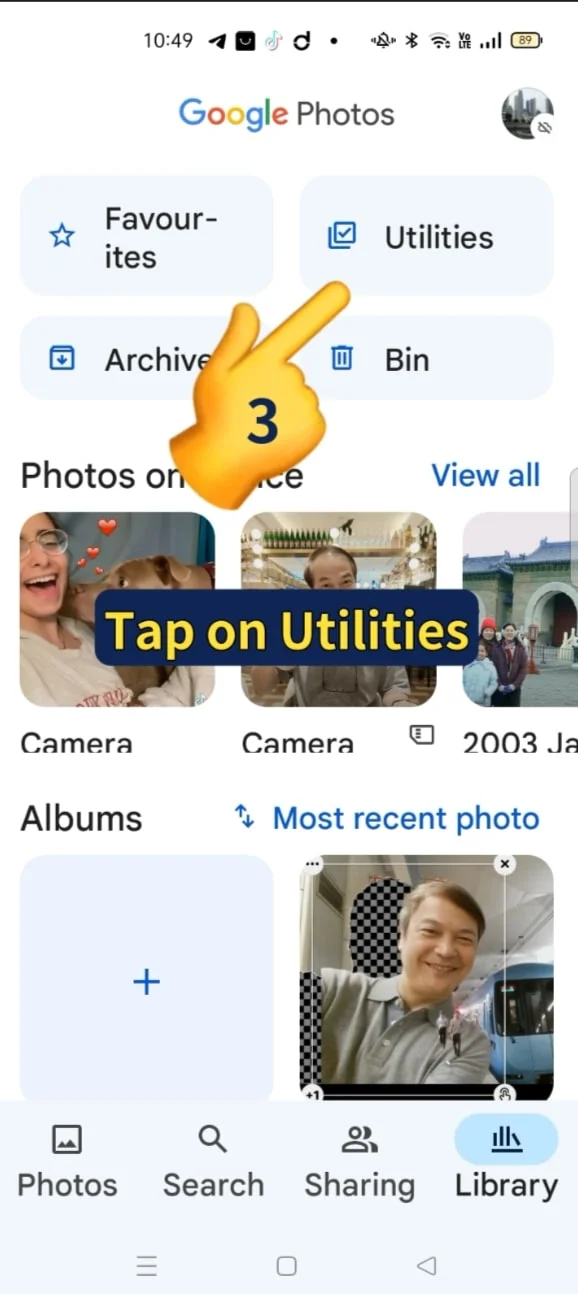
- Tap on Utilities
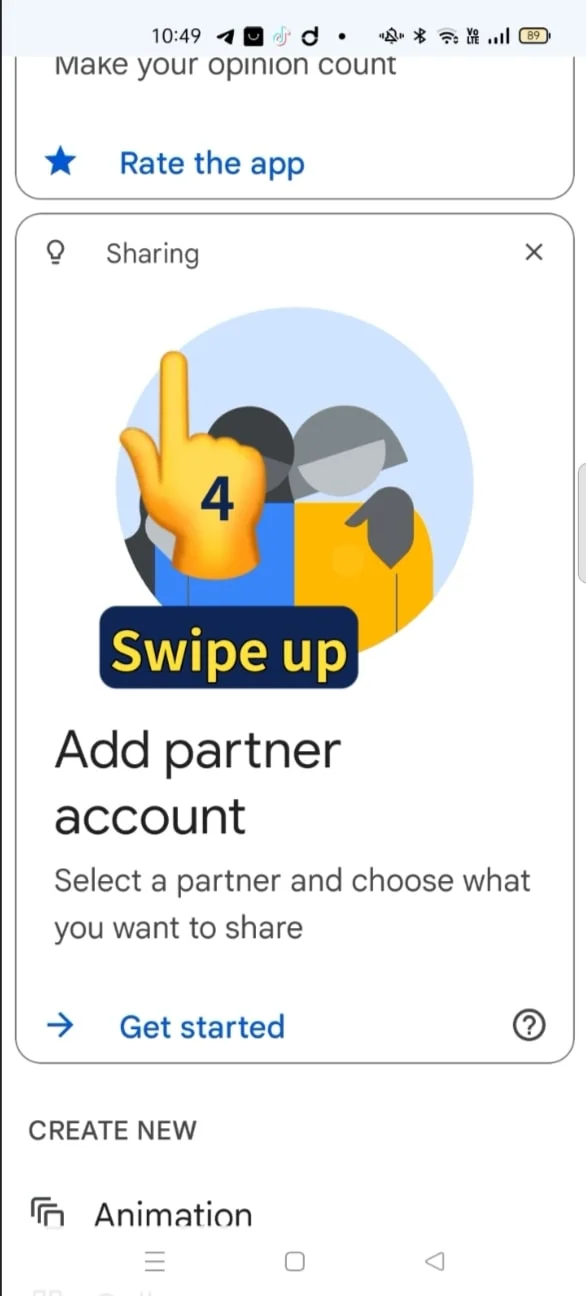
- Swipe up
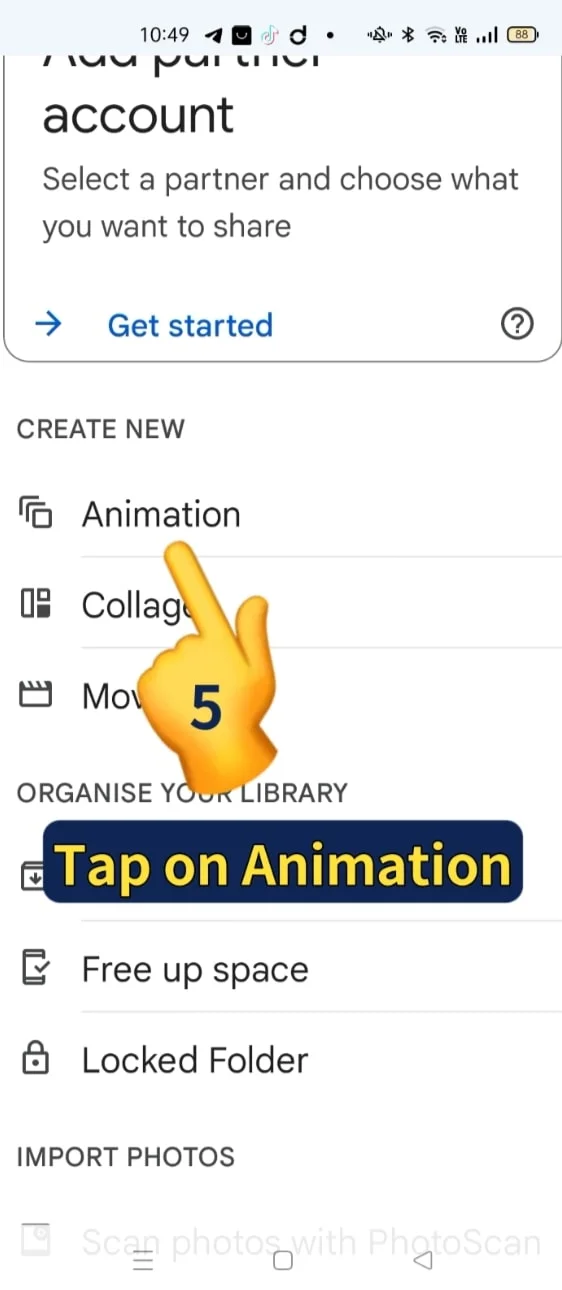
- Tap on Animation
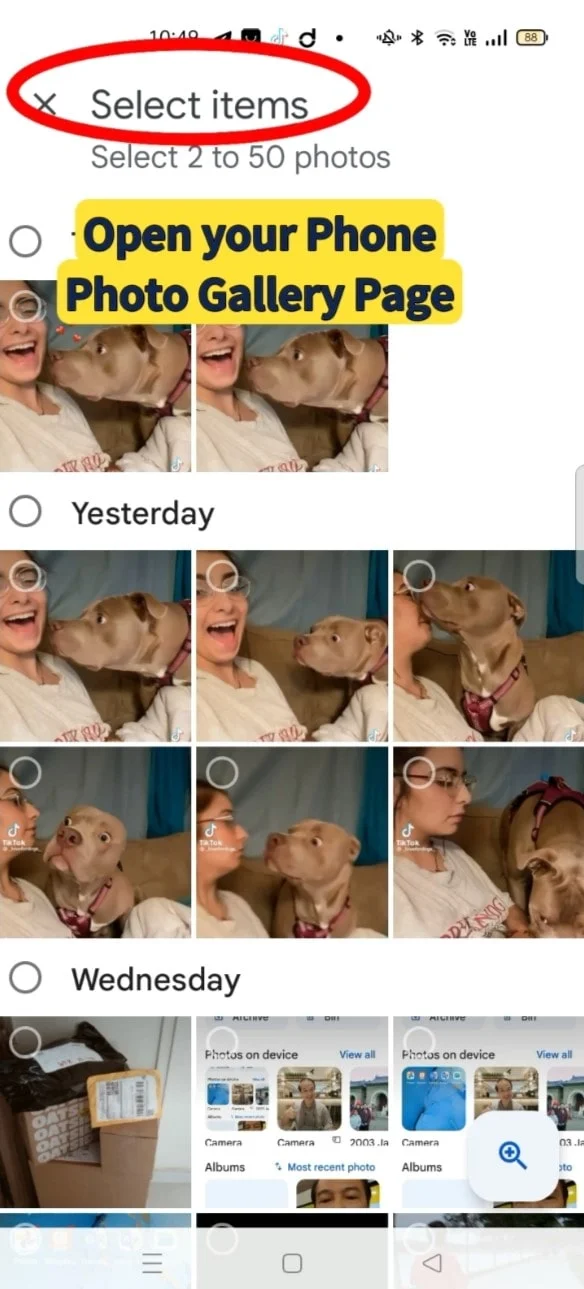
- Open your phone Photo Gallery page
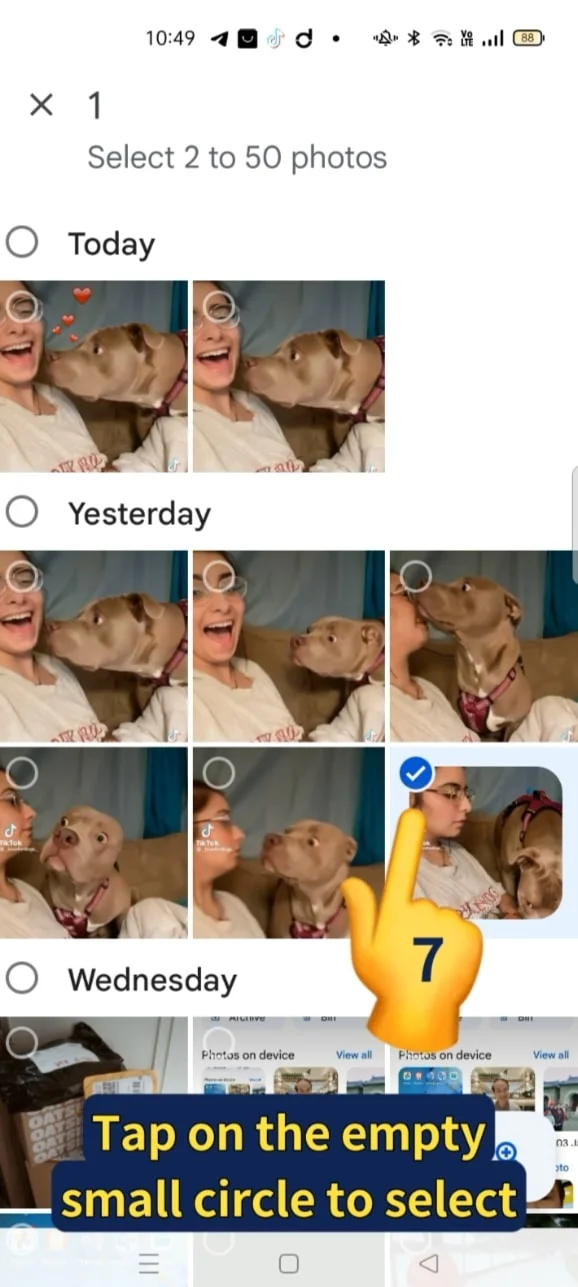
- Tap on the empty small circle to select your photo
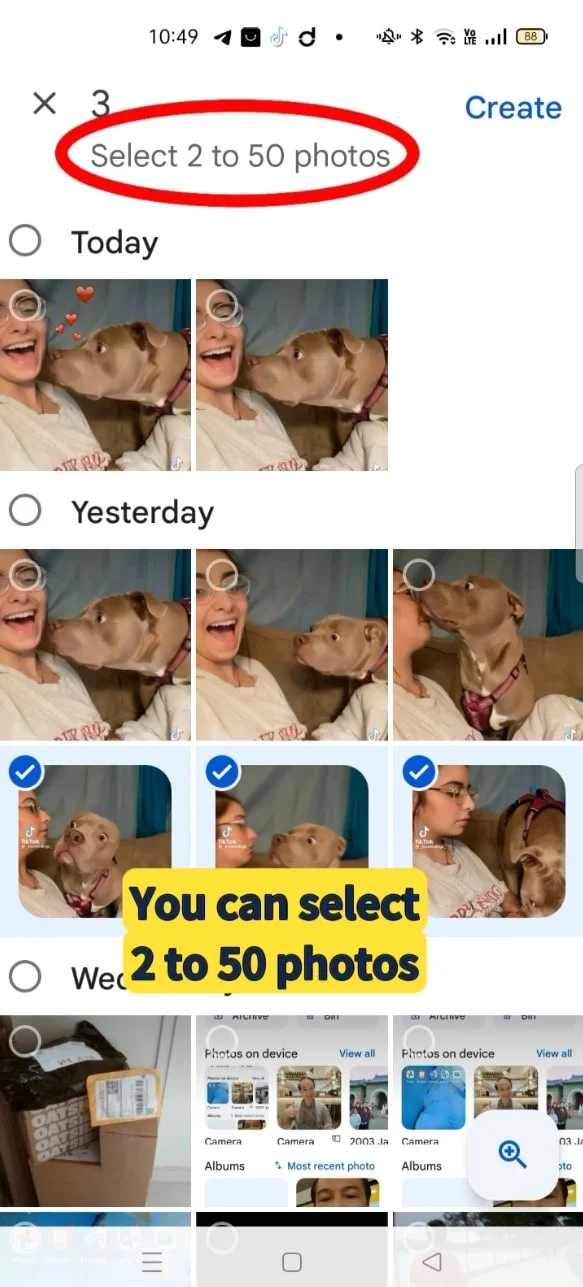
- You can select 2 to 50 photos
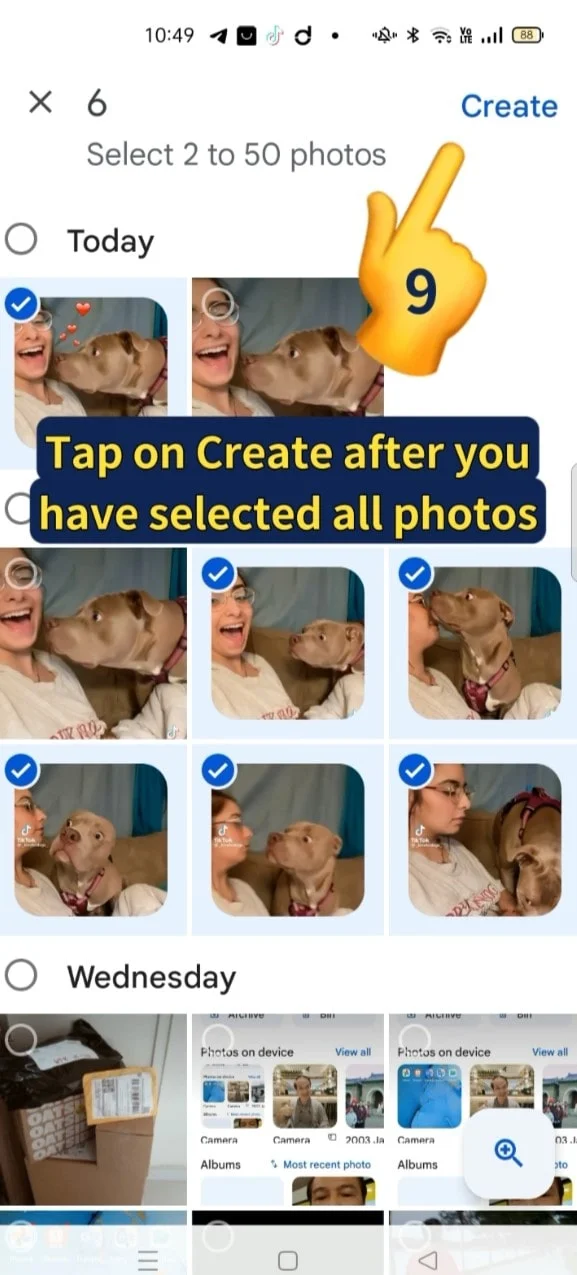
- Tap on Create icon on top right corner after you have select all photos to create your Animation GIF
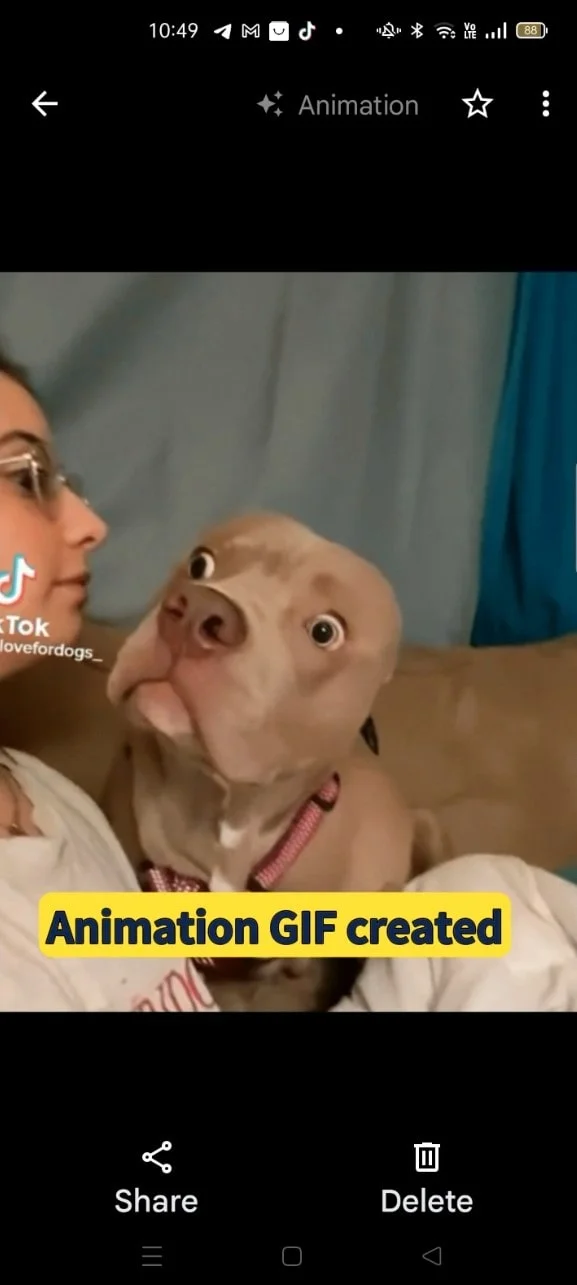
- Your Animation GIF created
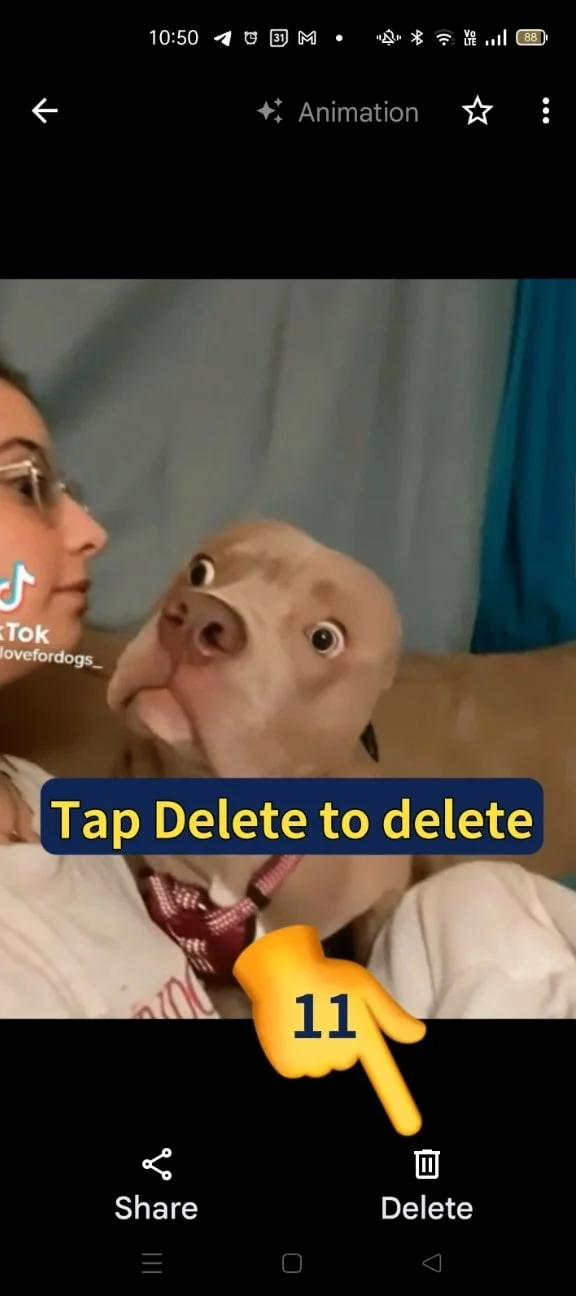
- To delete your Animation GIF, tap on the Delete icon at the bottom right corner. If not you may skip to step 12.
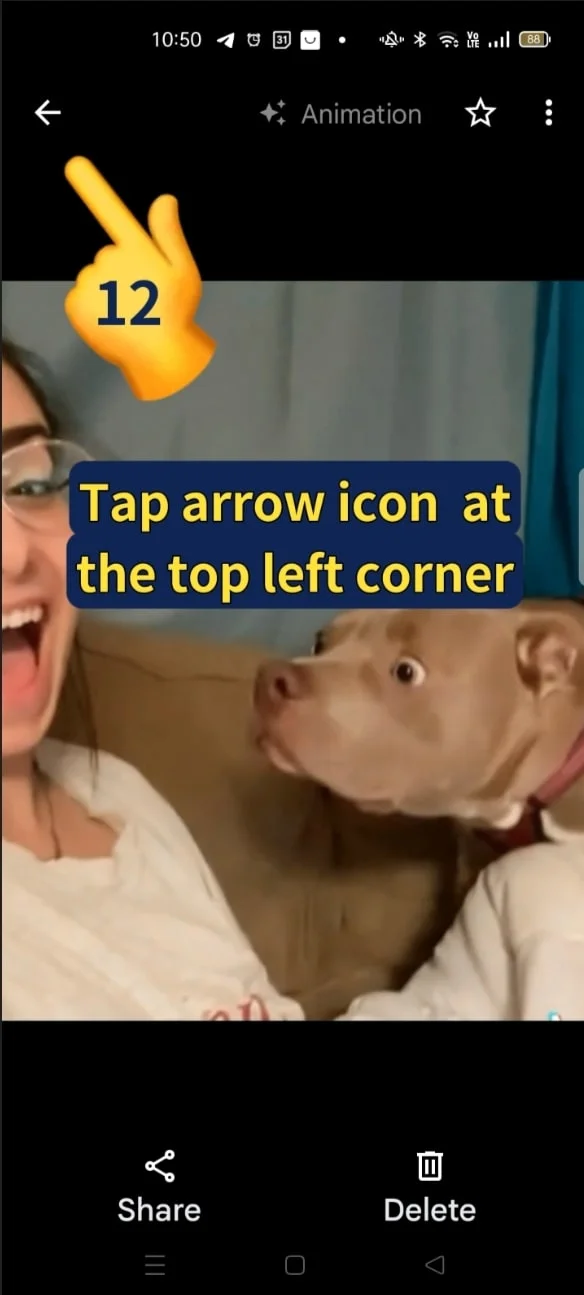
- Tap the Arrow Icon at the top left corner
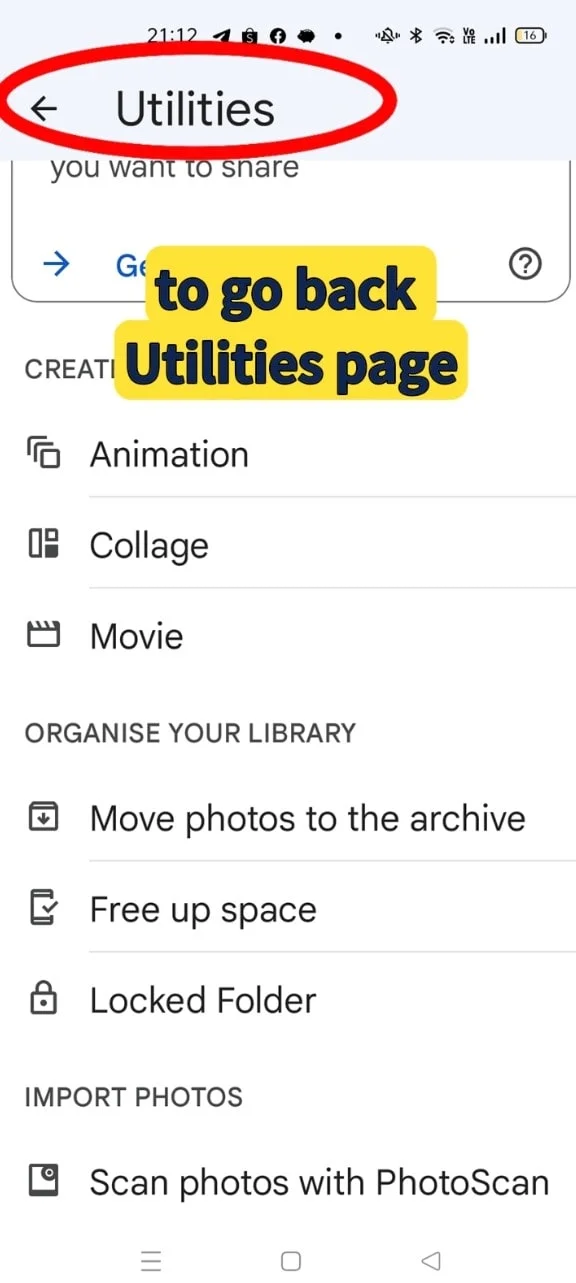
- To go back to your Utilities page
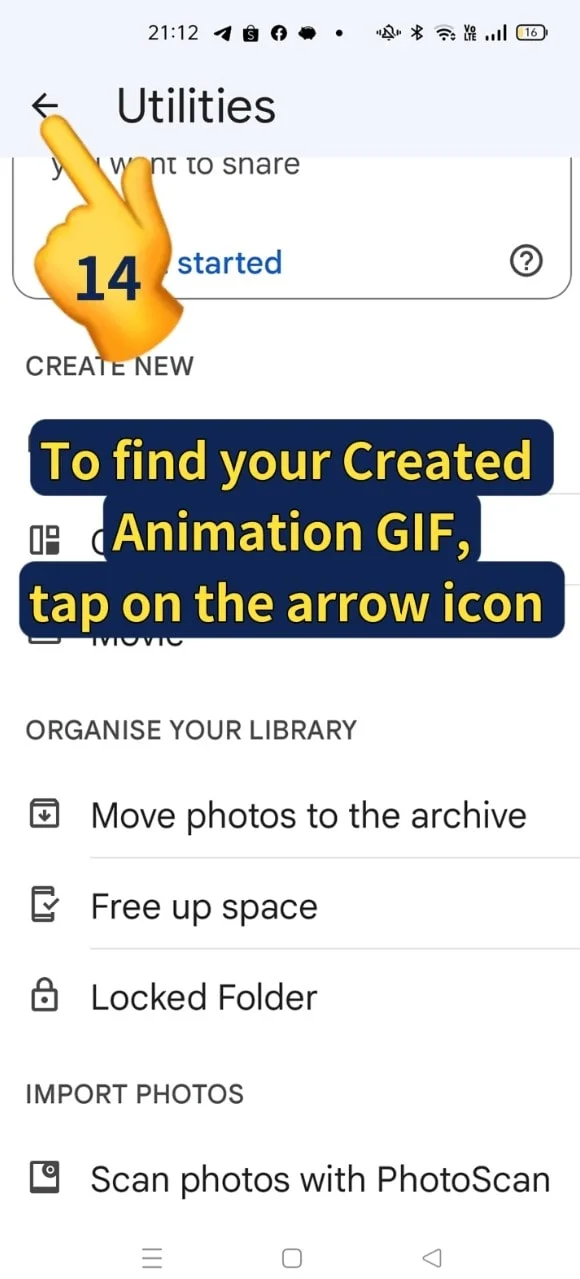
- To find your created Animation GIF, tap on the arrow icon at the top left corner
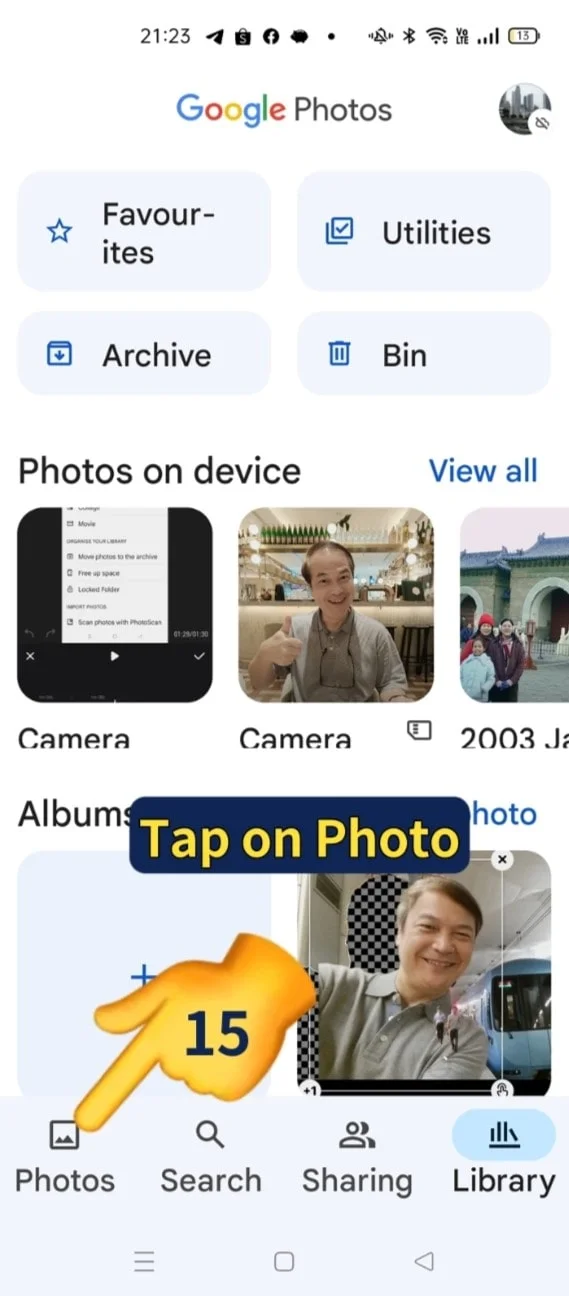
- Tap on Photo Icon
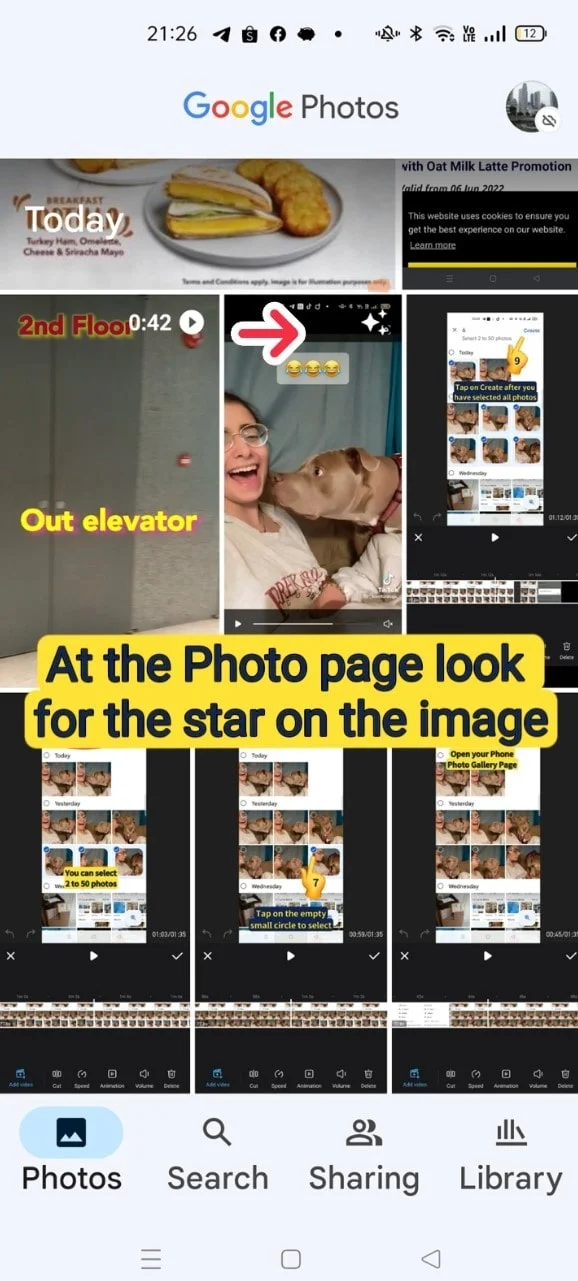
- At the Photo page, look for the star on the image
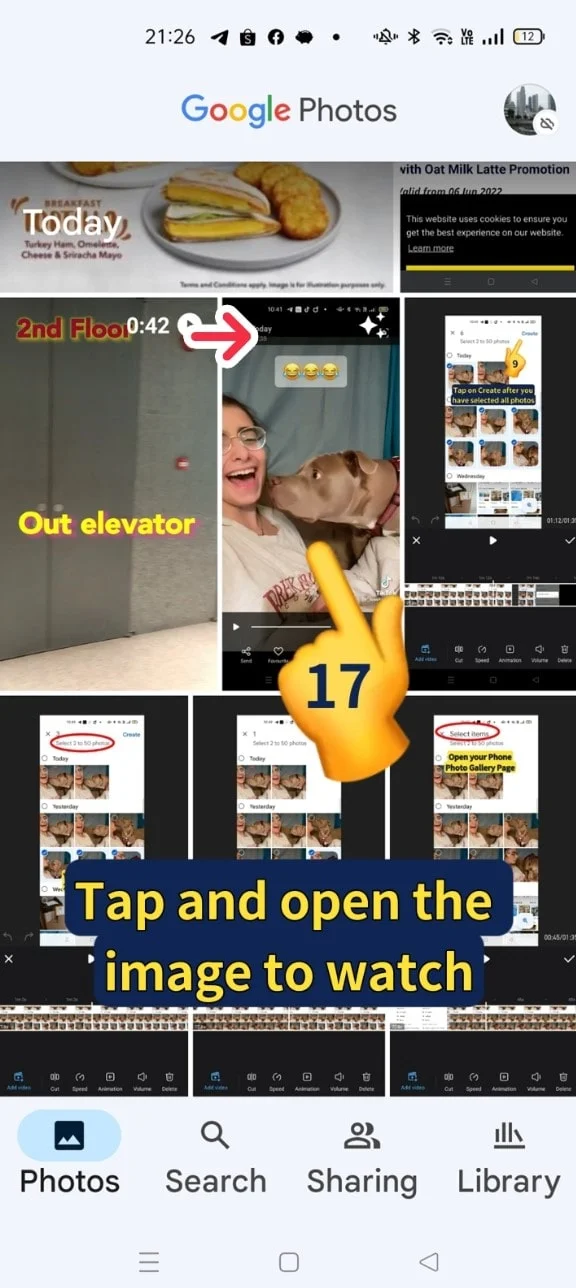
- Tap and open the image to watch

- Do you know you also can create Collage and Movie on Google Photo?
Come sign up Xiohoo Google Photo Class to find out how!
Video Tutorial
View this video to learn How to Create Animations (GIFs) using Google Photo App. ENJOY VIEWING!
Related Posts

Do Apps Like WhatsApp, Gmail Work in China? How Singapore Travellers Stay Connected

AI Generated Photos and Videos: Safety Tips and New Ideas to Try

Why More Singapore Seniors Are Joining Instagram (and How to Start)

How to Build a Design System for your Business and Brands Using Claude Design

Claude Plugins Explained: What They Are and How to Use Them for Business

Edit images using Google Gemini Nano Banana without photoshop

Leading Image, Video and Audio Generative AI Companies With Free Tiers and Usage

Leading Generative AI Companies Around the World With Free Tiers and Usage
