
Feb 14, 2025 • Adrian T
Get Discounts For Your Food Using FavePay!

Unlike Ewallet in other apps, FavePay is a cashless mobile payment feature in Fave that does not require you to store any money in-app. Enjoy up to 30% cashback or 80% discounts with FavePay!
Take note:
Ensure that the shop has FavePay before you proceed with the payment
Let’s Start!
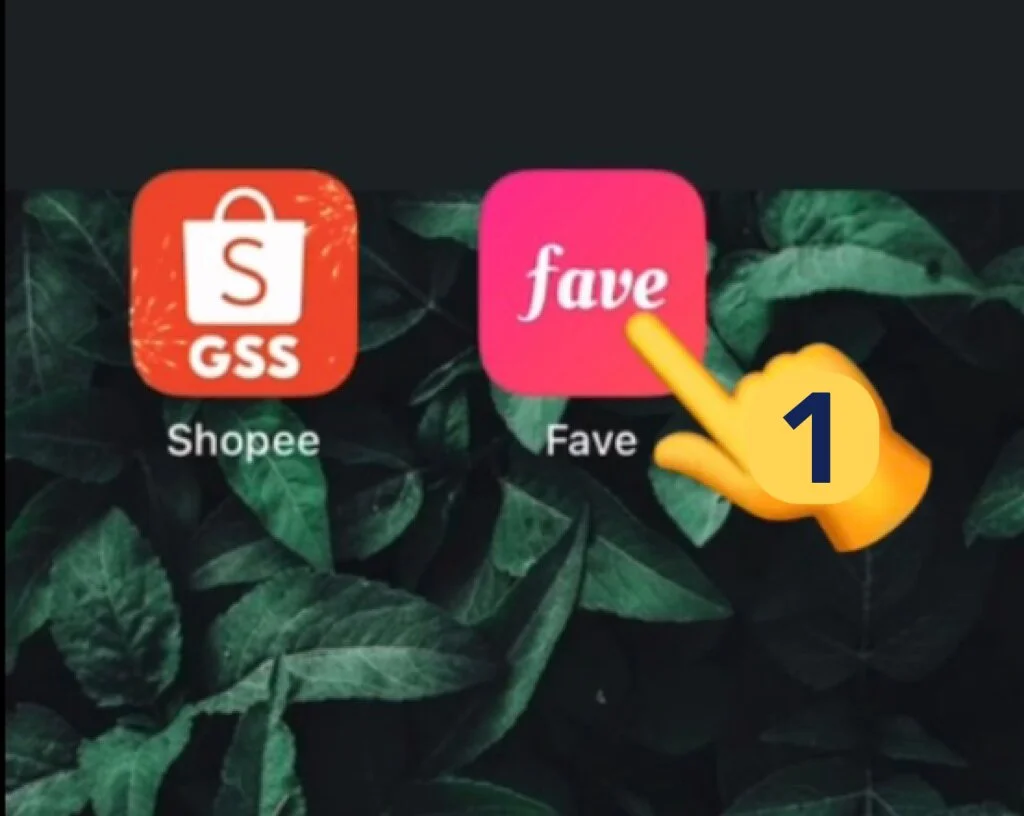
- Open Fave app
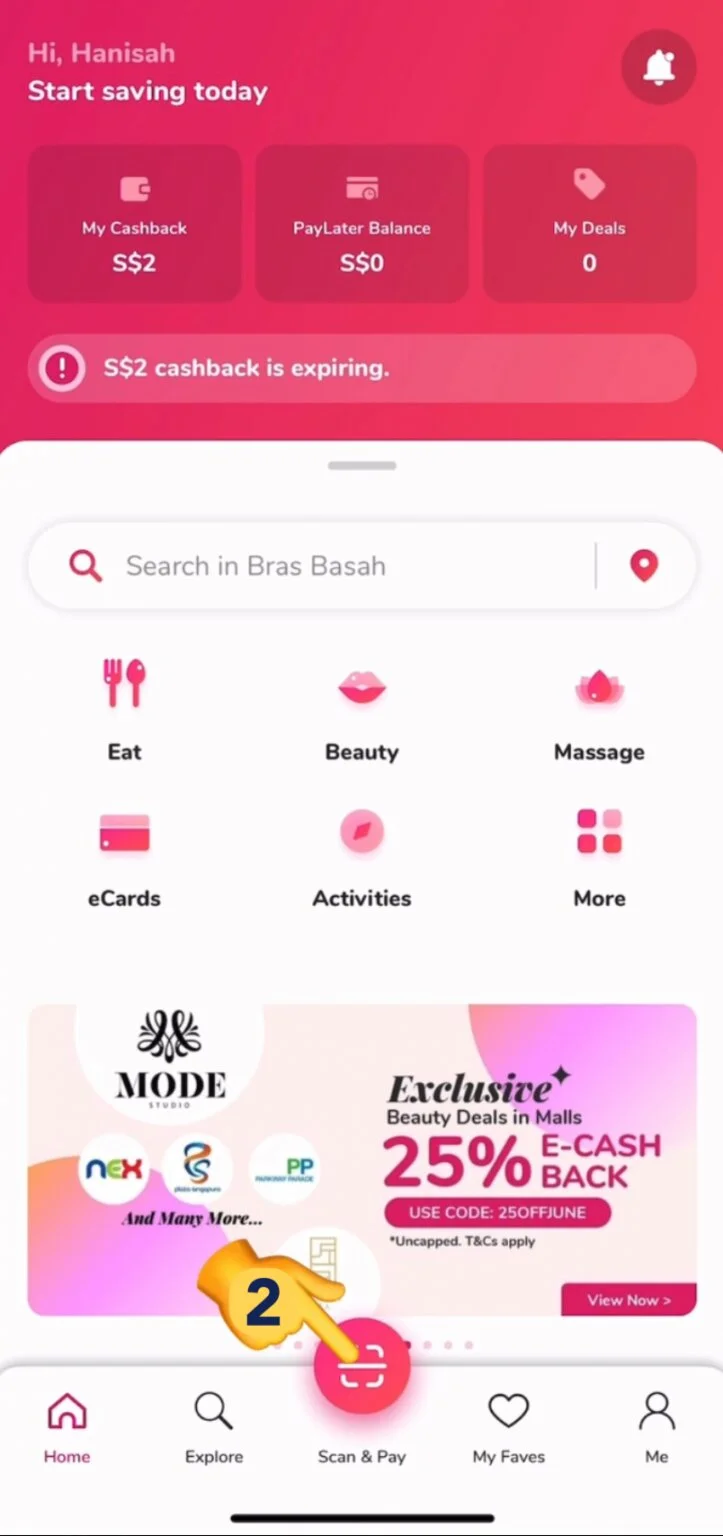
- Homepage will appear in your screen. Tap the QR scan icon here
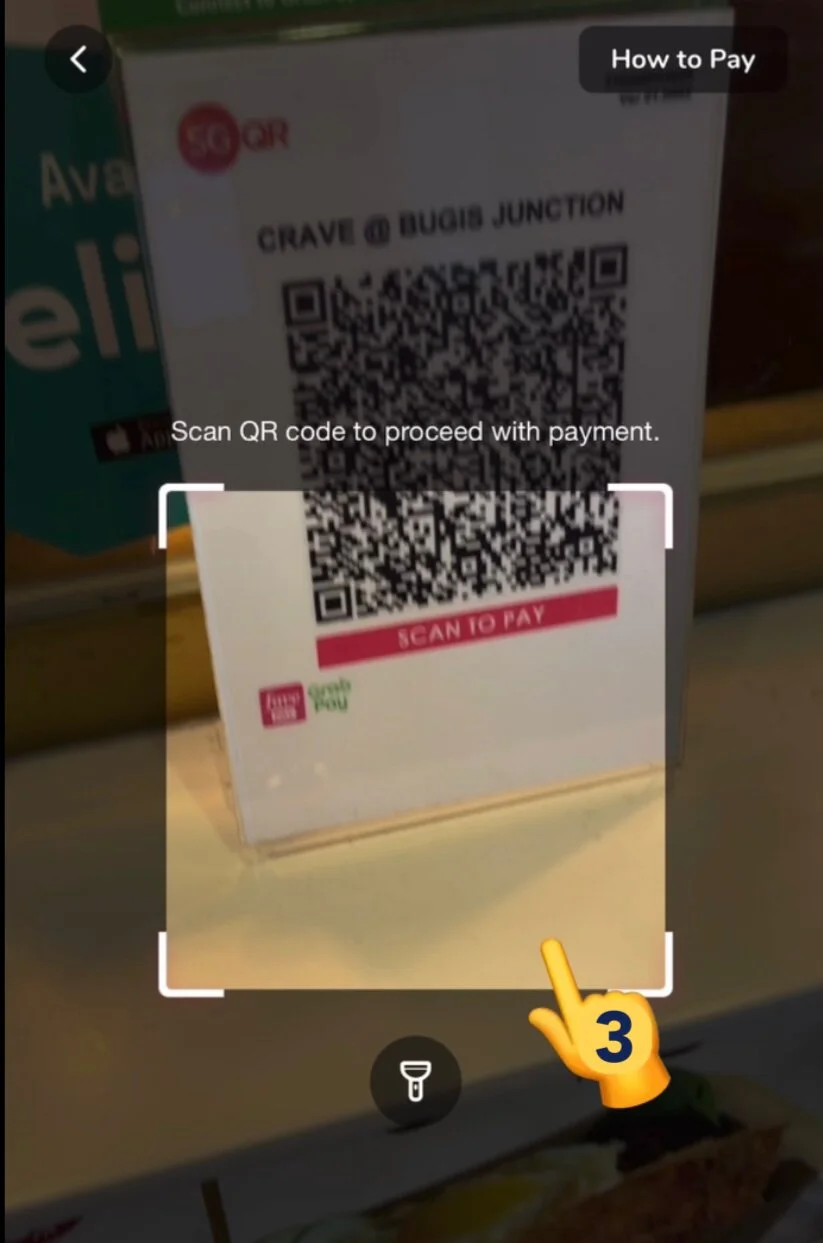
- Use the camera to scan the QR
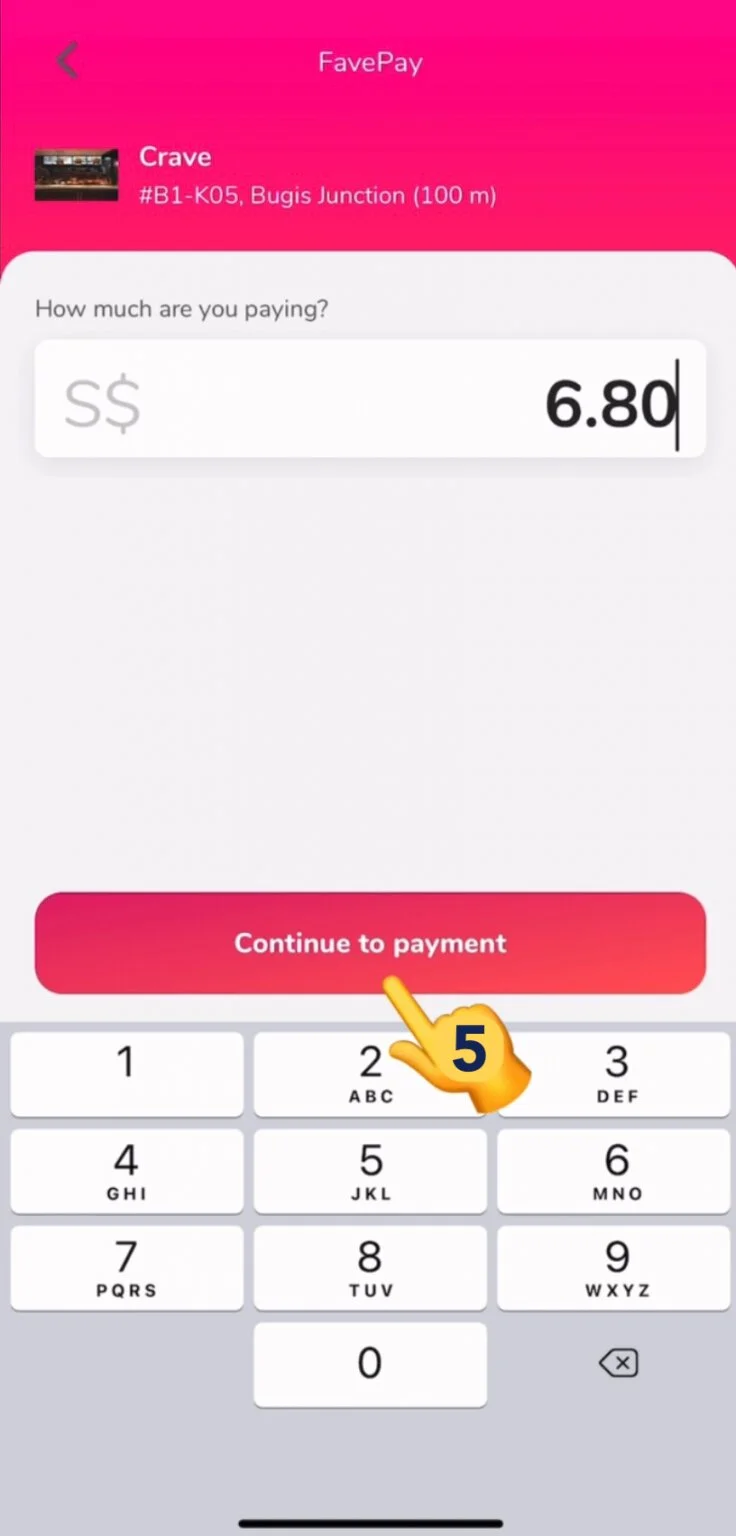
- Once done, type in the amount you are paying
5. Tap ‘Continue to payment’
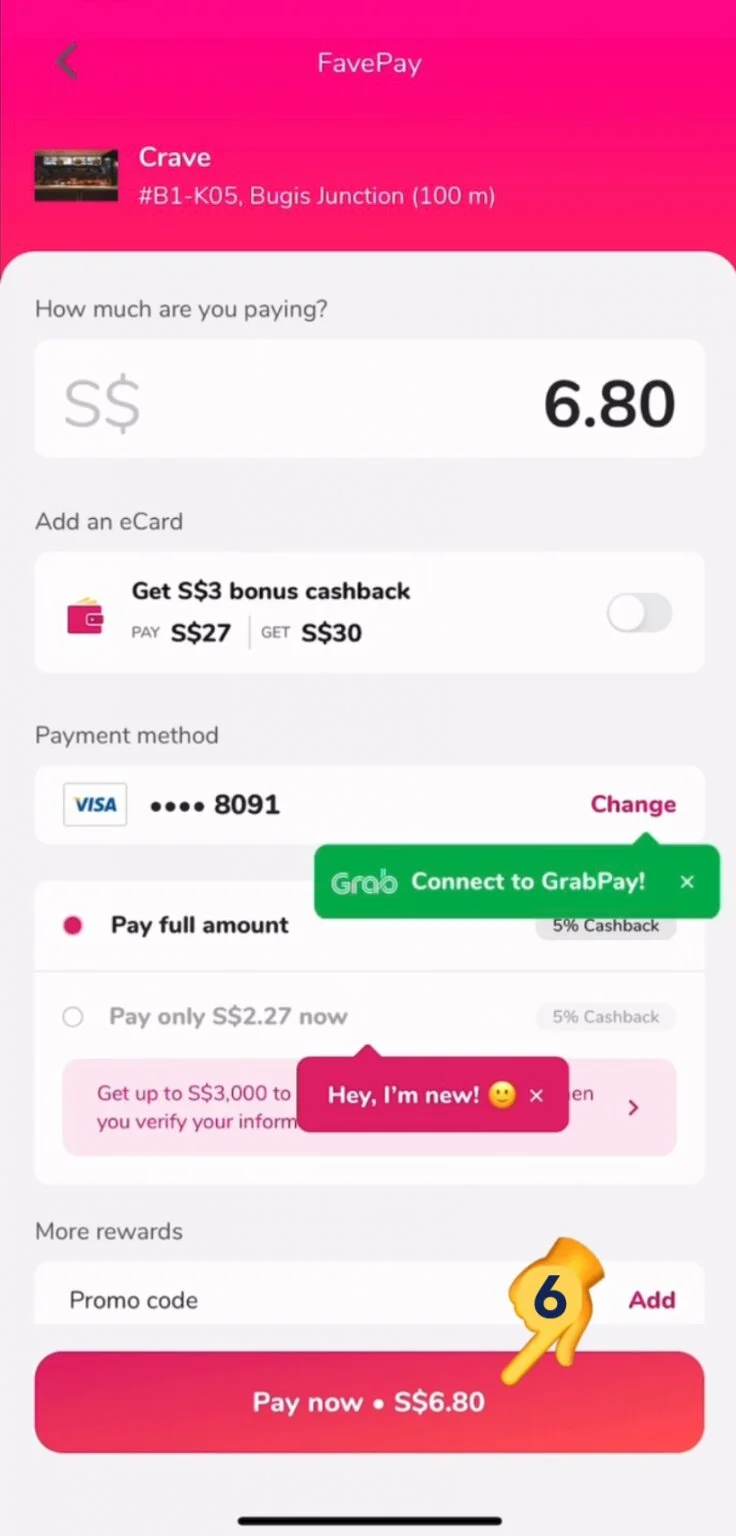
- Tap ‘Pay now’ once done
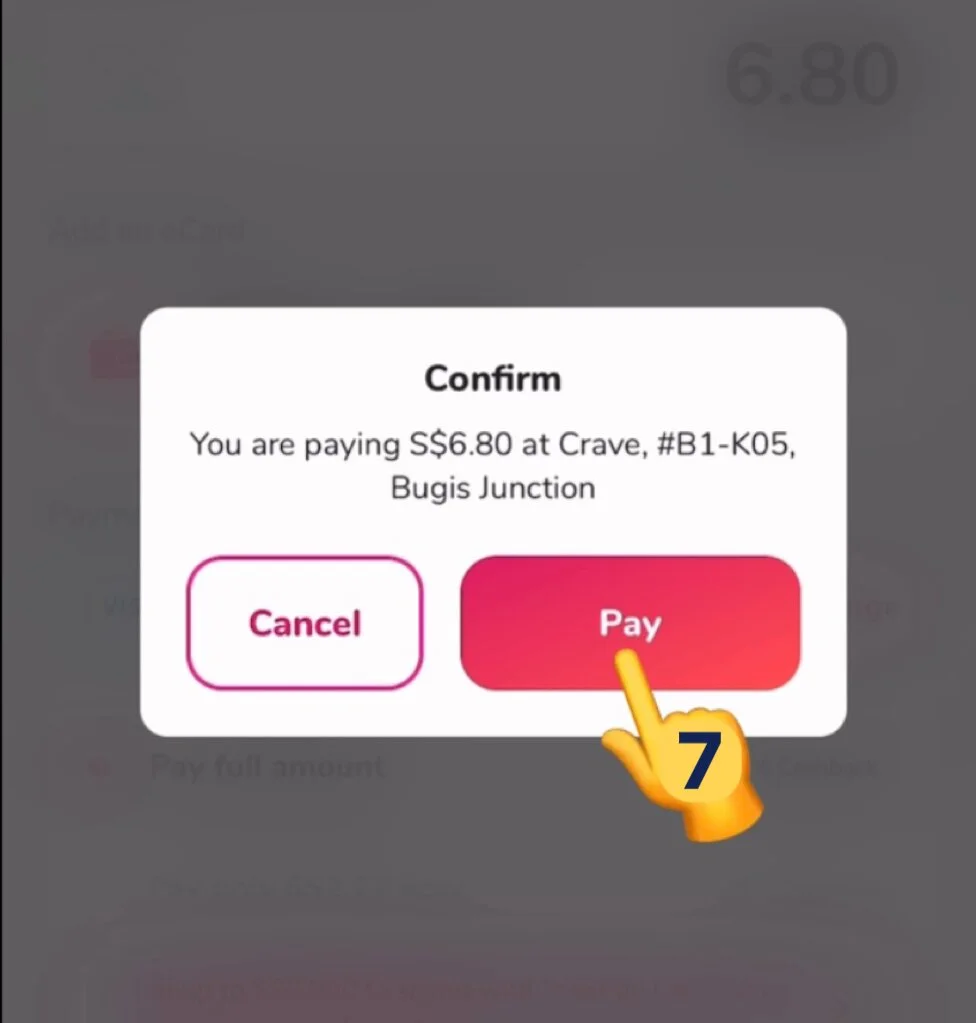
- Tap ‘Pay’ to confirm
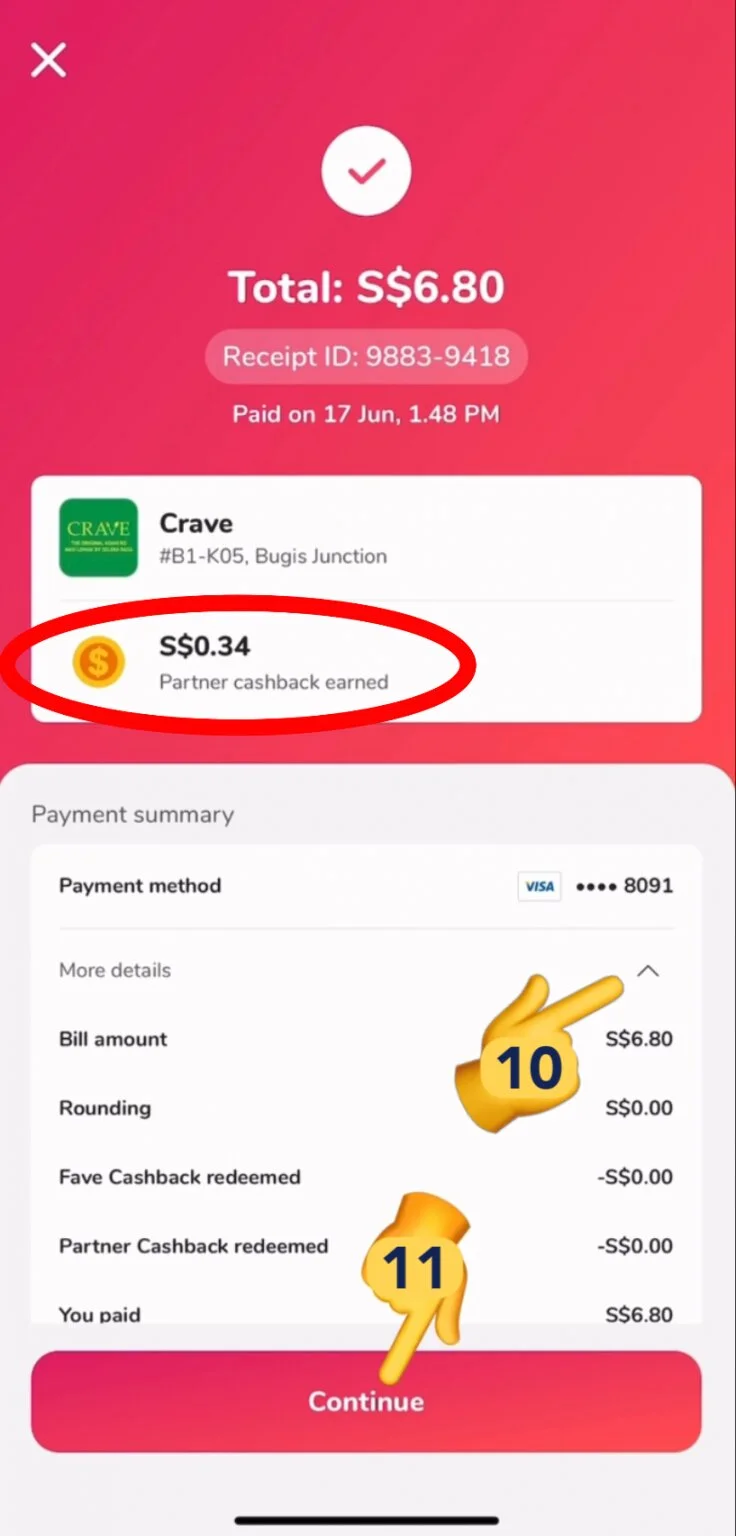
- You may show this page to the cashier for proof of payment
9. You can see your cashback details
10. Tap on the arrow here to see more details
11. Tap ‘Continue’ once done
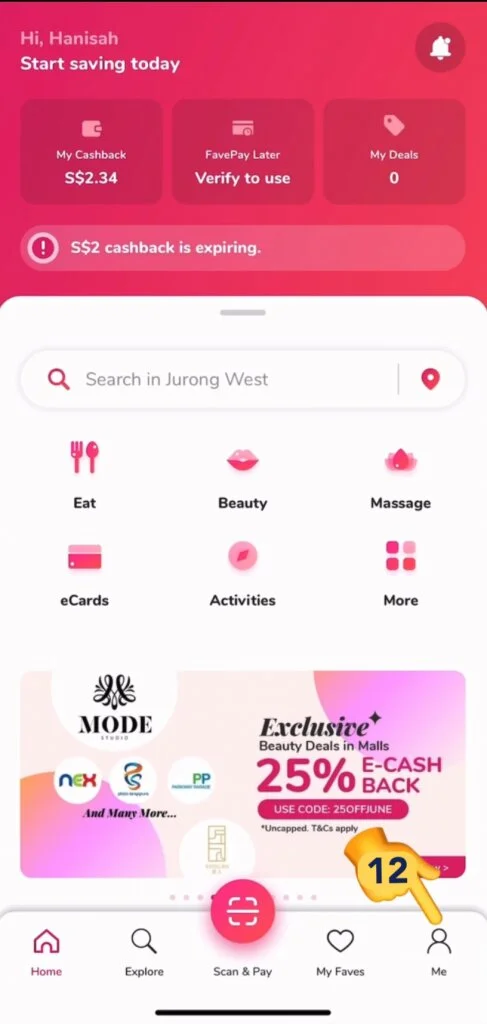
- To view back your receipt, tap on ‘Me’
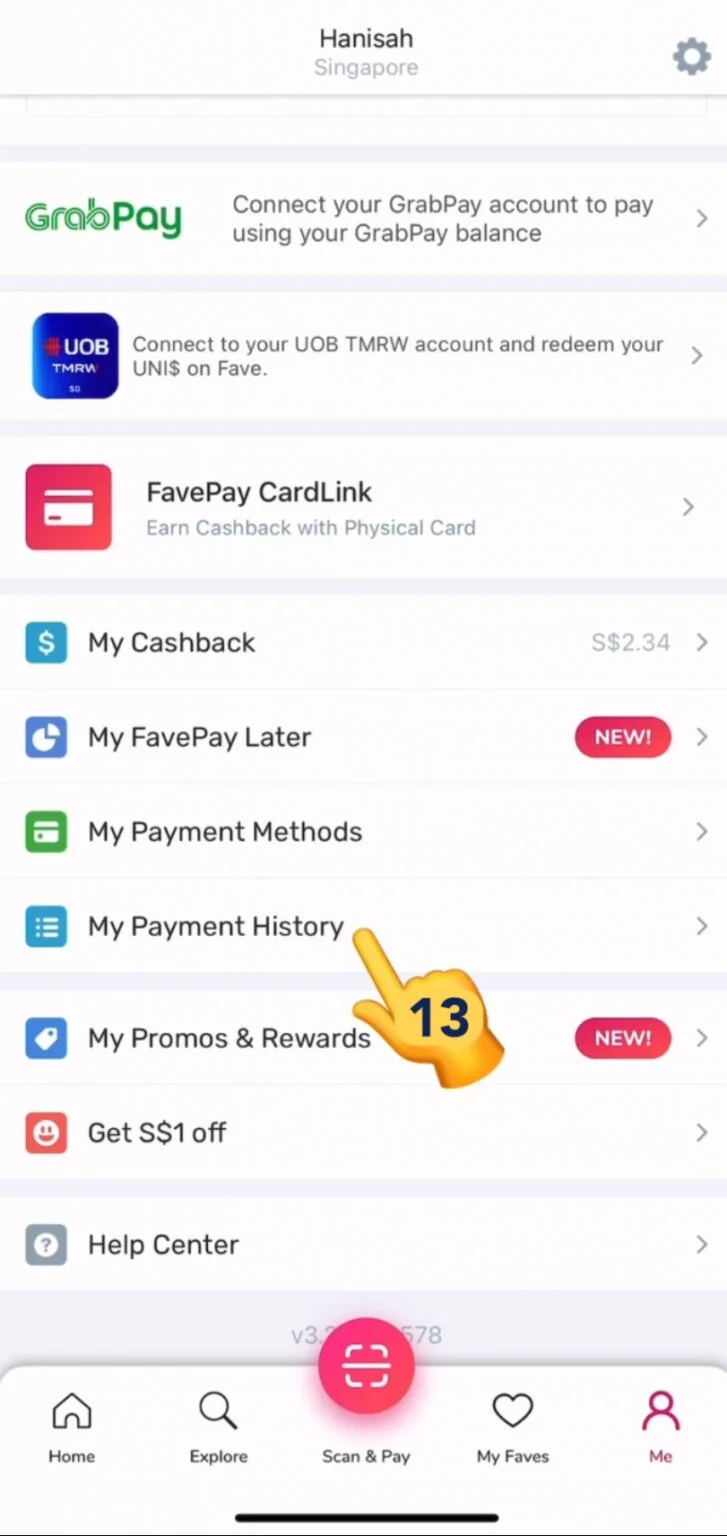
- Scroll up and tap ‘My Payment History’
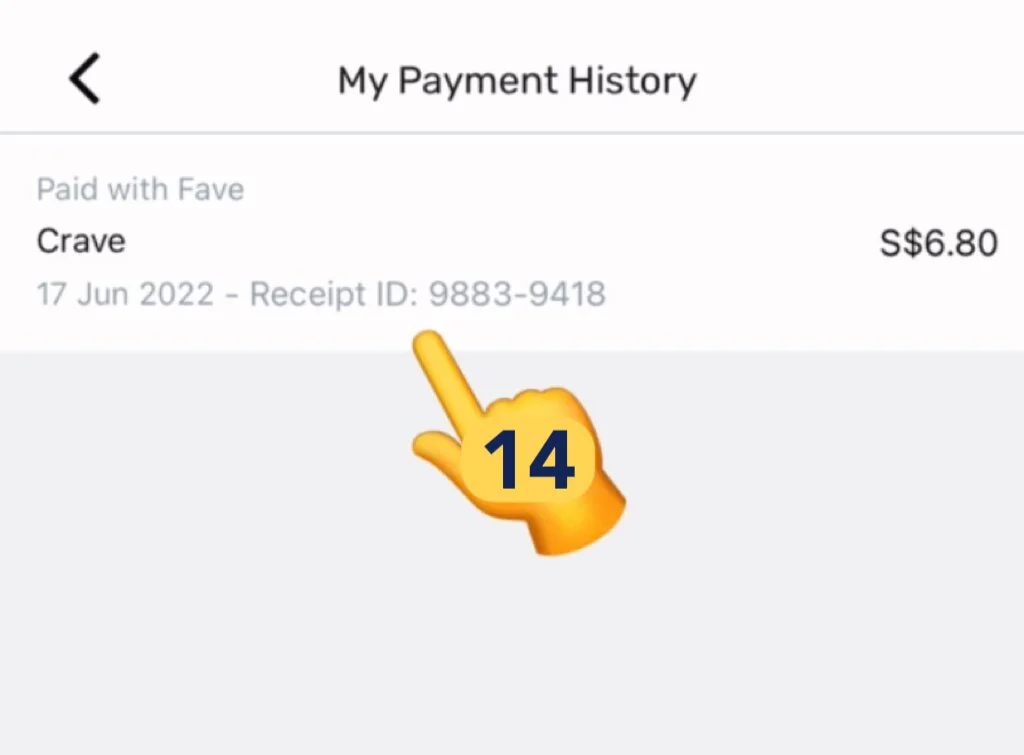
- Tap on your purchased item, this will show you the receipt and details
You are now good to go. Use FavePay now and receive more cashbacks!
Video Tutorial
Related Posts

Do Apps Like WhatsApp, Gmail Work in China? How Singapore Travellers Stay Connected

AI Generated Photos and Videos: Safety Tips and New Ideas to Try

Why More Singapore Seniors Are Joining Instagram (and How to Start)

How to Build a Design System for your Business and Brands Using Claude Design

Claude Plugins Explained: What They Are and How to Use Them for Business

Edit images using Google Gemini Nano Banana without photoshop

Leading Image, Video and Audio Generative AI Companies With Free Tiers and Usage

Leading Generative AI Companies Around the World With Free Tiers and Usage
