
Jan 31, 2025 • Adrian T
How To Check Singtel Mobile Data Usage
It is important to find out how much data your phone download and upload while using your mobile data. To make sure you are not using too much of your data plan, you can set your mobile data alerts to monitor and limit your usage!
Please install mySingtel App before following this tutorial.
You may download from the following sources:
For Apple iPhone , please click below link for download.
https://apps.apple.com/sg/app/my-singtel-app/id1054859191
For Android Phones , please click below link for download.
https://play.google.com/store/apps/details?id=com.singtel.mysingtel&hl=en_SG
Before you open MySingtel App, please turn on your data and turn off your WIFI. Using Singtel data will help you automatically login to your Singtel account.
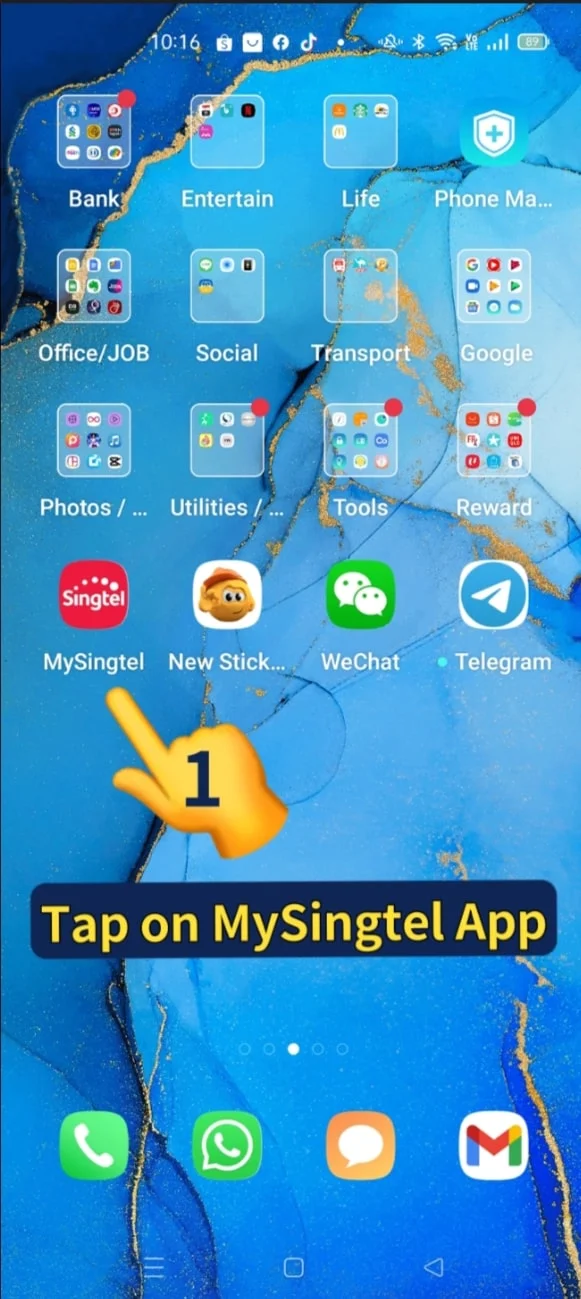
1. Tap on My Singtel App
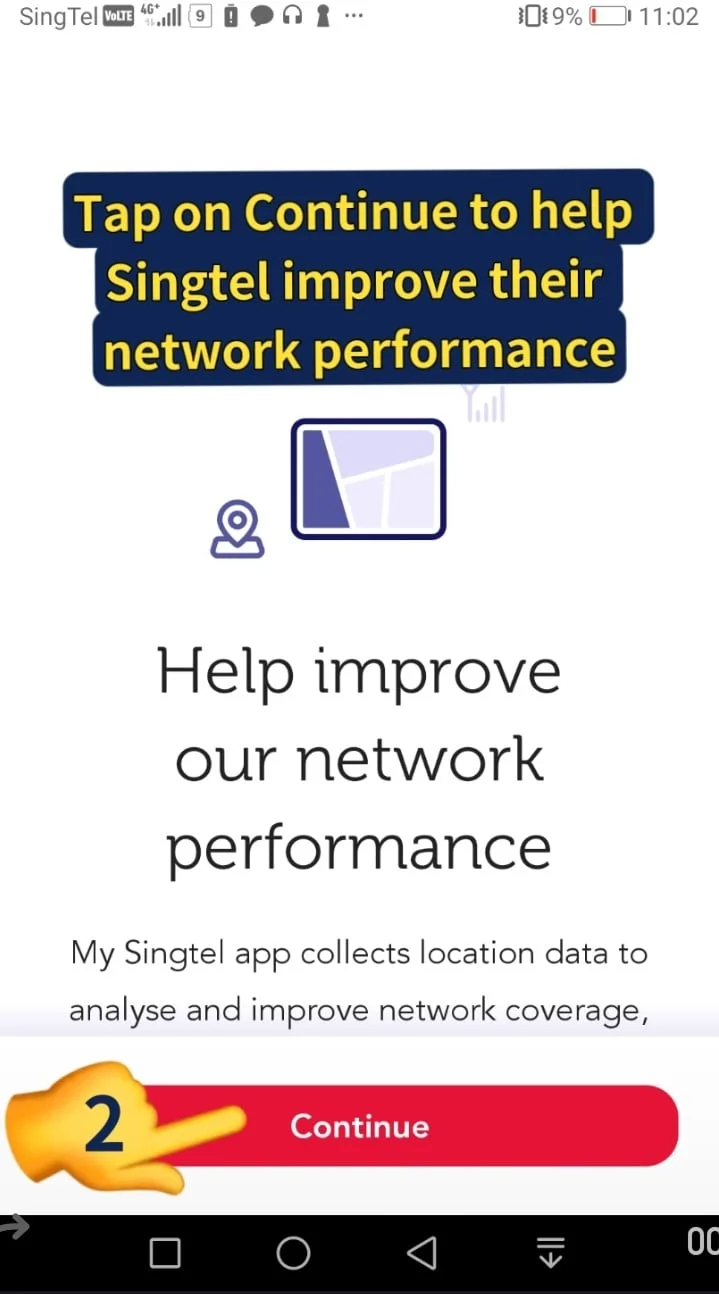
2. Tap on Continue to help Singtel improve their network performance
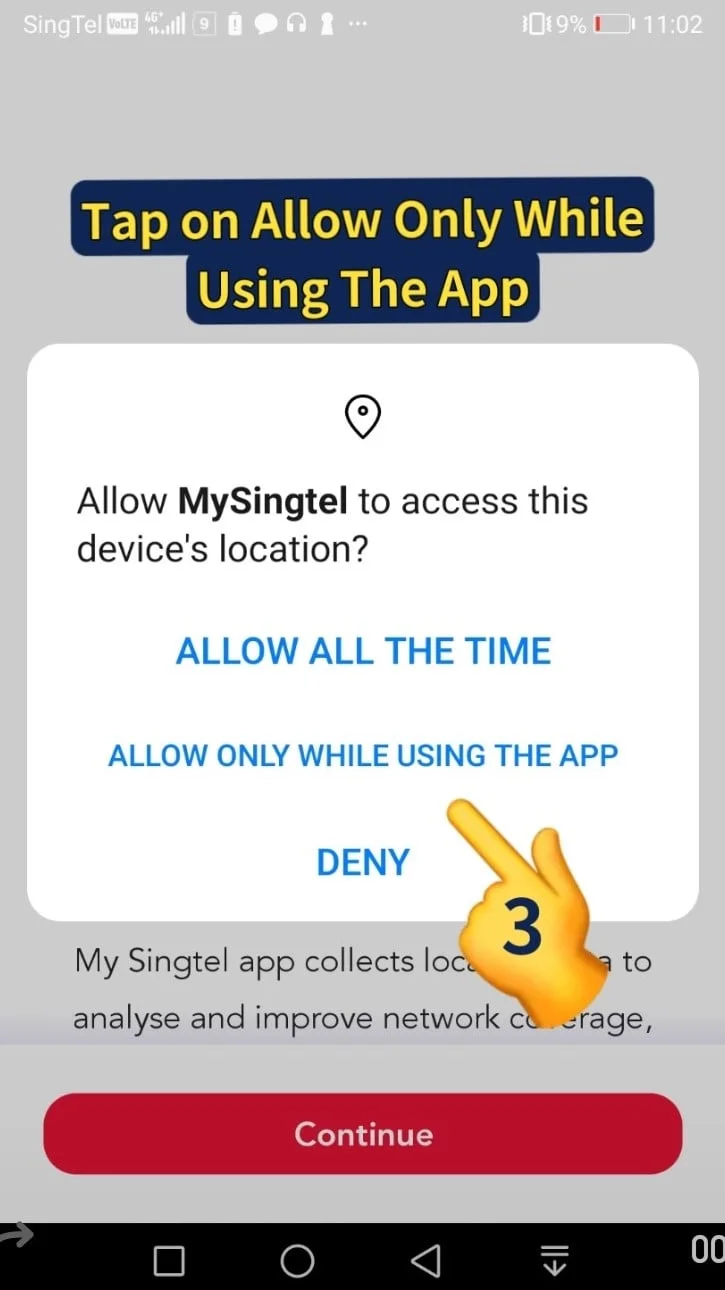
3. Tap on ALLOW ONLY WHILE USING THIS APP
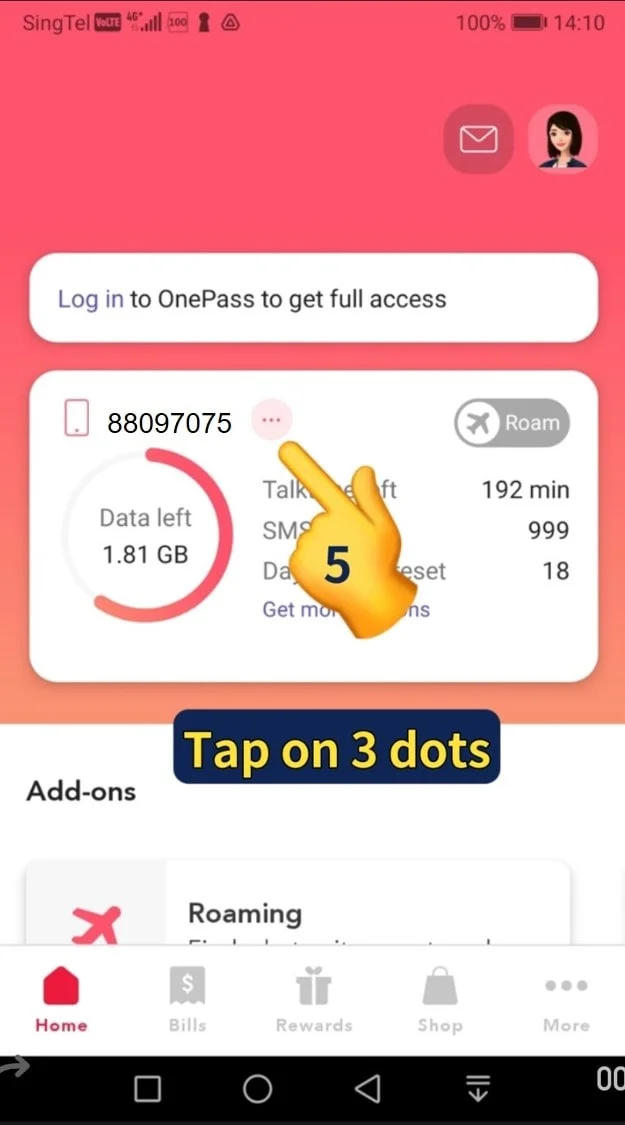
5. Tap on 3 dots
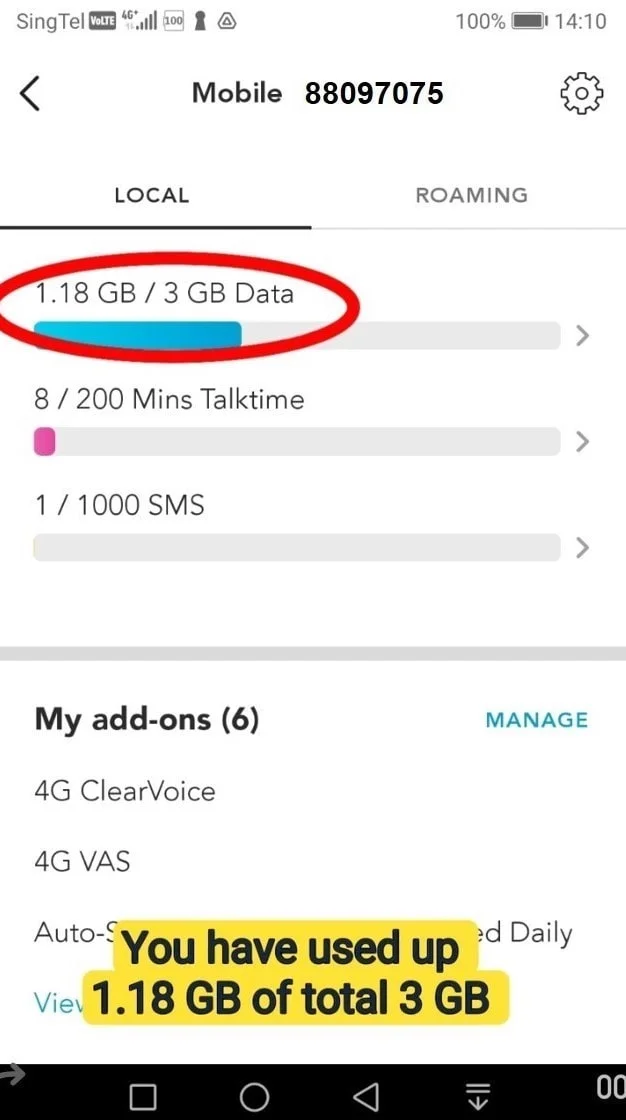
6. You have used up 1.18 GB of total 3 GB
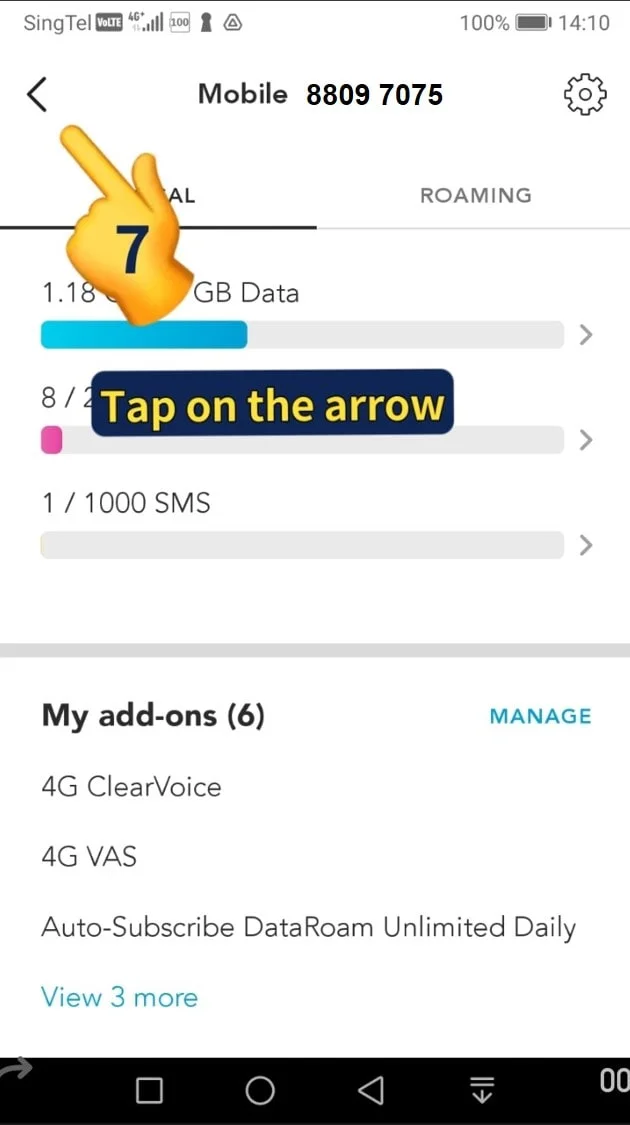
7. Tap on the arrow on top-left corner
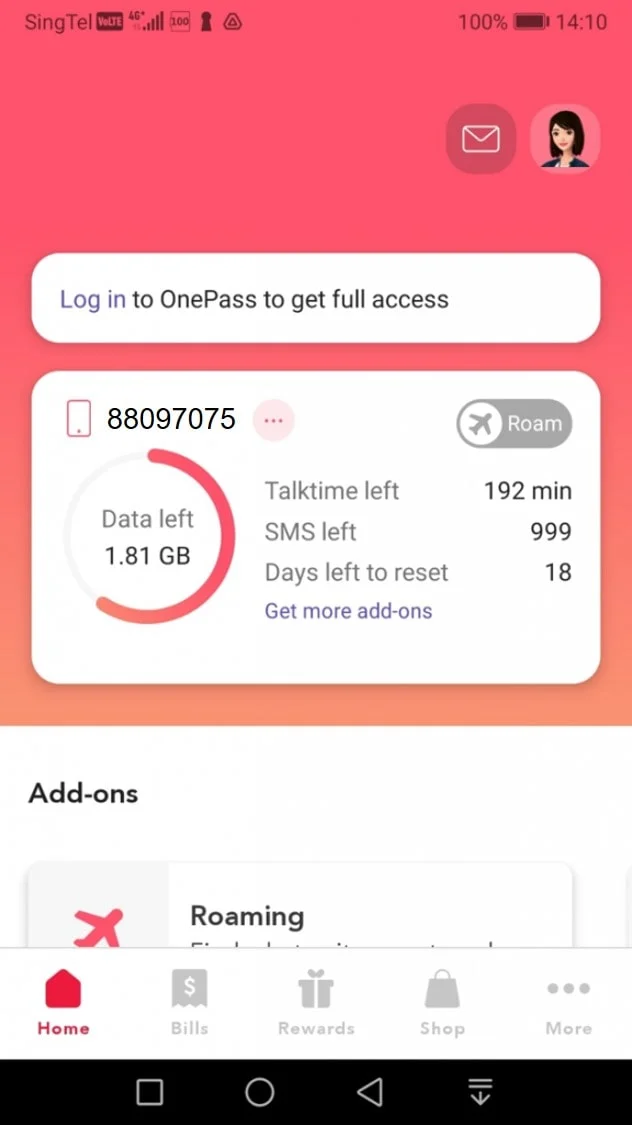
8. Go back to this page to set up your Mobile Data Alerts
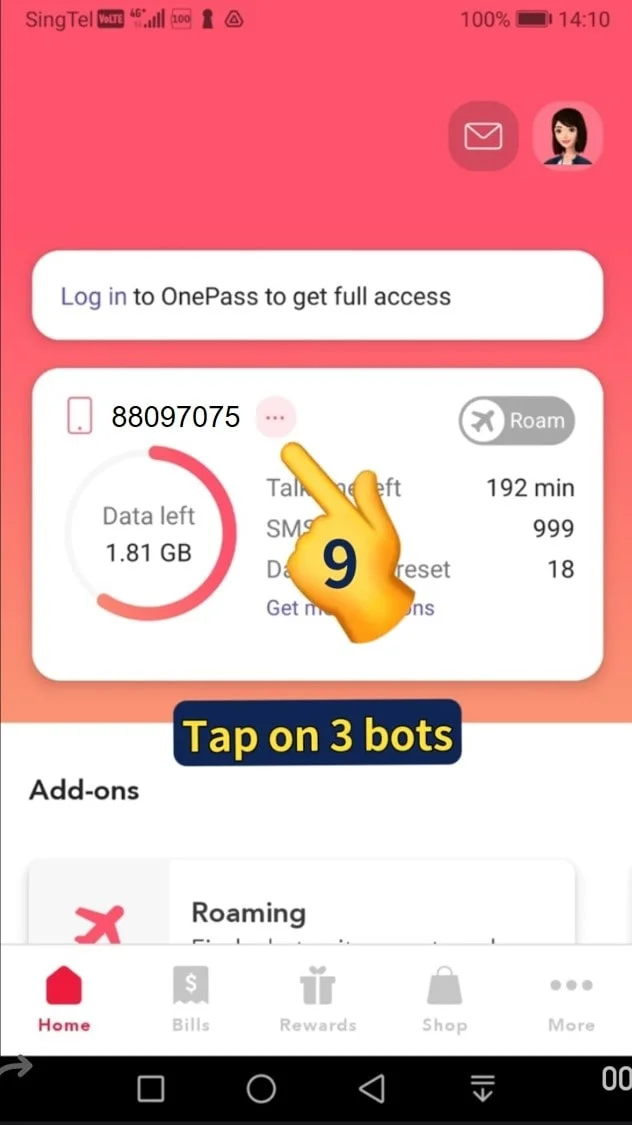
9. Tap on 3 dots
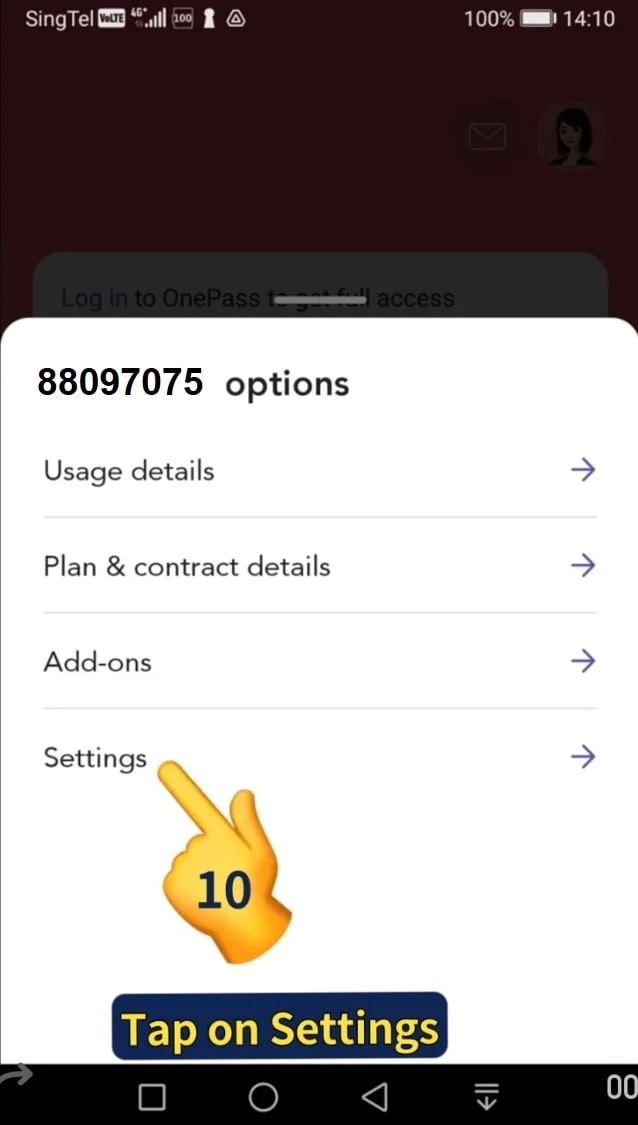
10. Tap on Setting
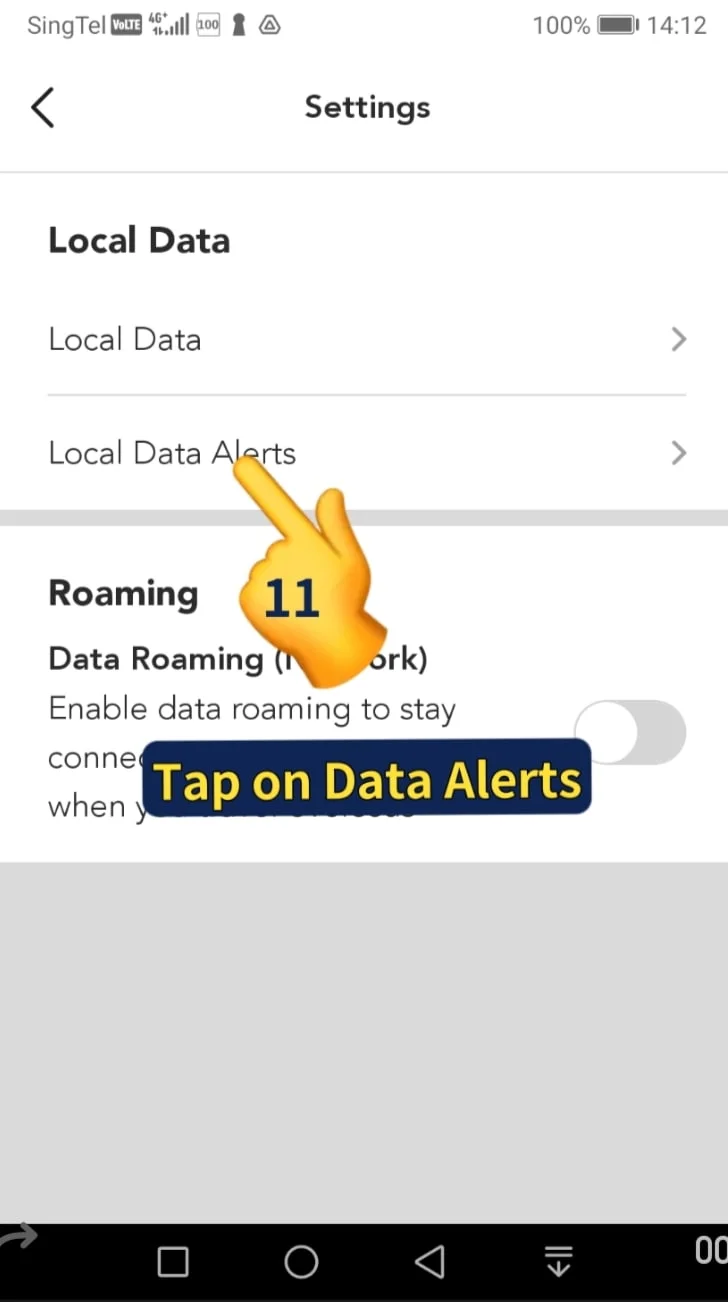
11. Tap on Local Data Alerts
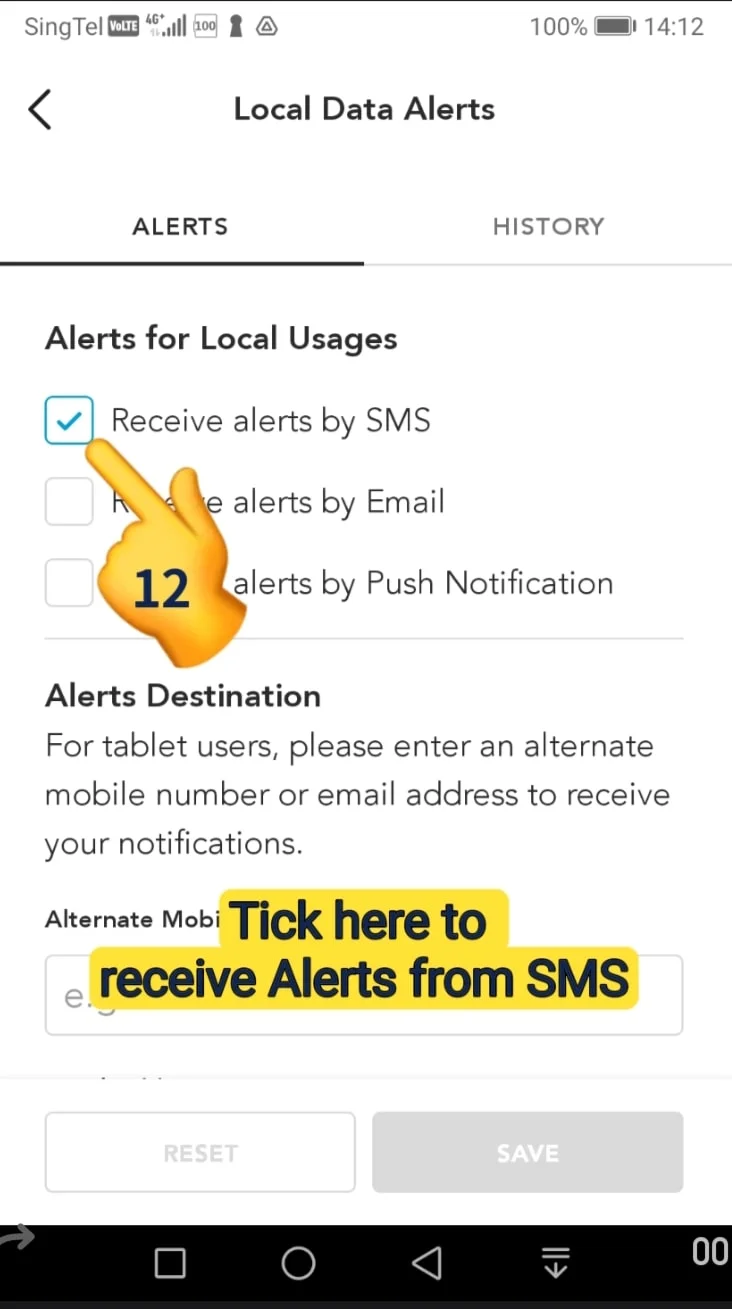
12. Tick here to receive alerts by SMS, then tap Save or
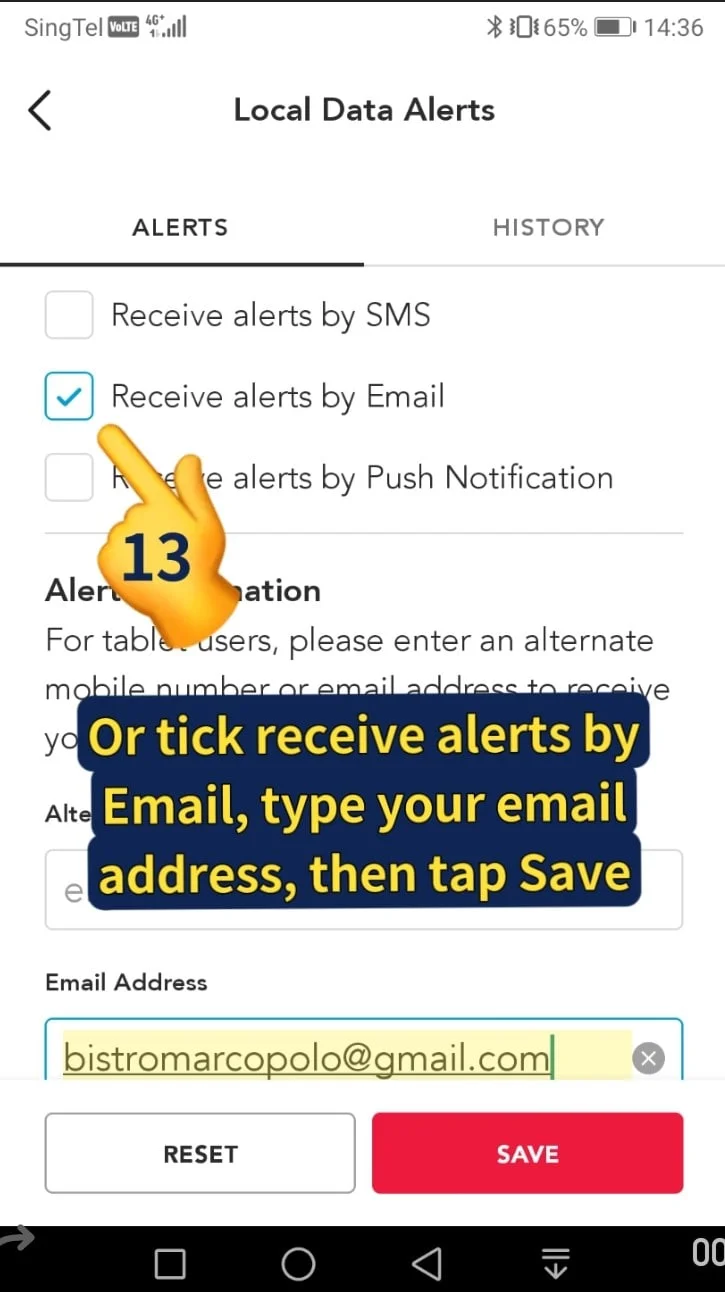
13. Tick receive alert by email, type in your email address then tap Save.
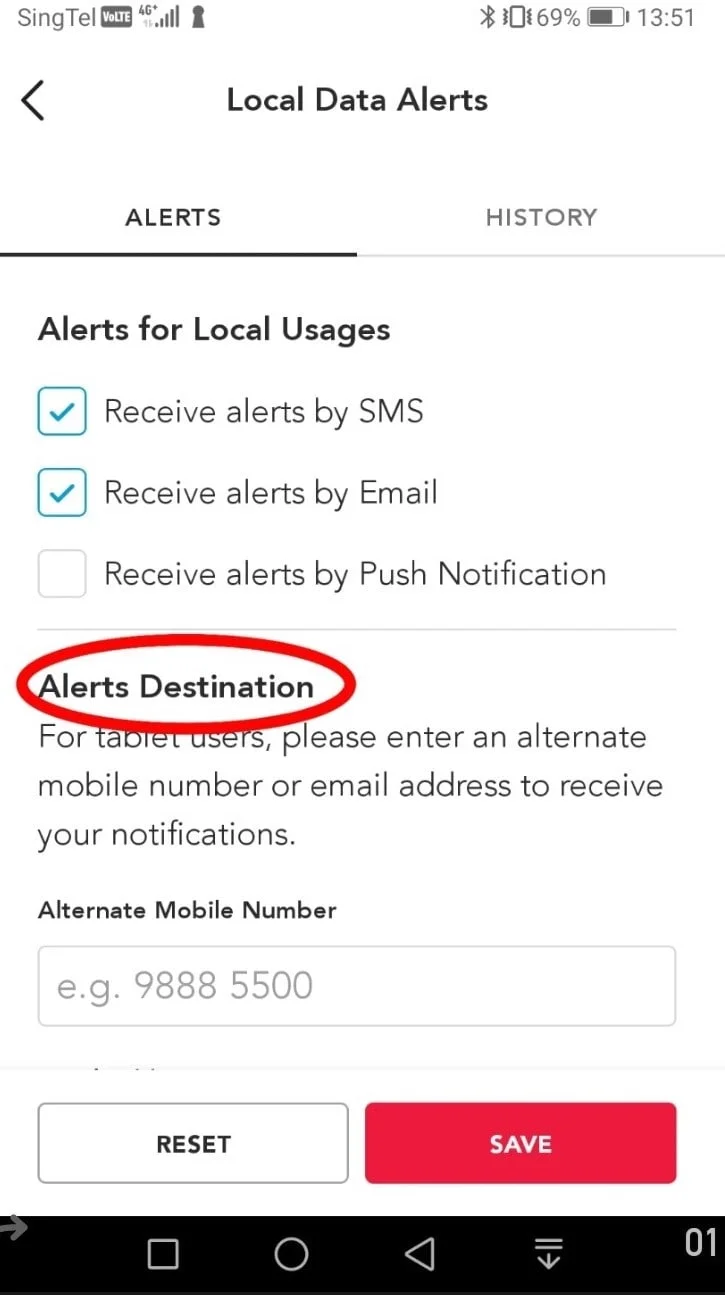
14. For tablet users that can’t receive SMS, you can enter an alternative mobile number or email address to receive your alert notification.
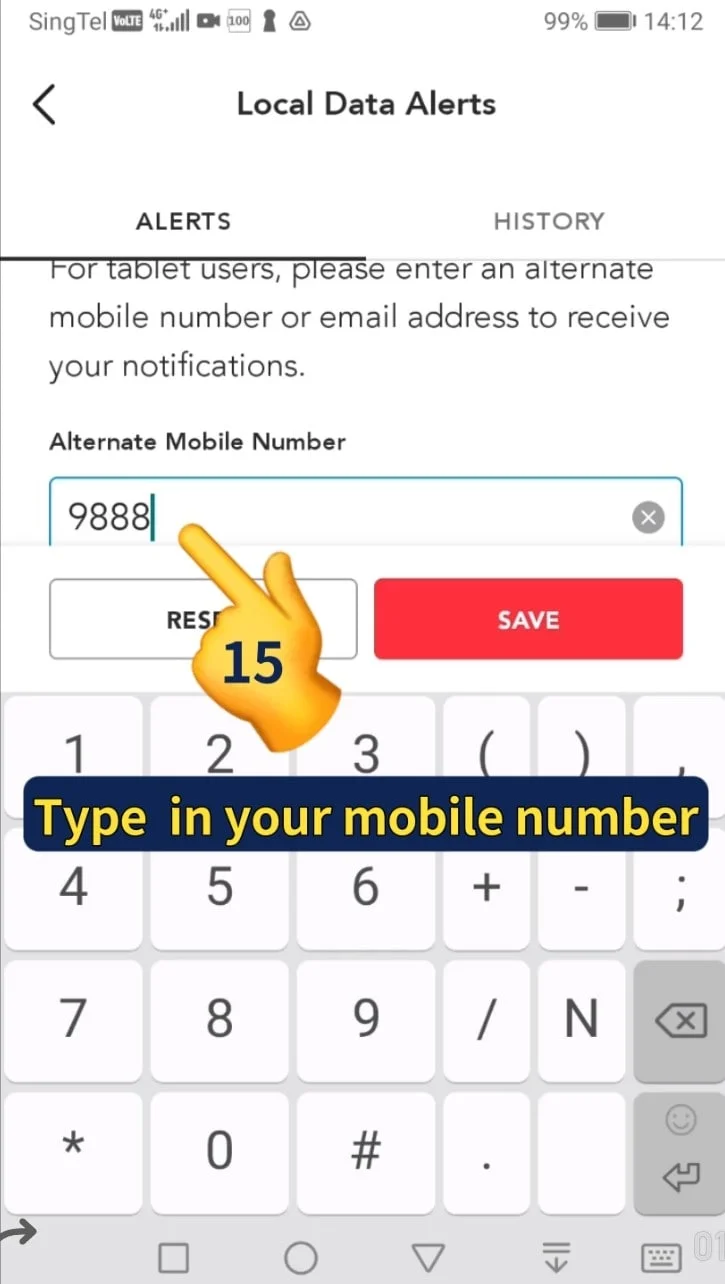
15. Type in your alternate mobile phone number
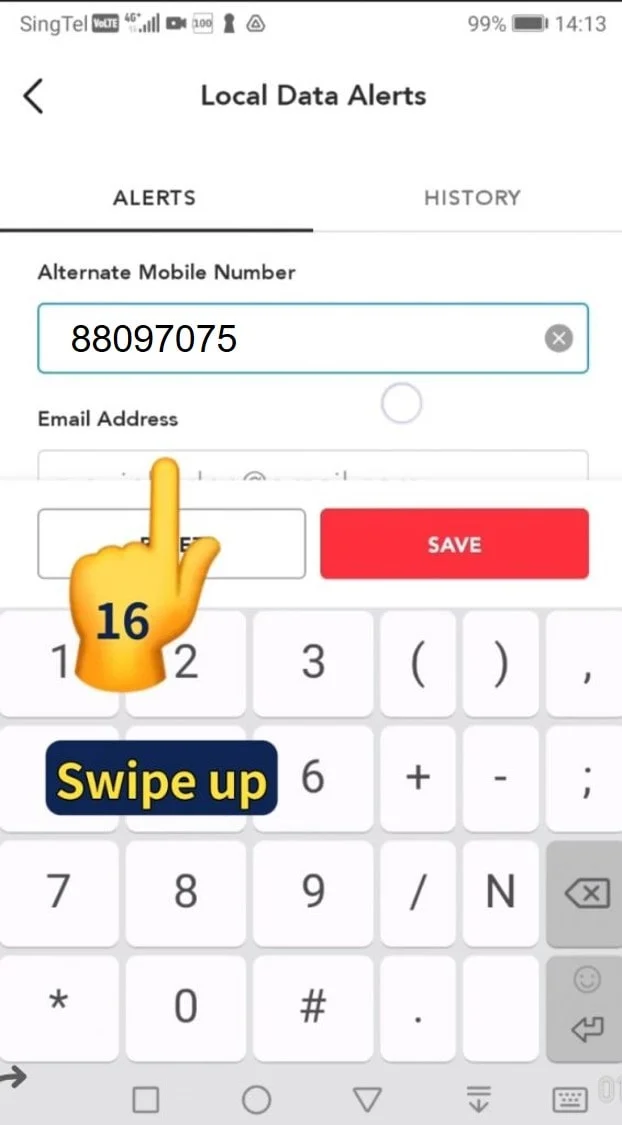
16. Swipe up
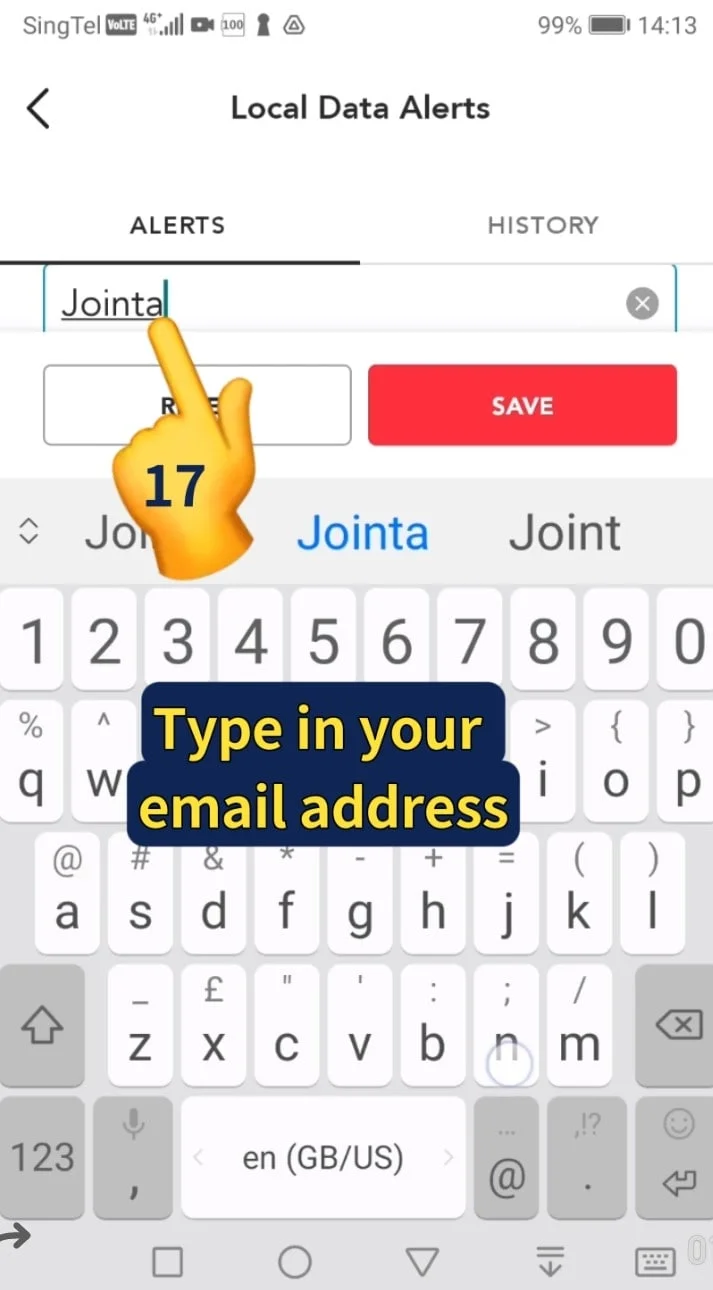
17. Type in your email address
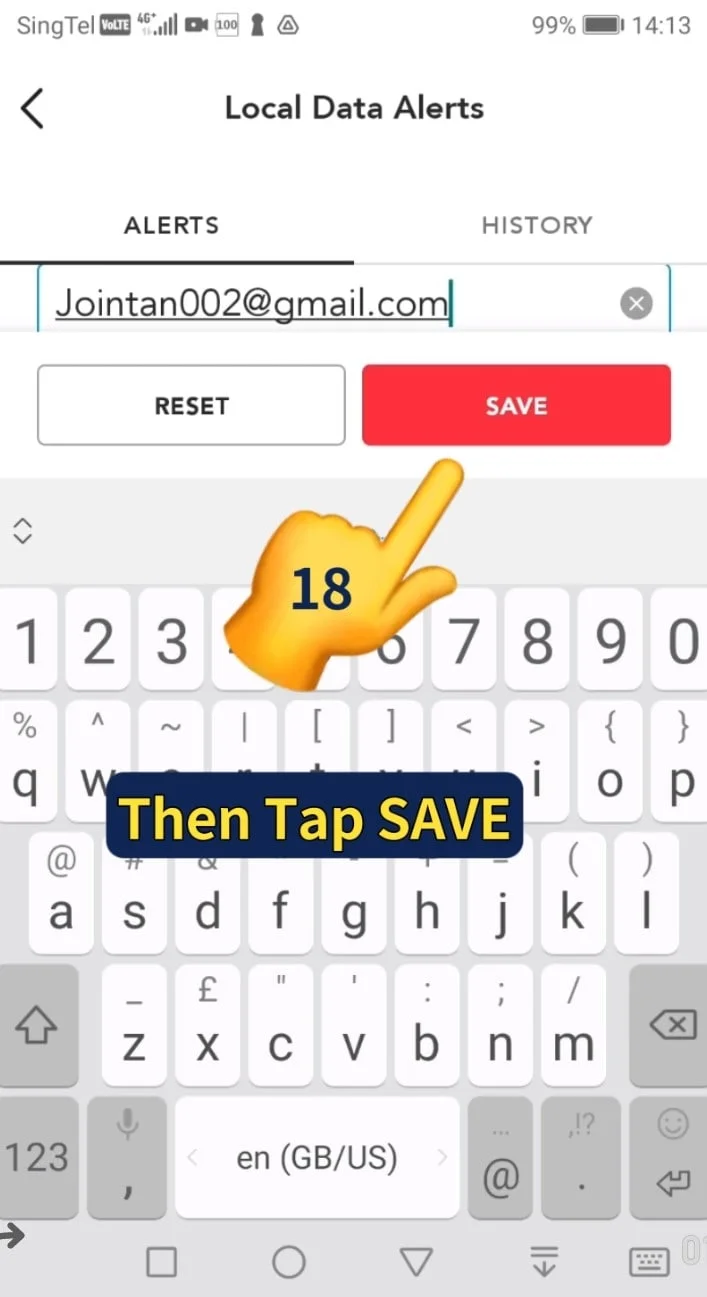
18. Tap Save to receive your notification.
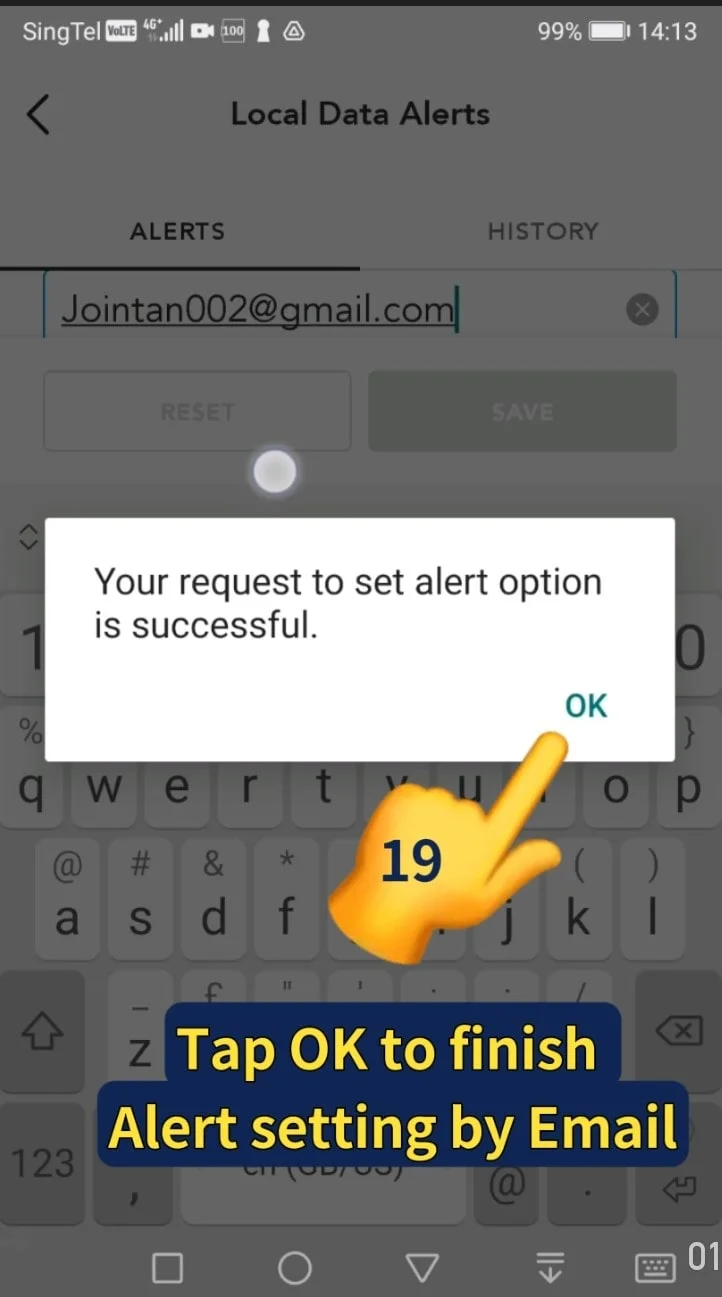
19. Your request to set the alert option is successful. Tap OK to finish your alert setting process.
Video Tutorial
Related Posts

Do Apps Like WhatsApp, Gmail Work in China? How Singapore Travellers Stay Connected

AI Generated Photos and Videos: Safety Tips and New Ideas to Try

Why More Singapore Seniors Are Joining Instagram (and How to Start)

How to Build a Design System for your Business and Brands Using Claude Design

Claude Plugins Explained: What They Are and How to Use Them for Business

Edit images using Google Gemini Nano Banana without photoshop

Leading Image, Video and Audio Generative AI Companies With Free Tiers and Usage

Leading Generative AI Companies Around the World With Free Tiers and Usage
