
Jan 31, 2025 • Adrian T
How To Send Messages (Chat) In Zoom Meeting

Do you know the chat feature in Zoom allows you to send instant messages to all participants or a private message to individual participant within a meeting?
If you are not able to chat during a meeting, that is because the host may have disabled all the chat functions.
Let’s start to learn how you can send messages to everyone or anyone individually through your mobile phone.

- In a Zoom Meeting, tap on the 3 dots More icon
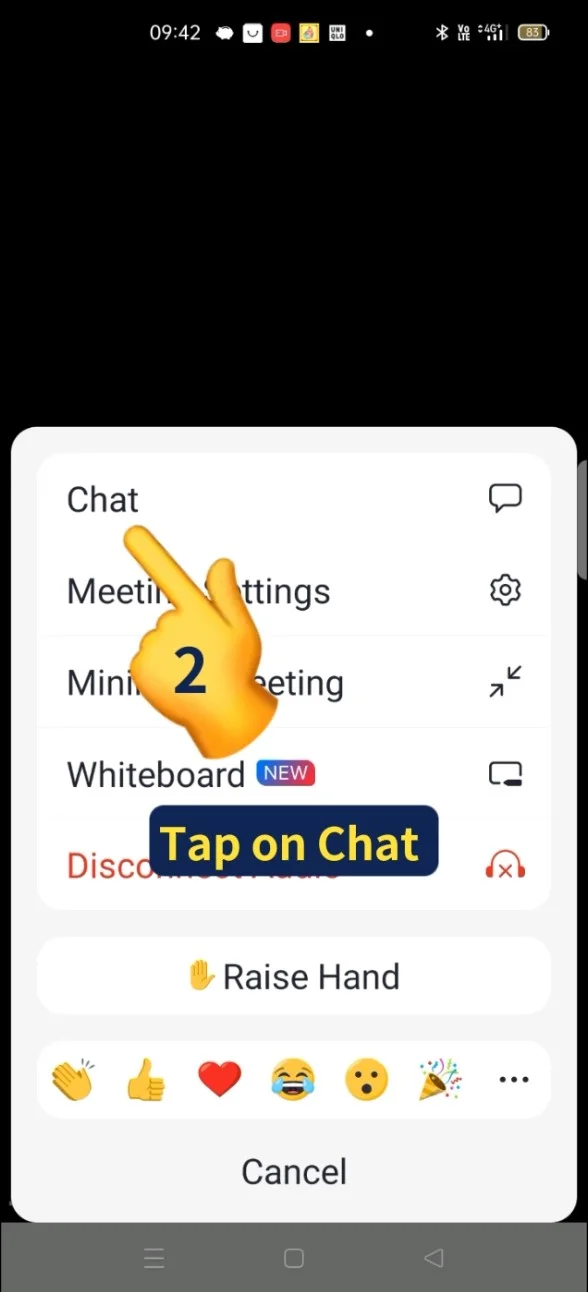
- A menu pop up and tap on Chat
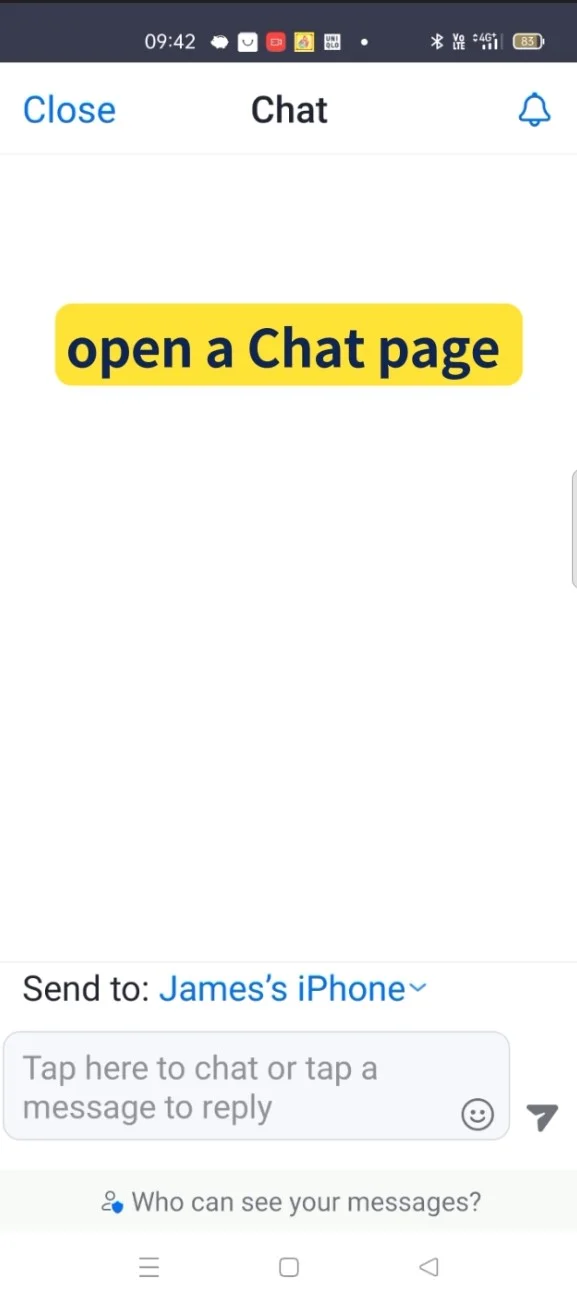
- to open a Chat page
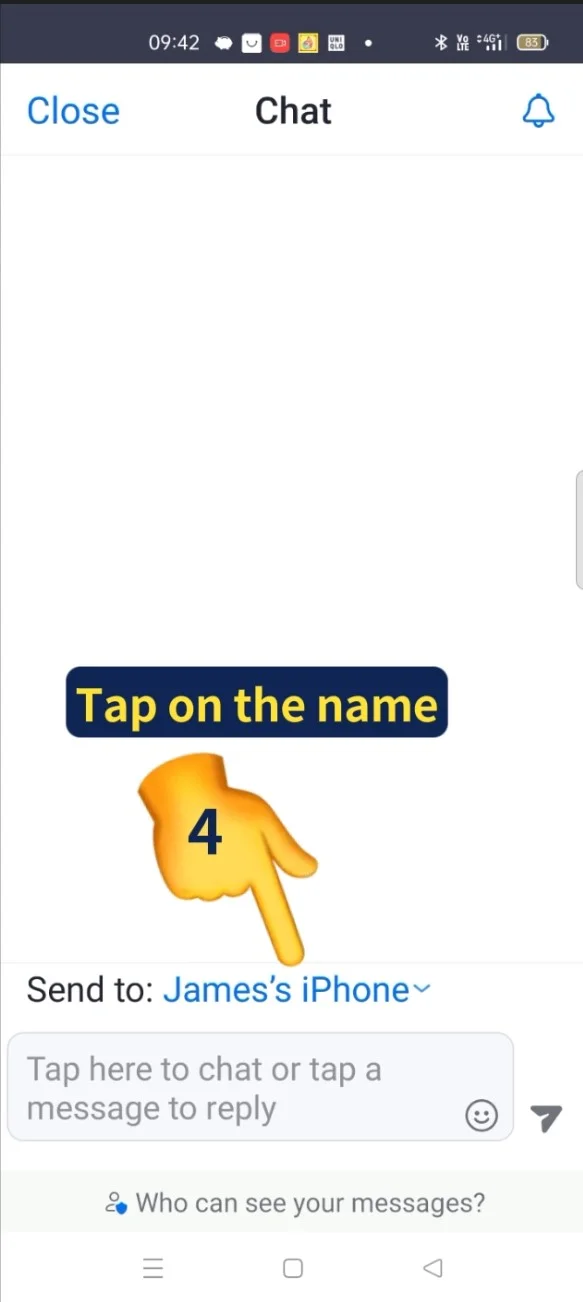
- Tap on the name below
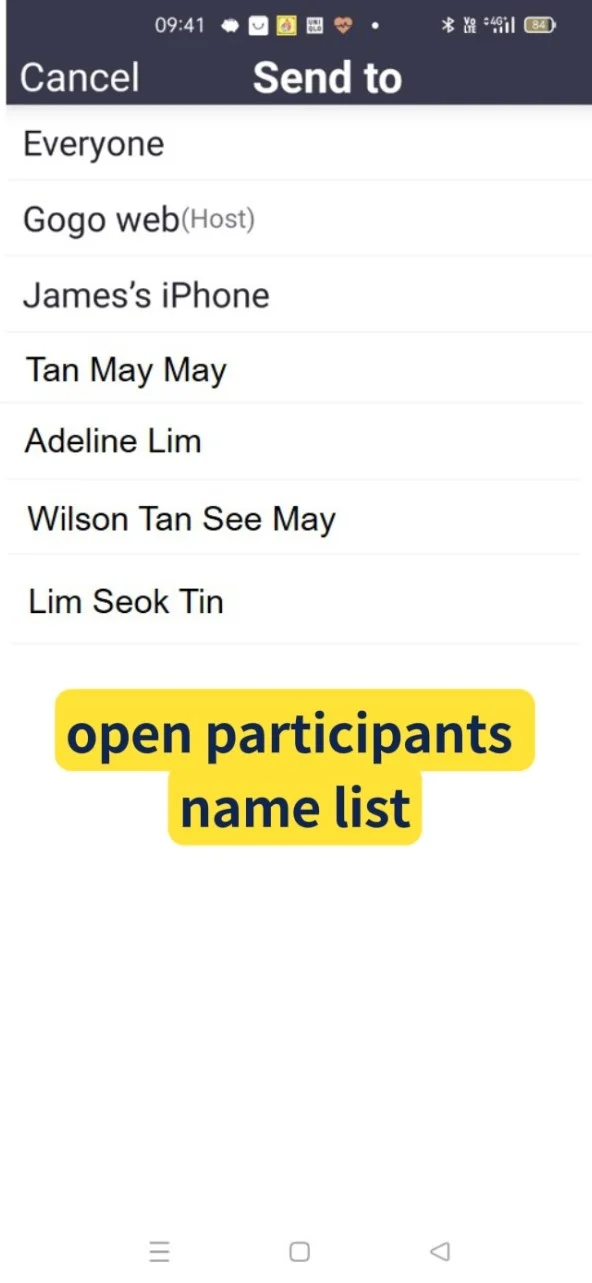
- Open participants name list
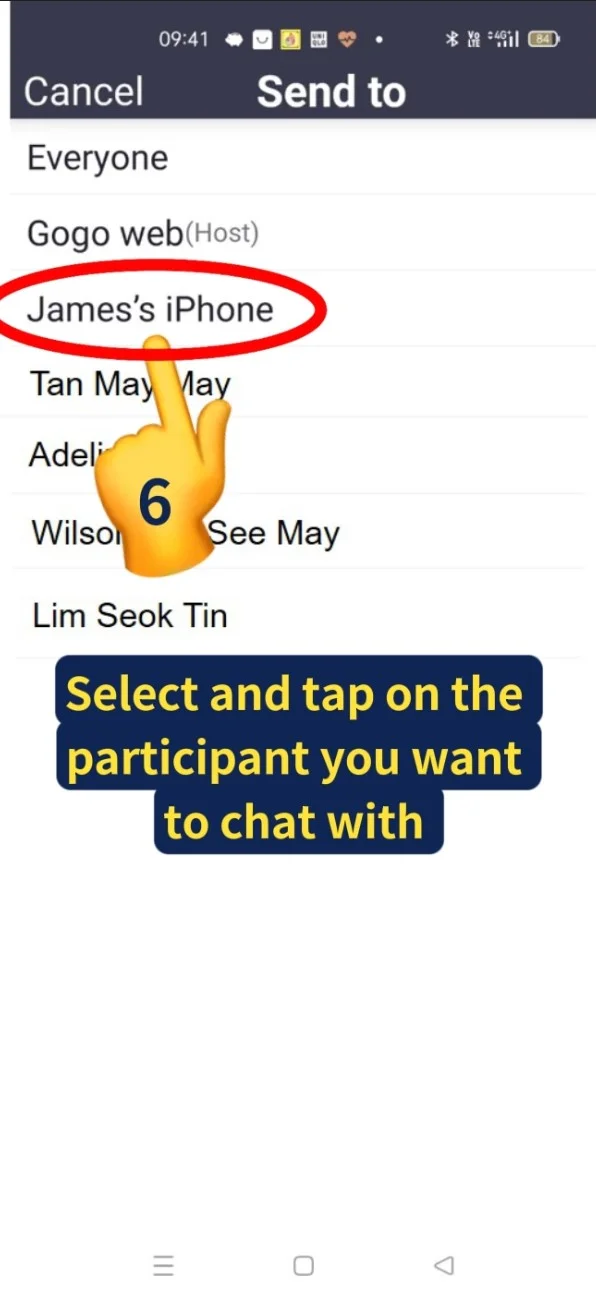
- Select and tap on the participant name you want to chat with
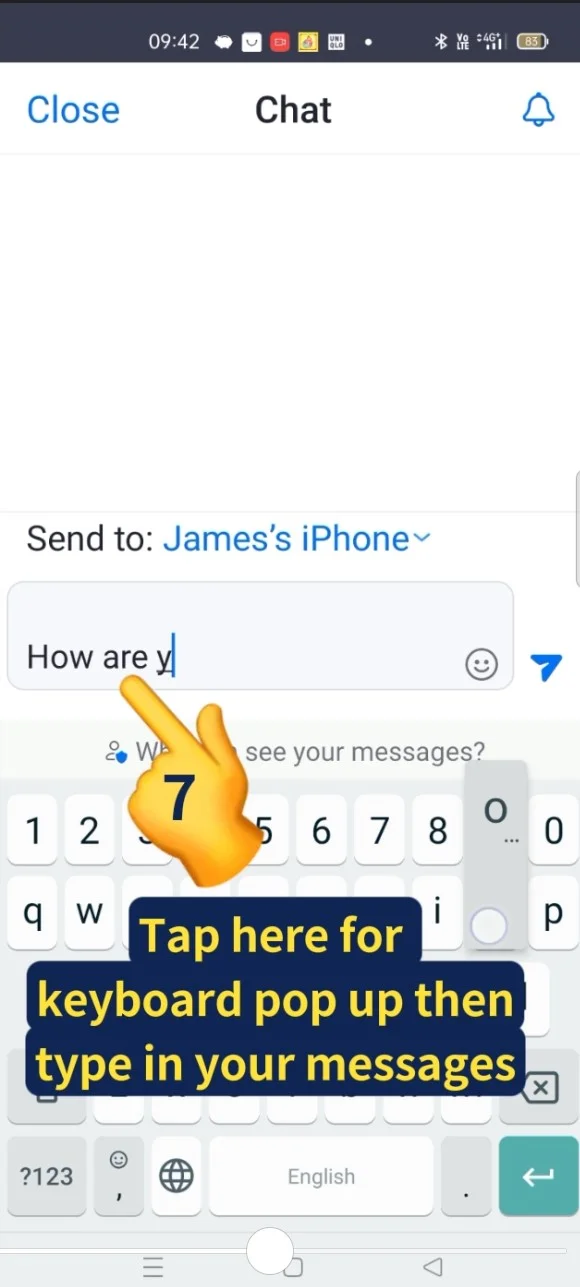
- Tap here for keyboard to pop up, then type in your messages in this empty space
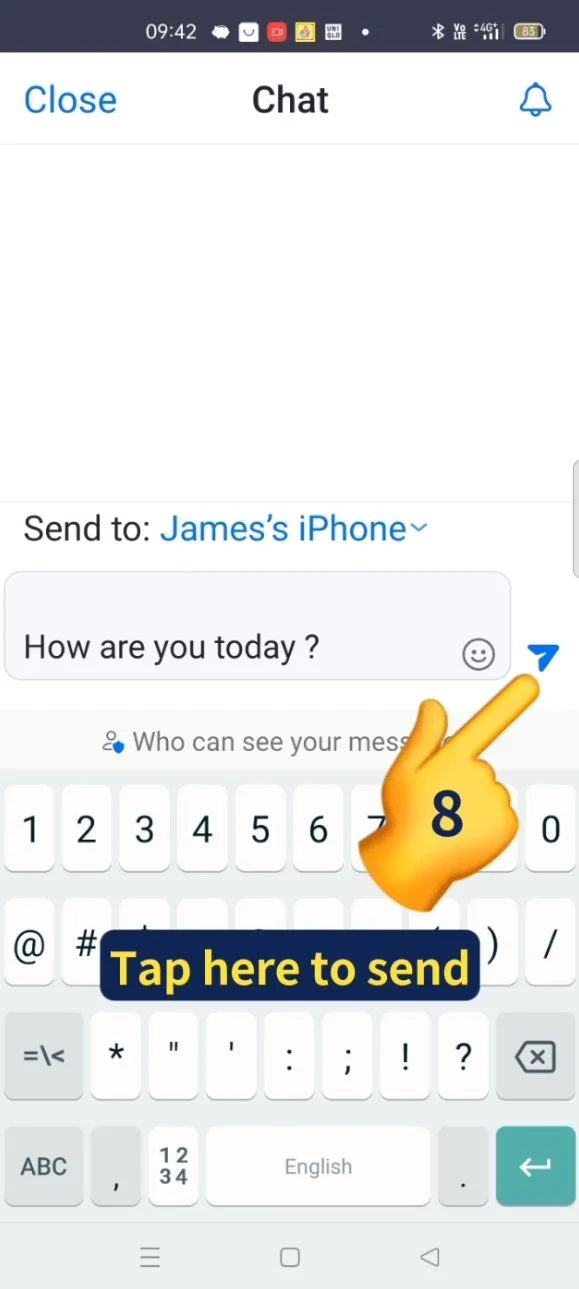
- Tap here to send out the message
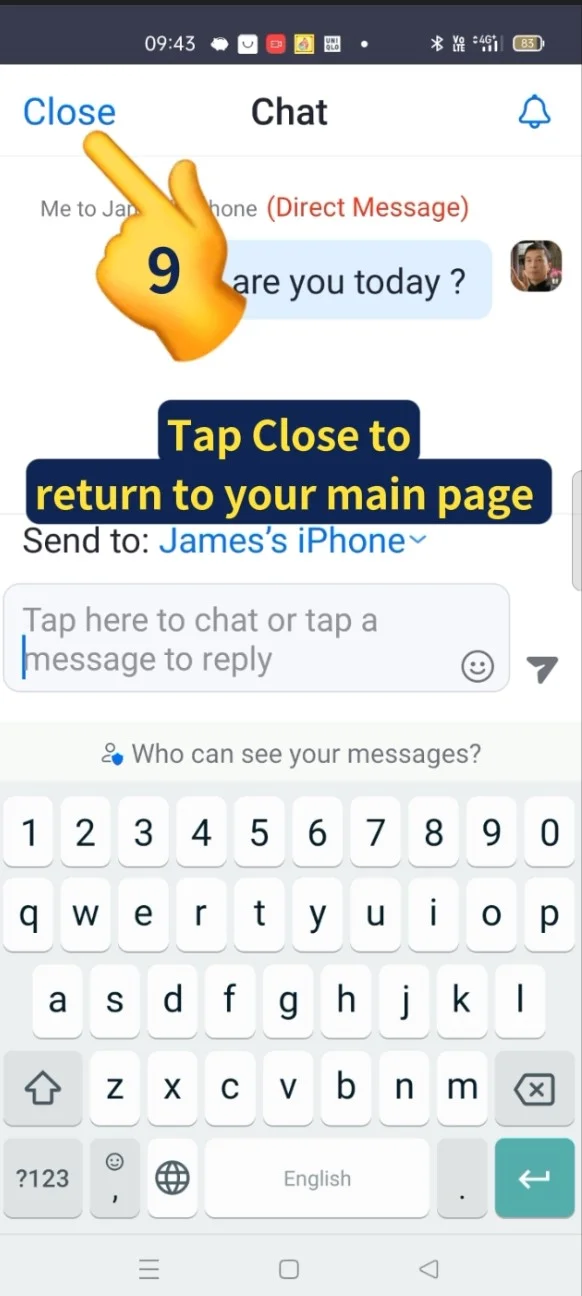
- Tap Close on the top left corner to return to main page
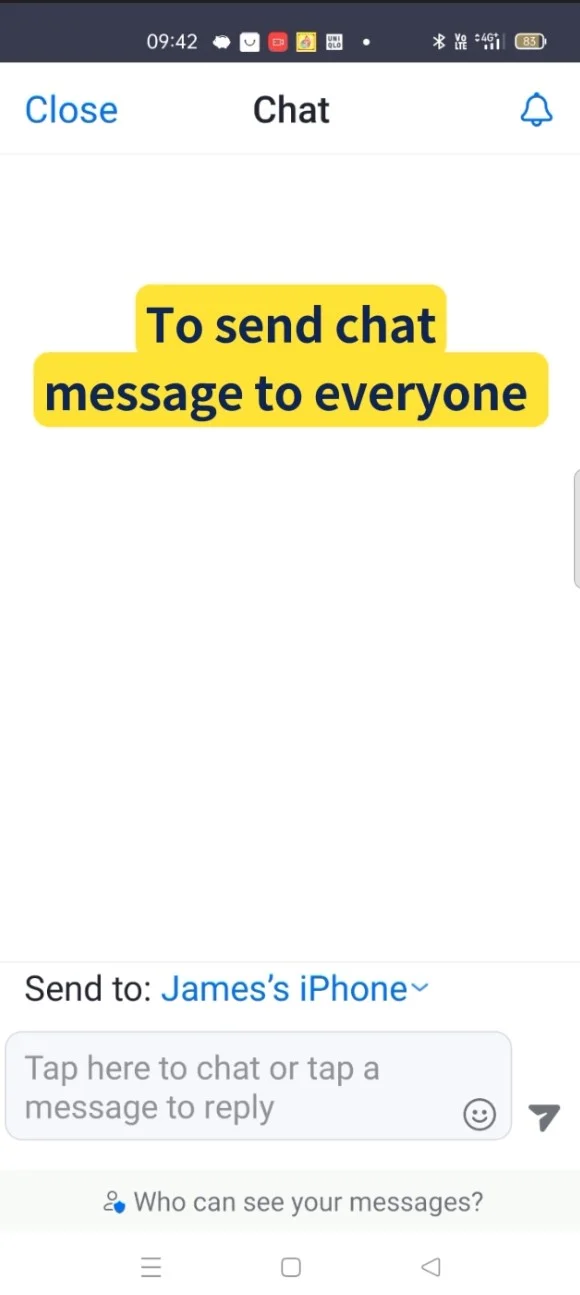
- To send chat messages to Everyone
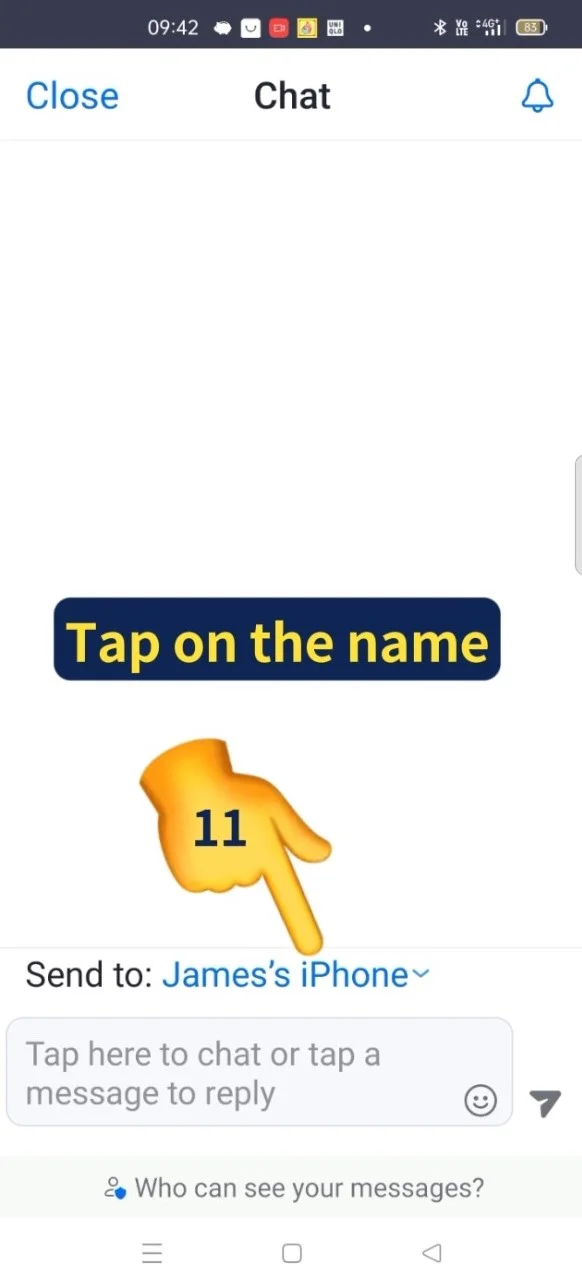
- Tap on the name

- Tap on Everyone
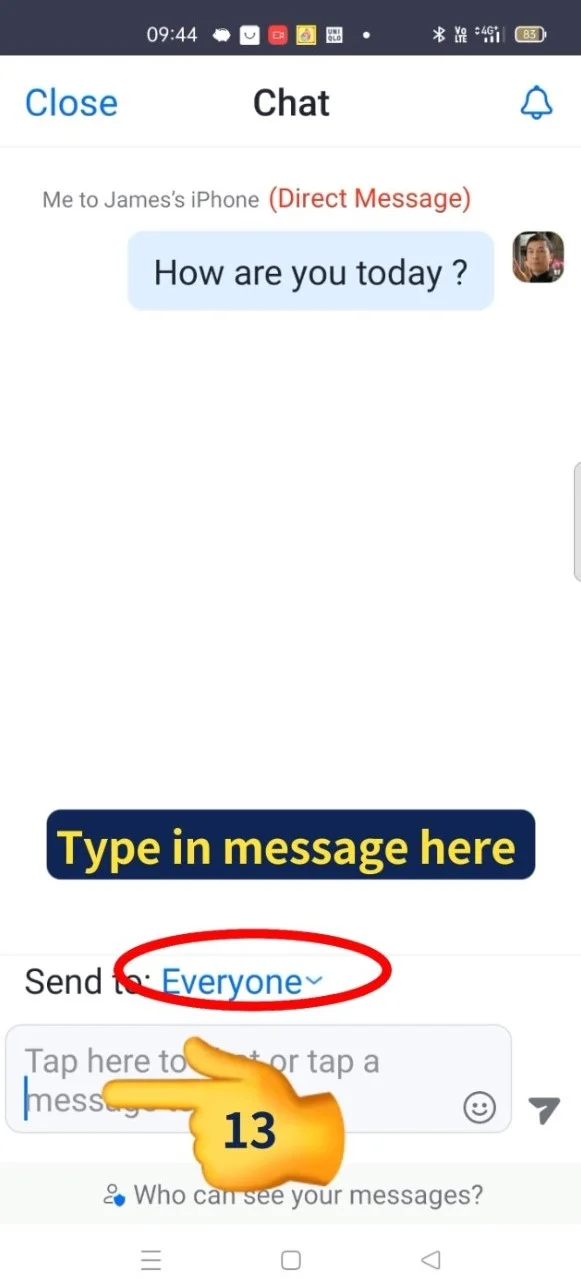
- Type in your message here
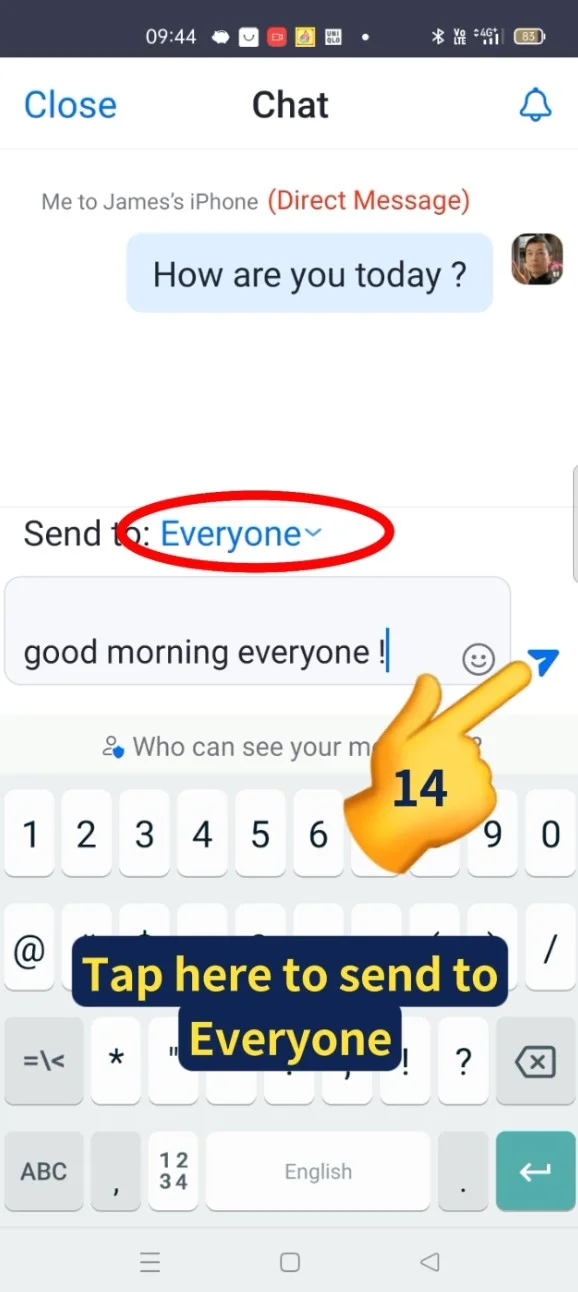
- Tap here to send your message to Everyone
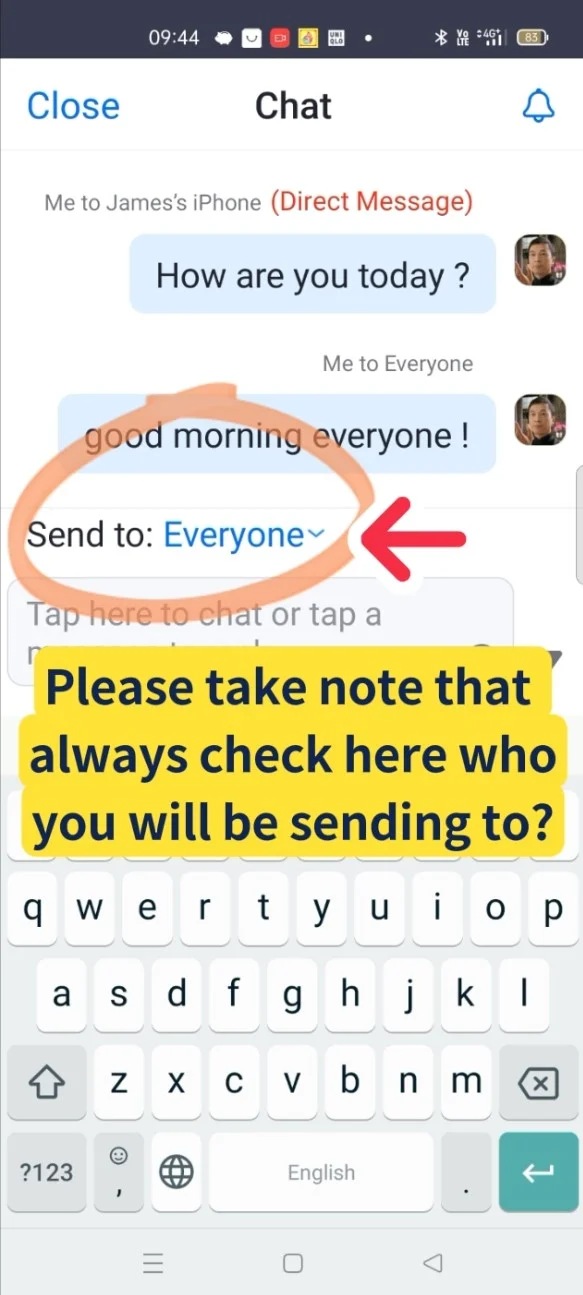
- Please take note that always check here who you will be sending to before sending out your messages.

- Do you want to find out how you can take a Picture or Group Photos on your PC or laptop during meeting?
Come sign up Xiohoo “Using Zoom” class to find out more details
Video Tutorial
View this video to learn How to send messages (Chat) in Zoom Meeting ? ENJOY VIEWING!
Related Posts

Do Apps Like WhatsApp, Gmail Work in China? How Singapore Travellers Stay Connected

AI Generated Photos and Videos: Safety Tips and New Ideas to Try

Why More Singapore Seniors Are Joining Instagram (and How to Start)

How to Build a Design System for your Business and Brands Using Claude Design

Claude Plugins Explained: What They Are and How to Use Them for Business

Edit images using Google Gemini Nano Banana without photoshop

Leading Image, Video and Audio Generative AI Companies With Free Tiers and Usage

Leading Generative AI Companies Around the World With Free Tiers and Usage
