
Jan 31, 2025 • Adrian T
Meitu: Edit Tool And Video Sequence

Do you know how to use the other functions in Edit tool on Meitu? Here is a step-by-step guide on how to achieve this!
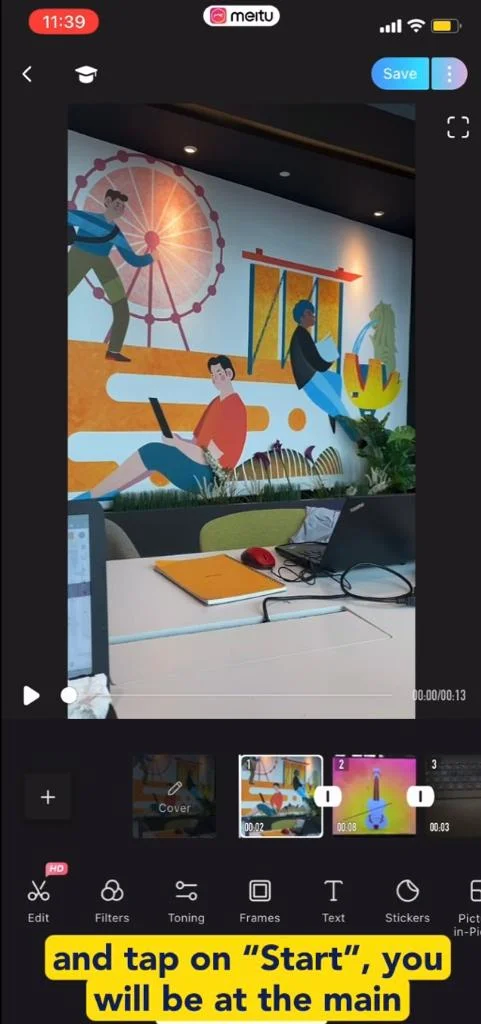
- After you have select your videos/photos and tap “Start”, you will be at the main editor page.
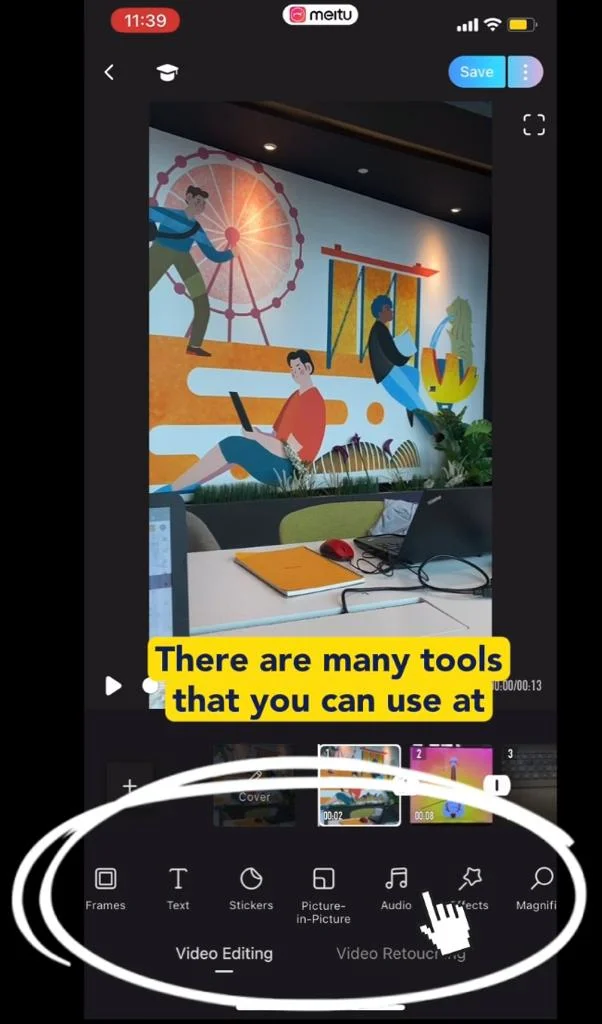
- There are many tools that you can use here.
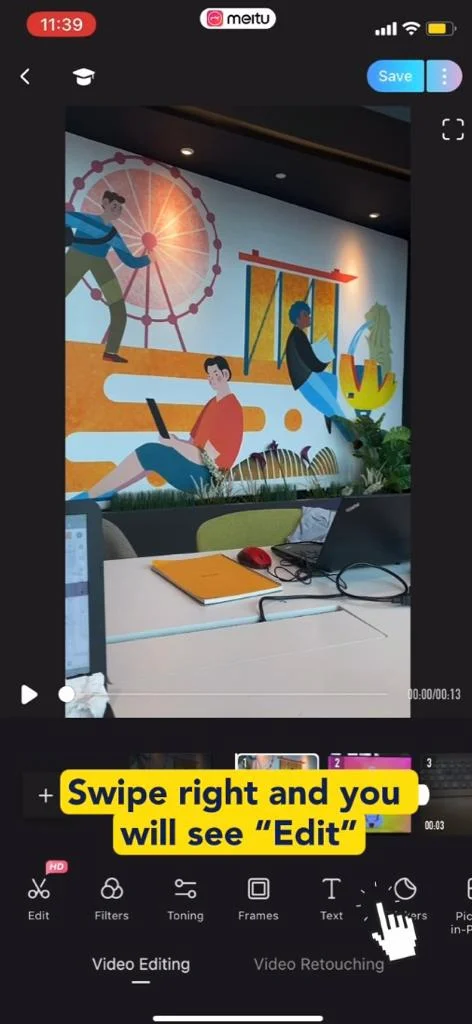
- Swipe right and you will see the “Edit” tool.
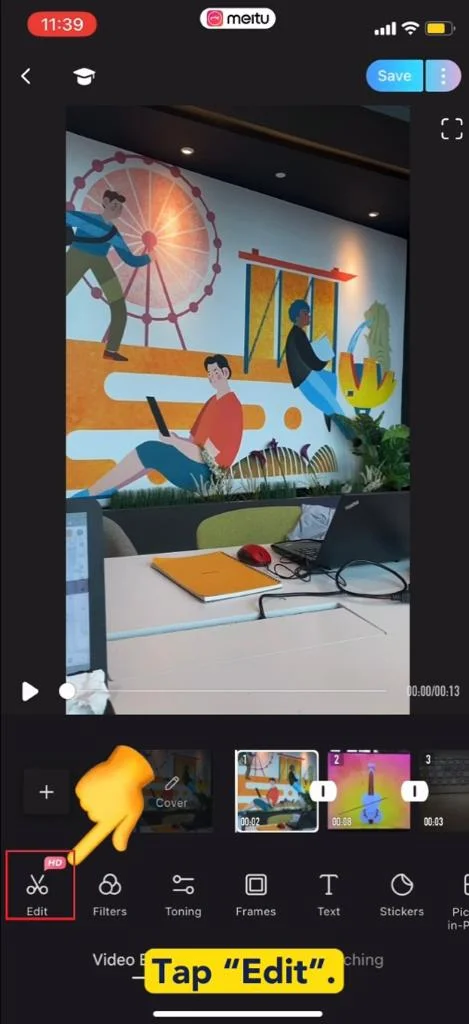
- Tap “Edit”.
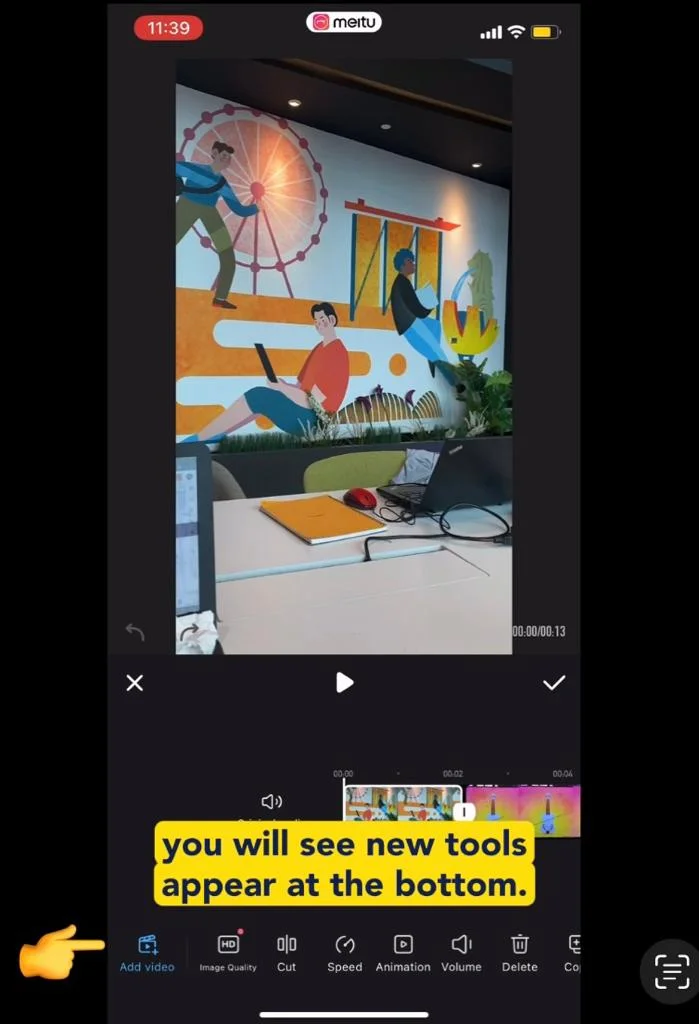
- You will see new tools appear at the bottom.
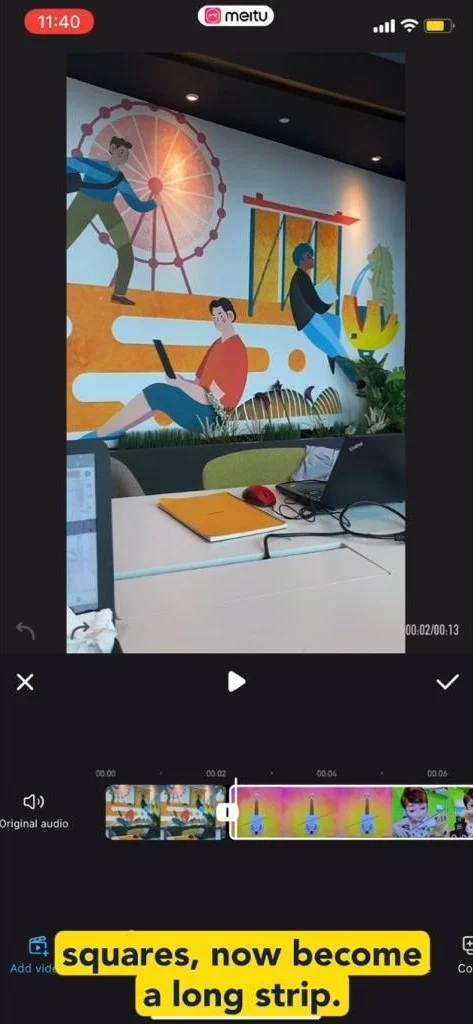
- Our videos/photos which were shown as squares, now become a long strip.
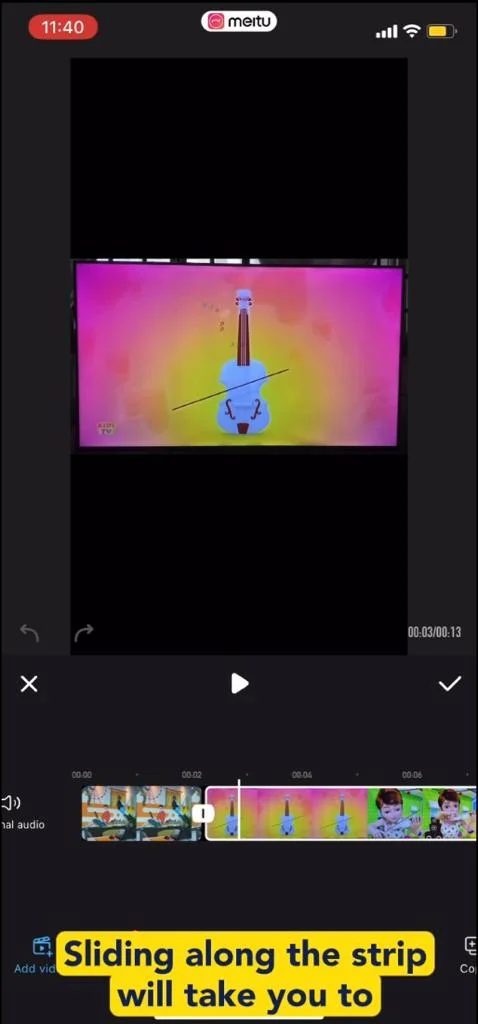
- Sliding along the strip will take you to the different videos or photos.
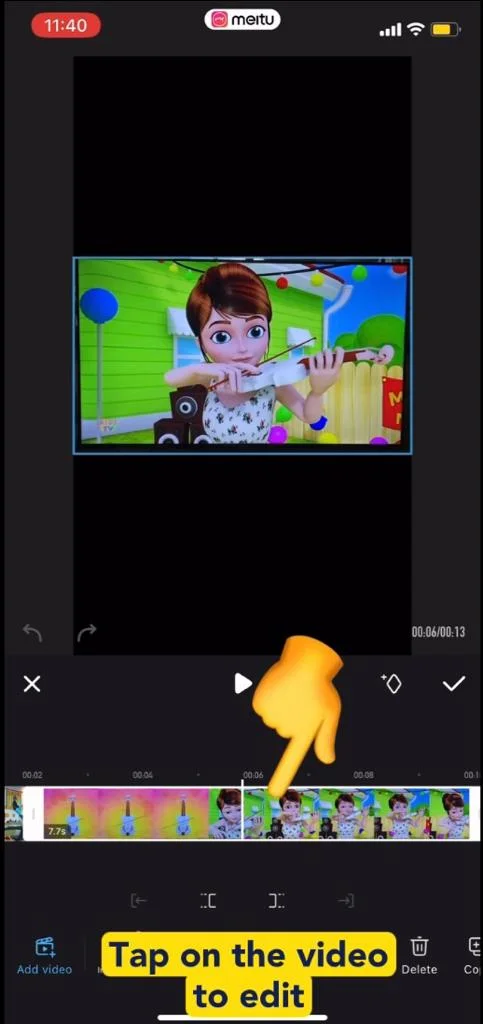
- Tap on the video you would like to edit.
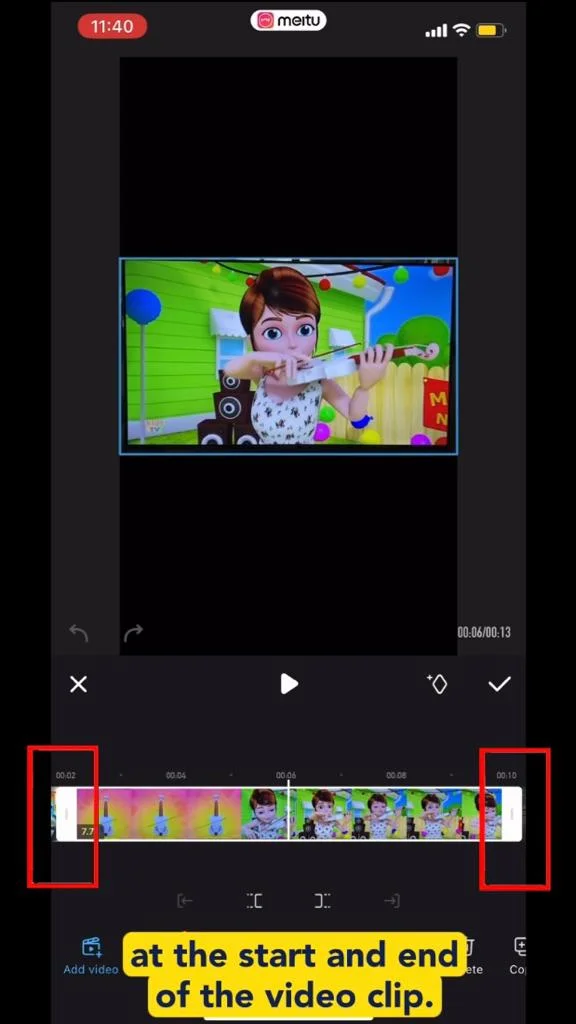
- Ensure you see a thick white border at the start/end of video clip.
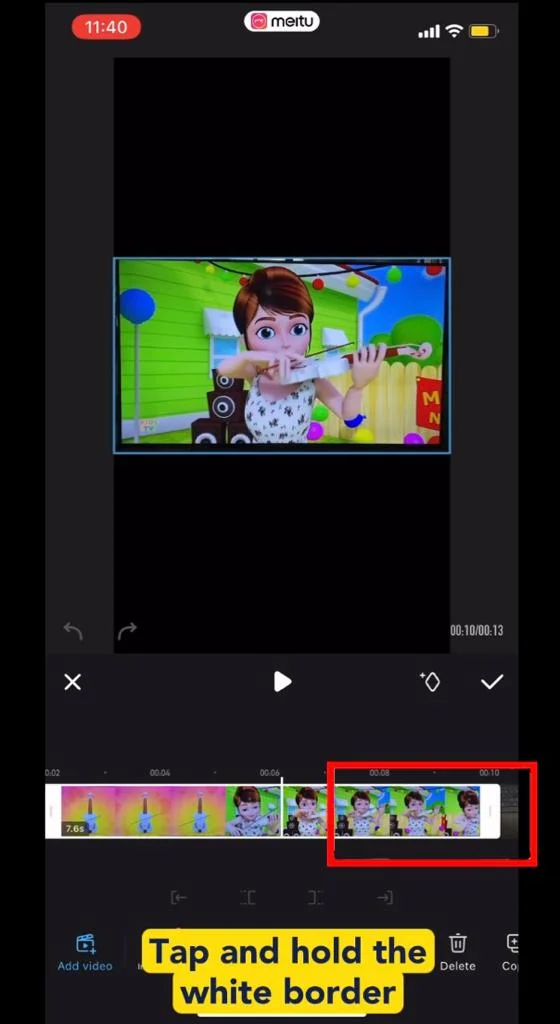
- Tap and hold the white border, and drag to the length you want.
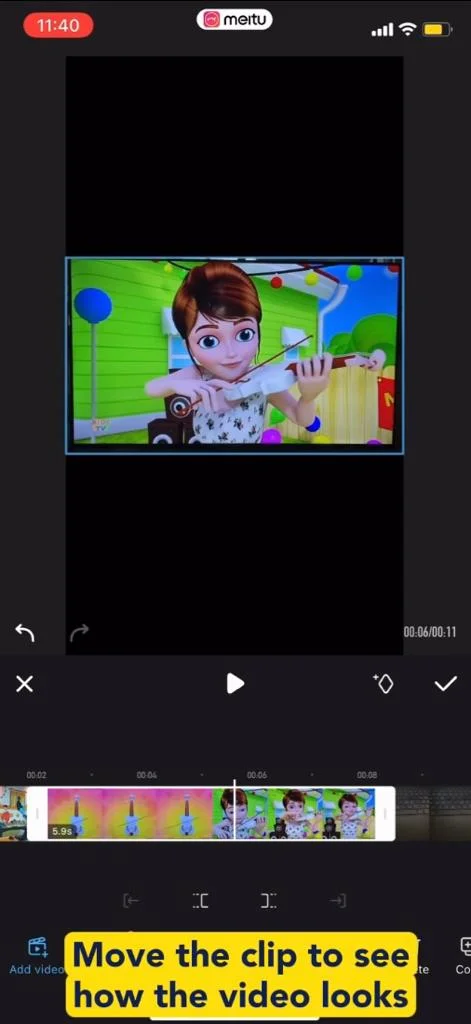
- Move the clip to see how the video looks like when played.
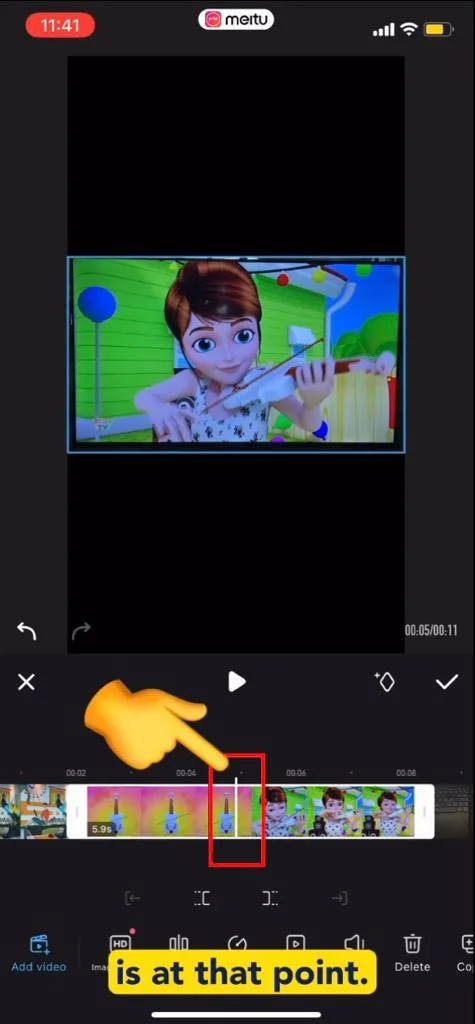
- Go to the point where you want to split the video by making sure the “white line” is at that point.
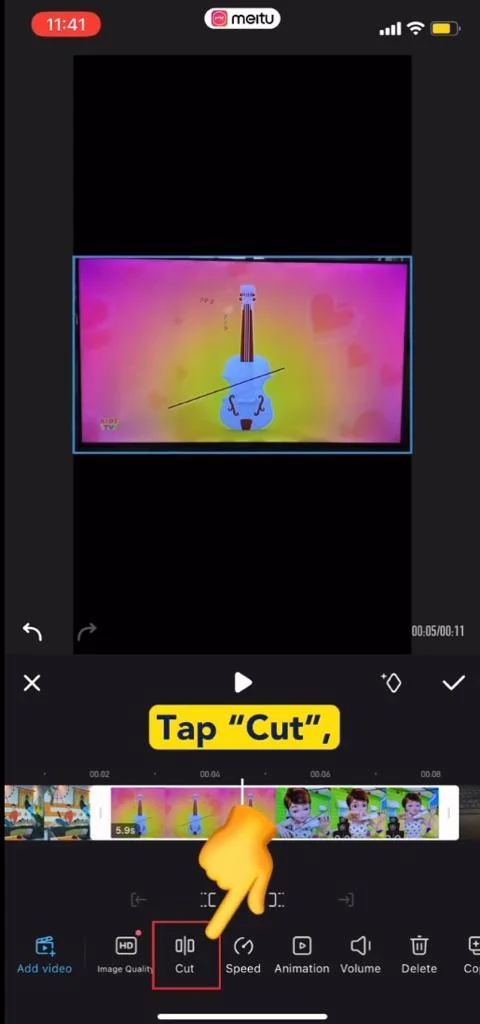
- Tap “Cut”.
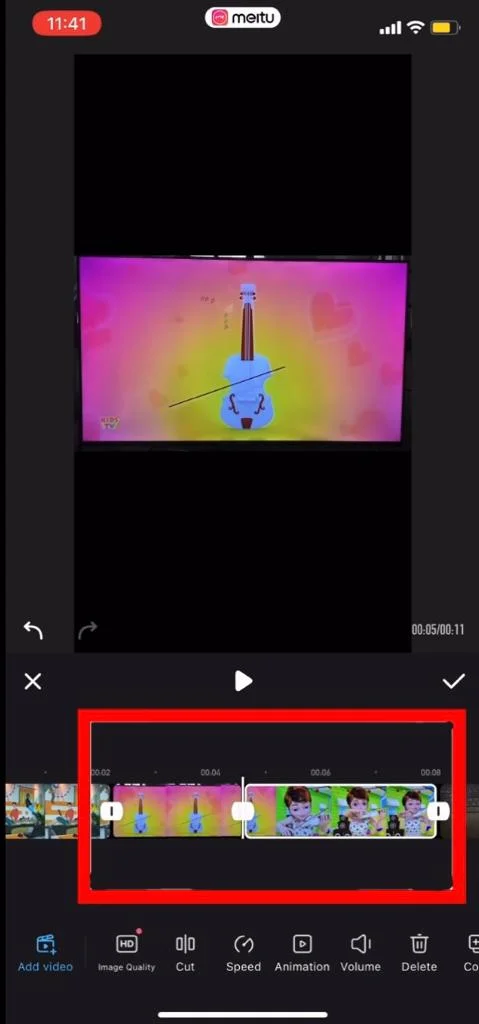
- The video is split into 2.
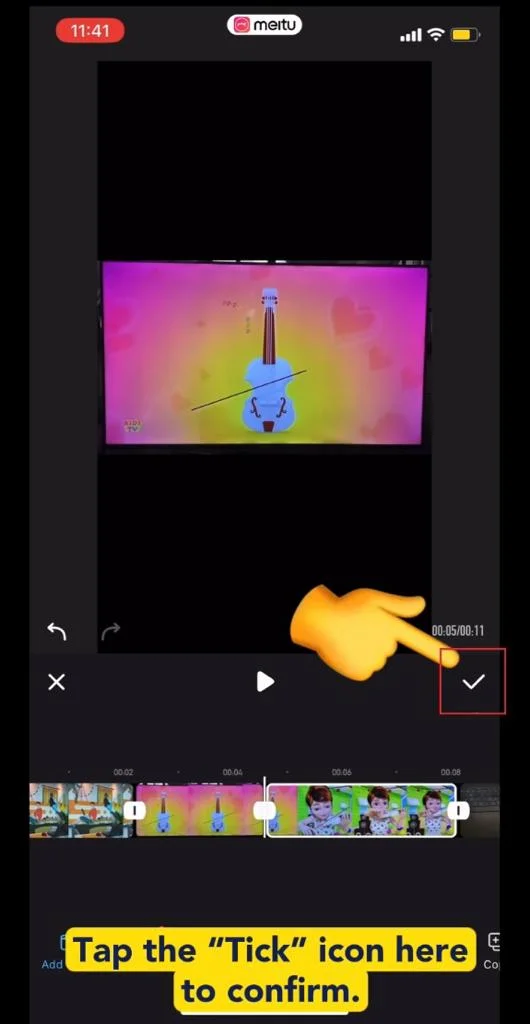
- Tap the “Tick” icon here to confirm.
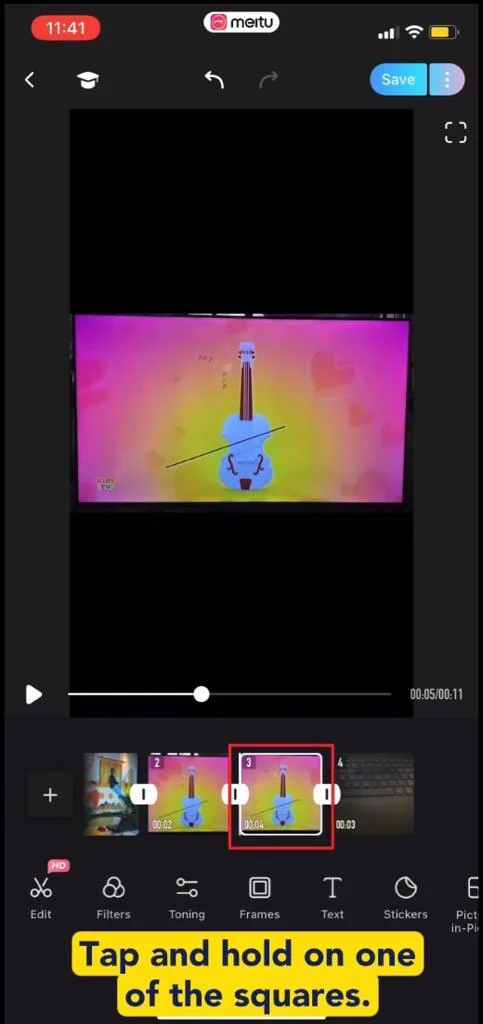
- Tap and hold on one of the squares.
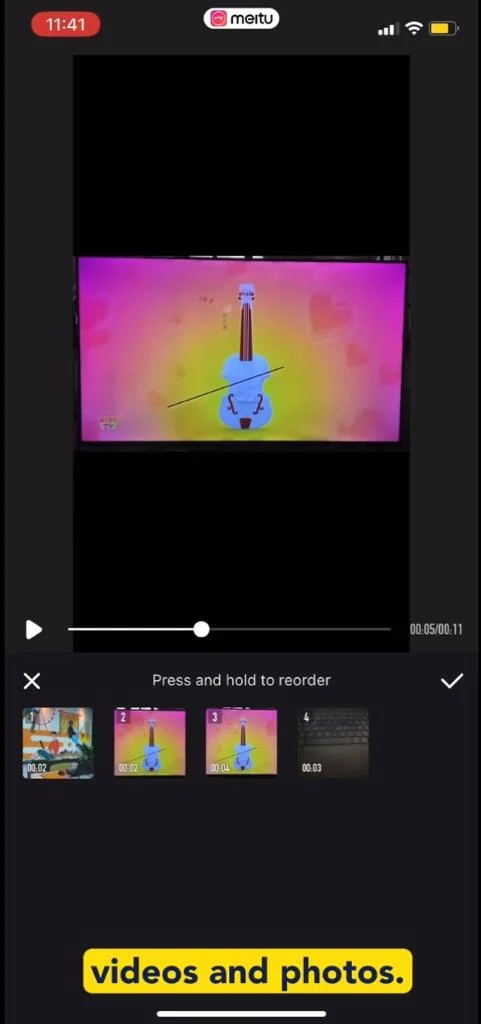
- You will see the squares of your videos/photos.
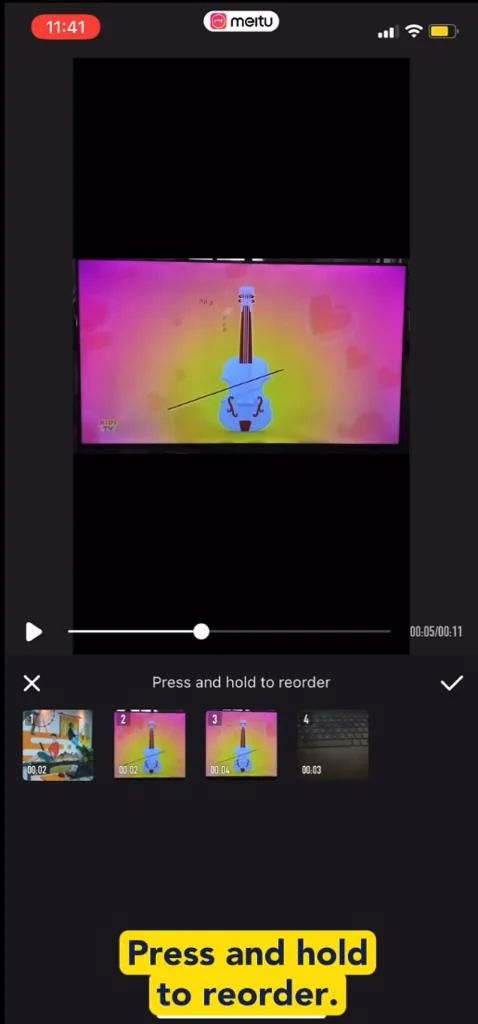
- Press and hold to reorder.
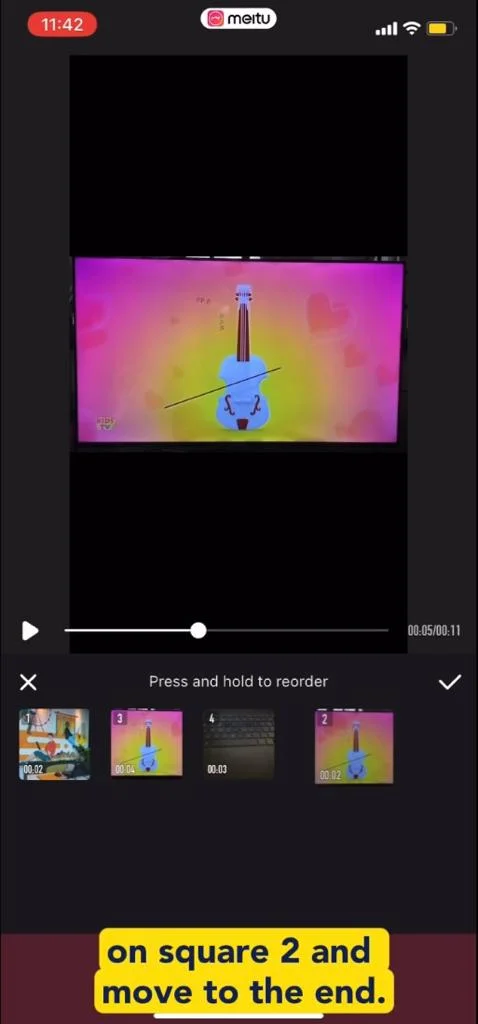
- I tap and hold on square 2 and move to the end.
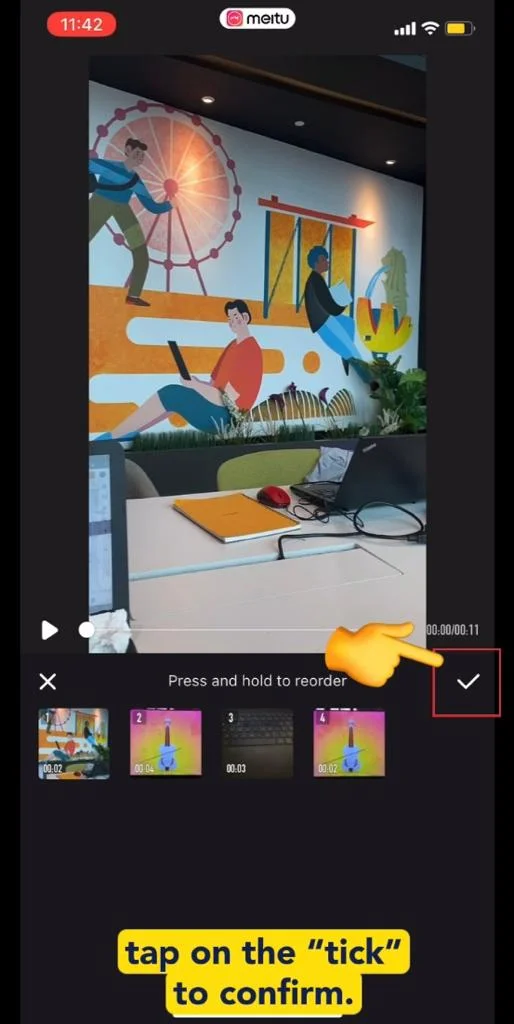
- Tap on the “Tick” to confirm.
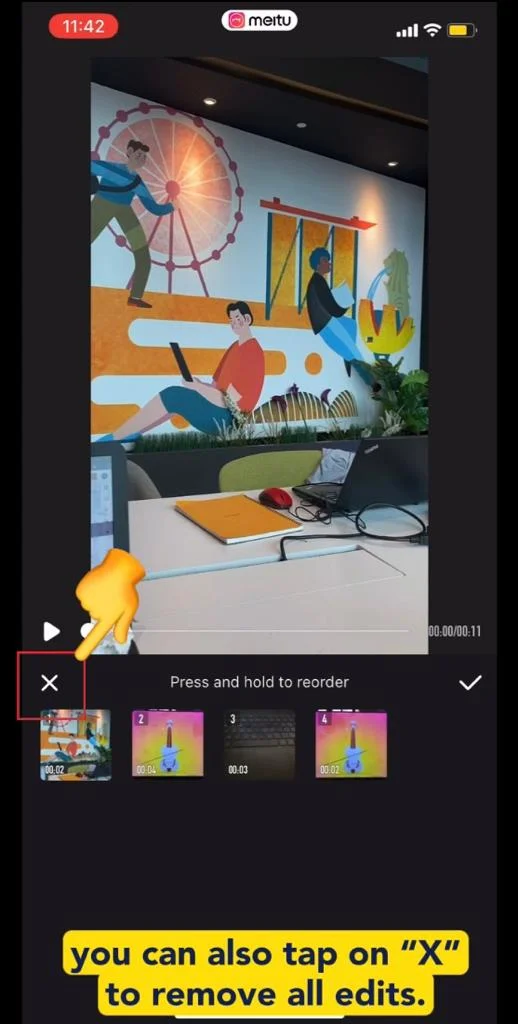
- You can also tap on “X” to remove all edits.
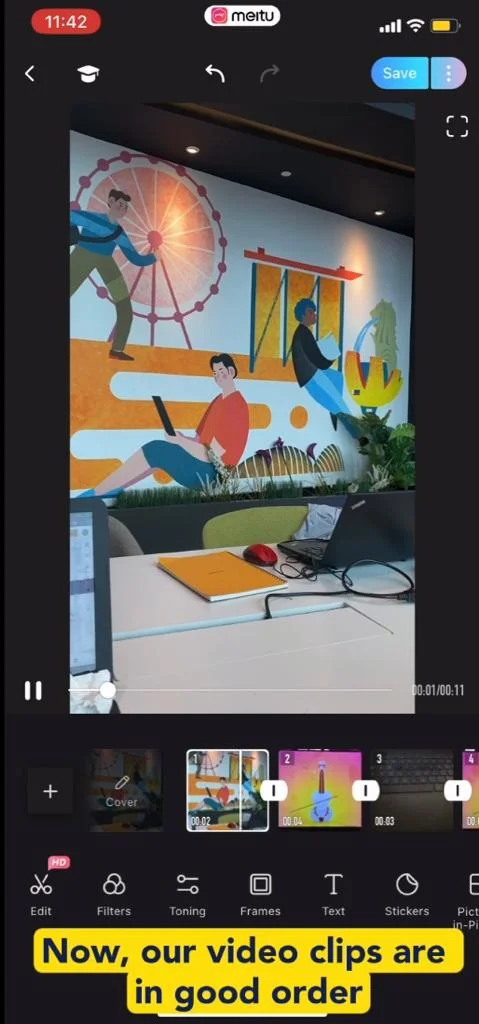
- Now, our video clips are in good order and are in sequence for further editing.
Video Tutorial
Related Posts

AI Generated Photos and Videos: Safety Tips and New Ideas to Try

Why More Singapore Seniors Are Joining Instagram (and How to Start)

How to Build a Design System for your Business and Brands Using Claude Design

Claude Plugins Explained: What They Are and How to Use Them for Business

Edit images using Google Gemini Nano Banana without photoshop

Leading Image, Video and Audio Generative AI Companies With Free Tiers and Usage

Leading Generative AI Companies Around the World With Free Tiers and Usage

Deepfake Technology Explained: How It Works, Risks, and the Future of AI
