
Jan 31, 2025 • Adrian T
Pay Less When Ordering From Grab App Now

Do you know that you can apply offers in Grab App and pay less? Let’s learn how to locate the offers and use them. We will guide you step-by-step on how to achieve this!
Take Note:
-
Install Grab App in App Store(iPhone) or Play Store(Android).
-
Login or Sign up if you are a new user.
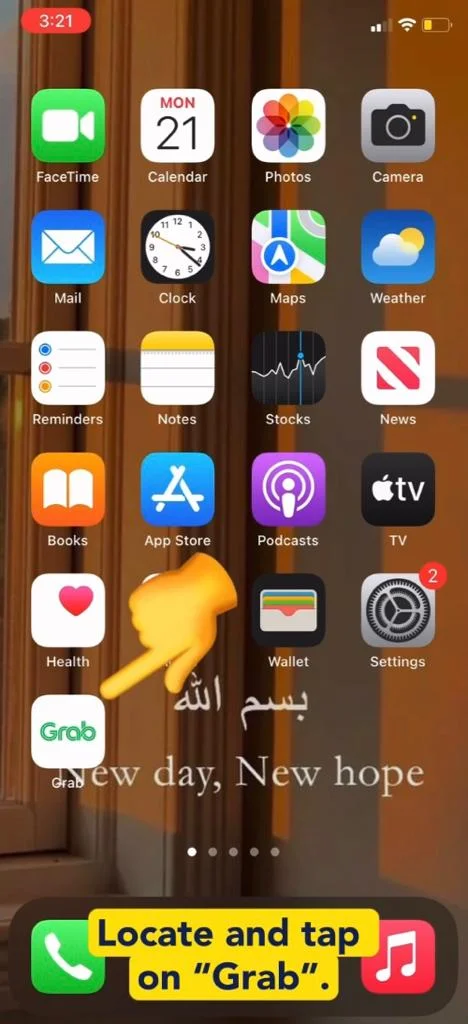
- Locate and tap Grab App.
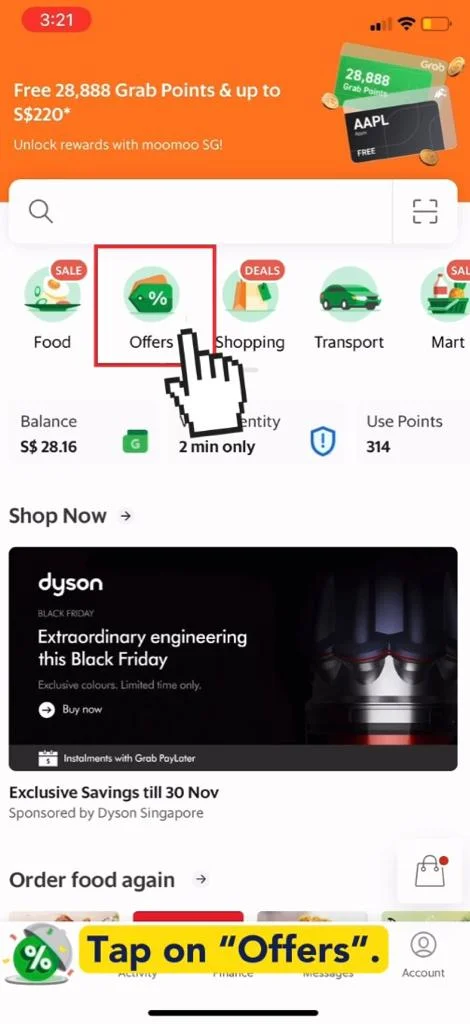
- Tap on “Offers”.
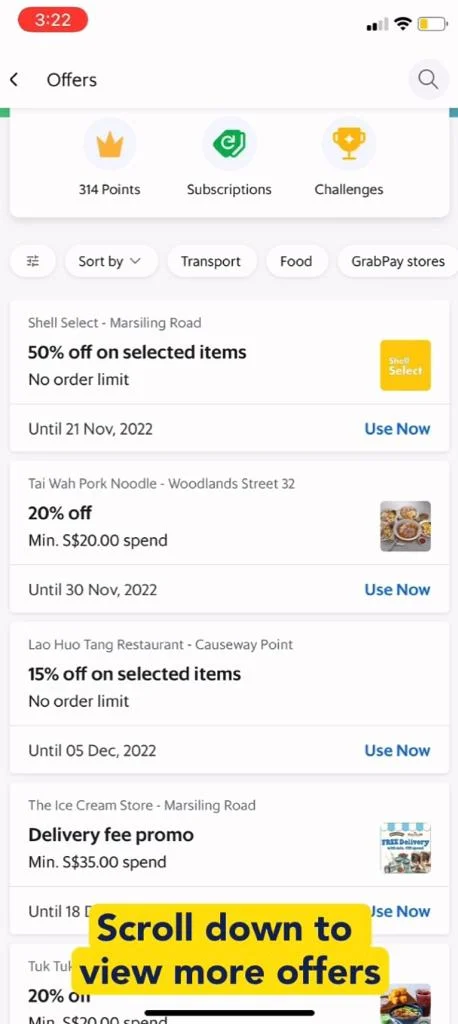
- Scroll down to view more offers from various shops.
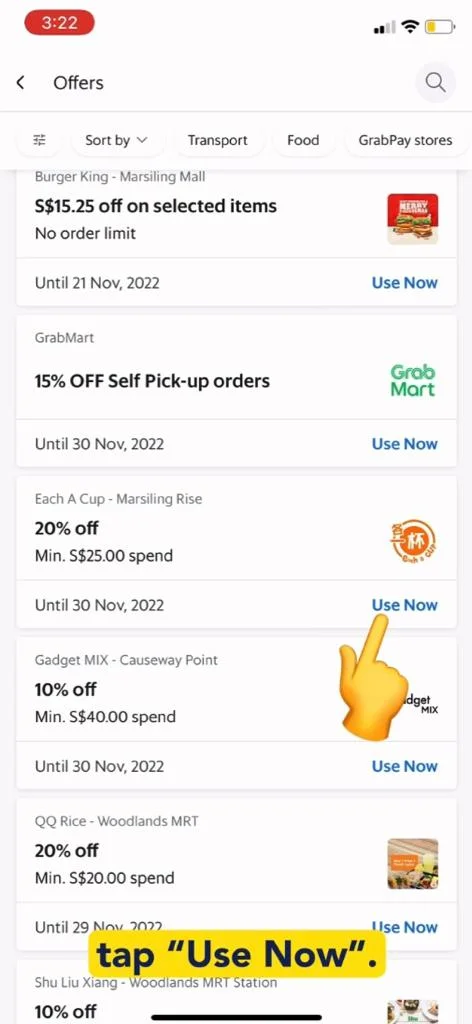
- Tap “Use Now”.
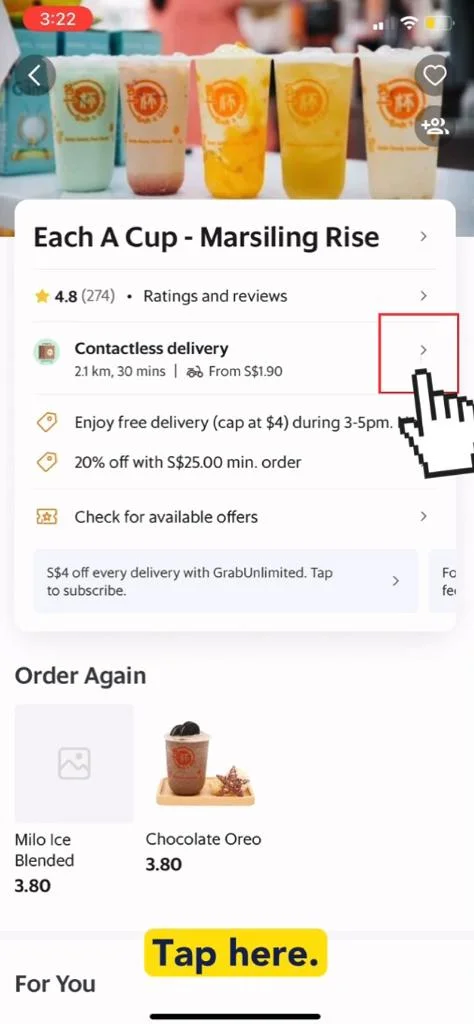
- Tap here.
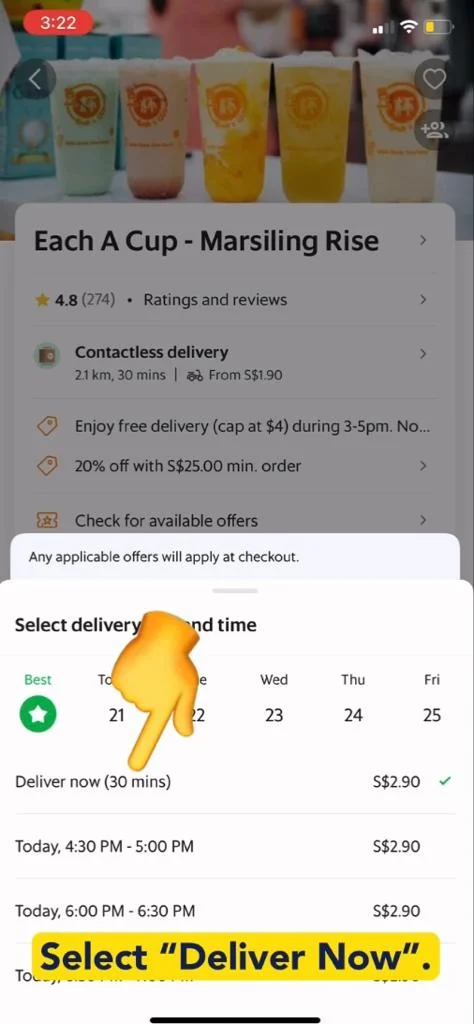
- Select “Deliver Now” option.
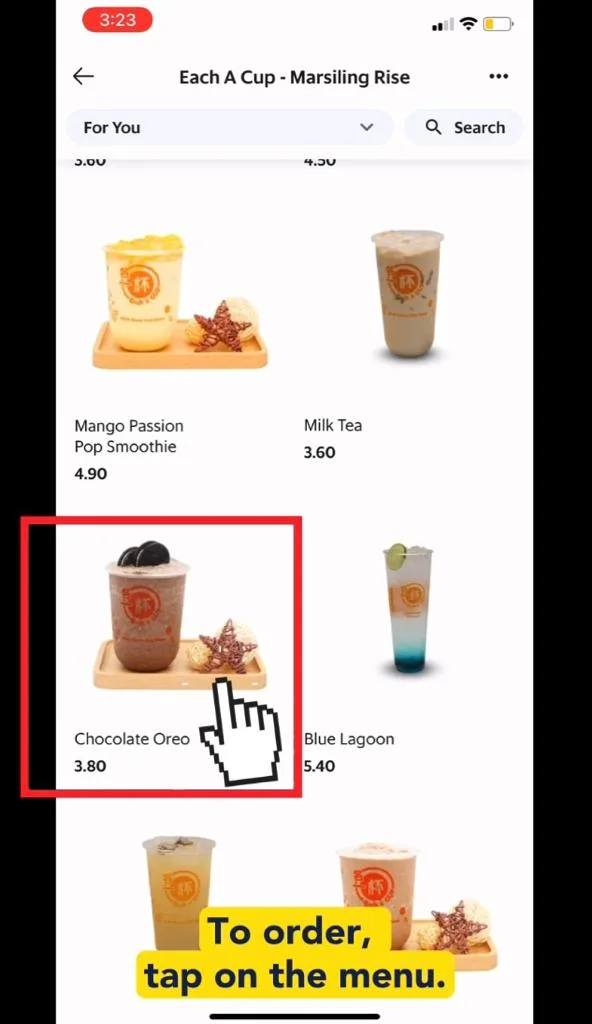
- To order, tap on the menu.
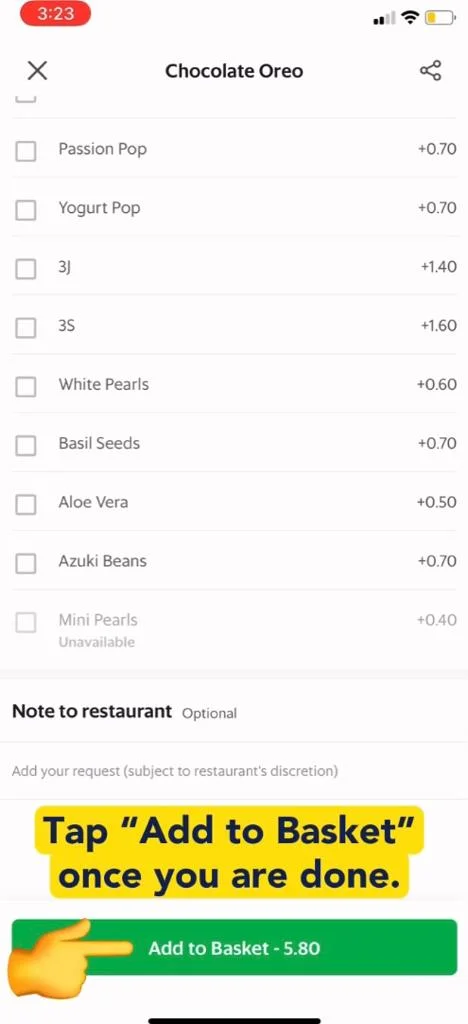
- Tap “Add to Basket” once you are done.
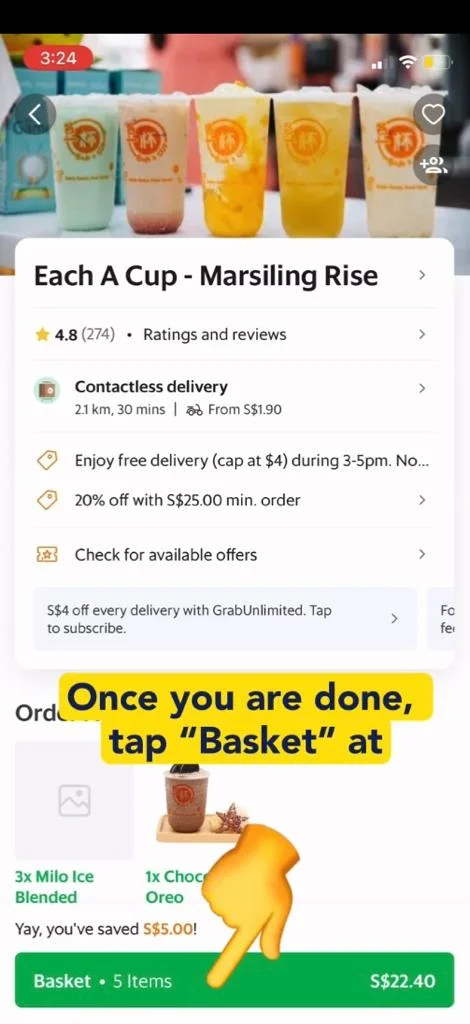
- Once you have add all your orders, tap “Basket”.
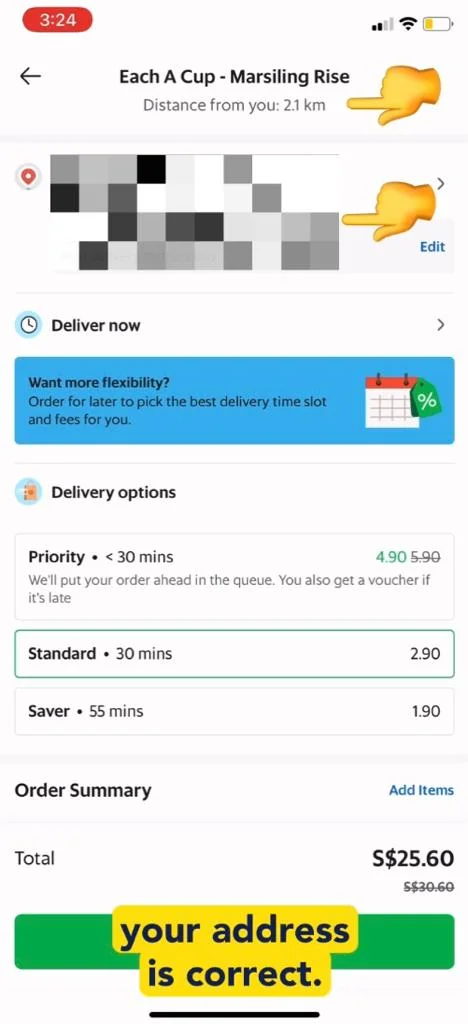
- Check the store and your address is correct.
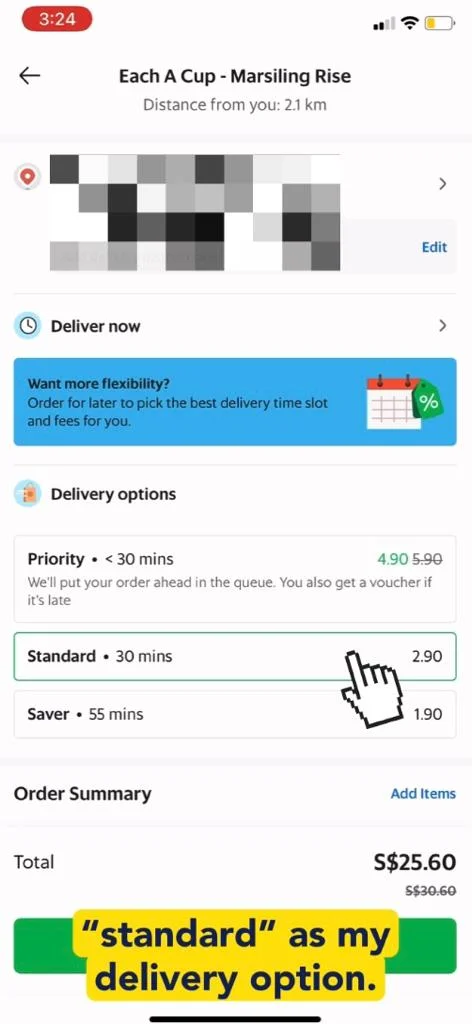
- Select your delivery options.
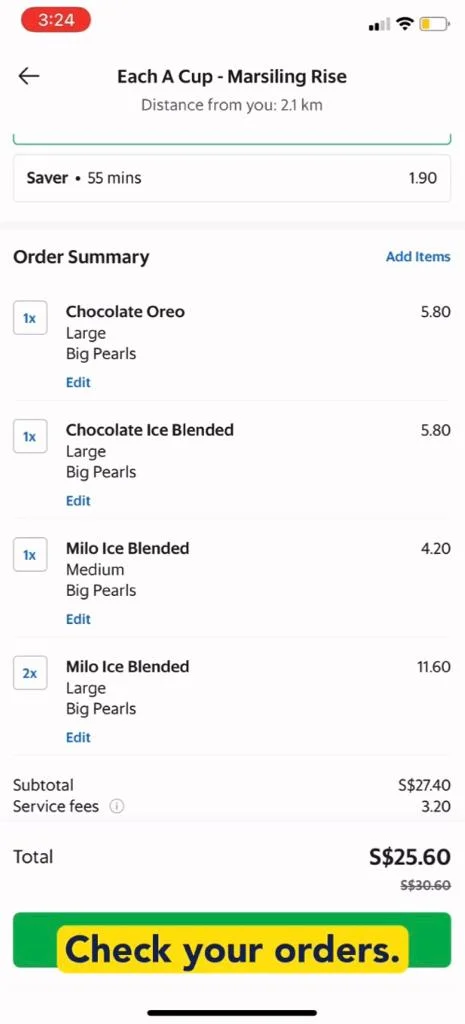
- Check all your orders are correct.
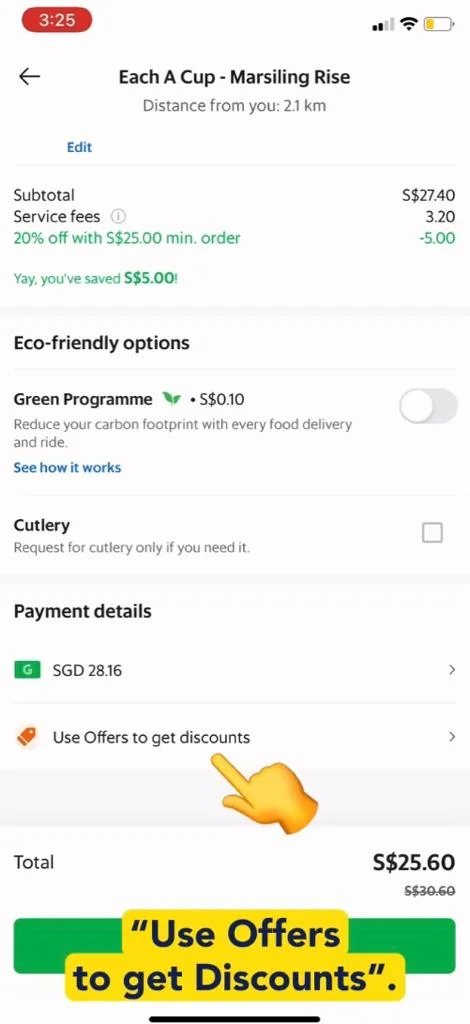
- Tap “Use Offers to get Discounts”.
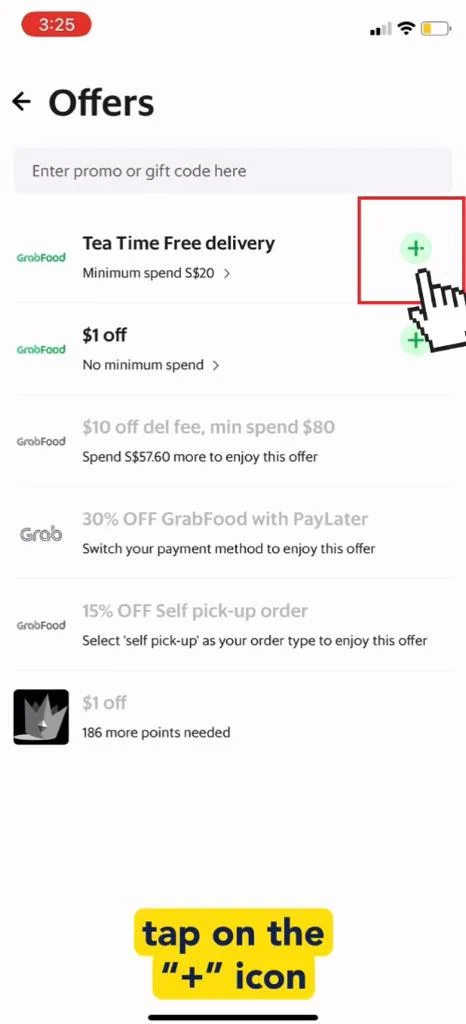
- Tap on the “+” icon.
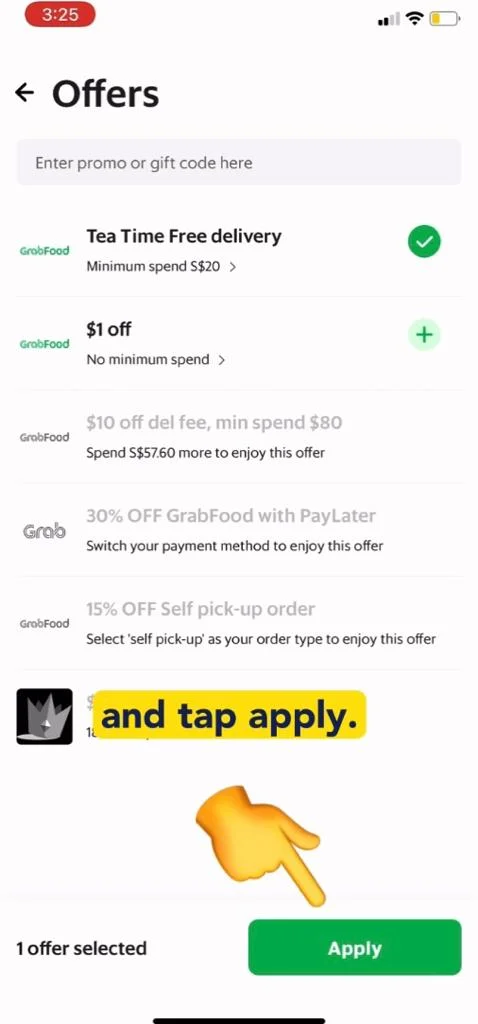
- Tap “Apply”.
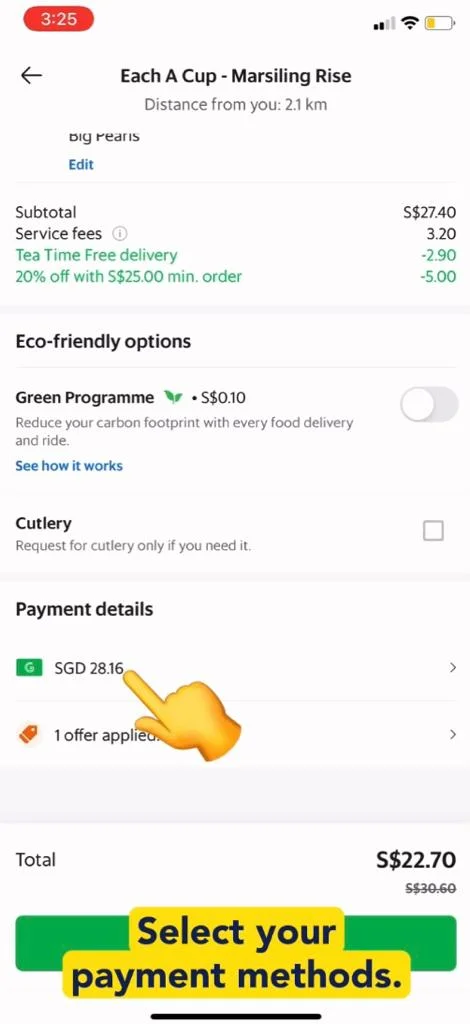
- Select your payment method.
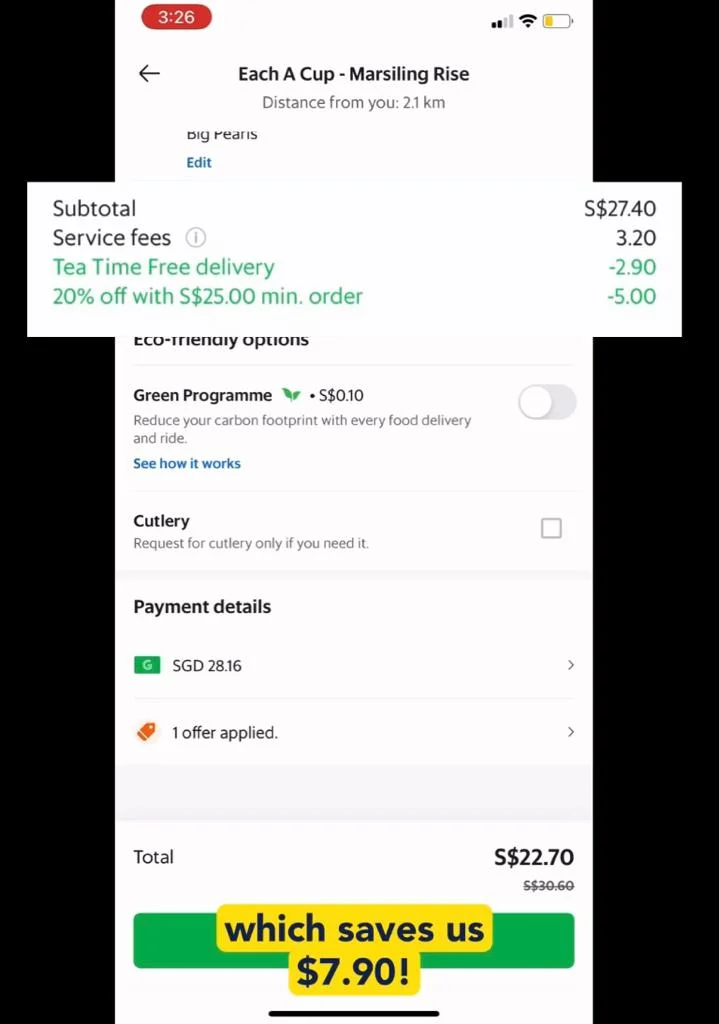
- We save $7.90 when applying the offers & discounts.
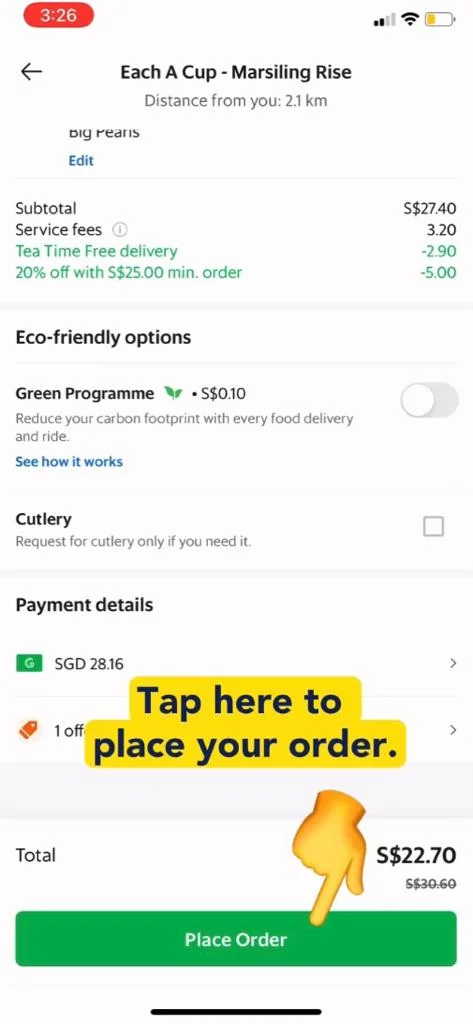
- Tap here to Place your Order.
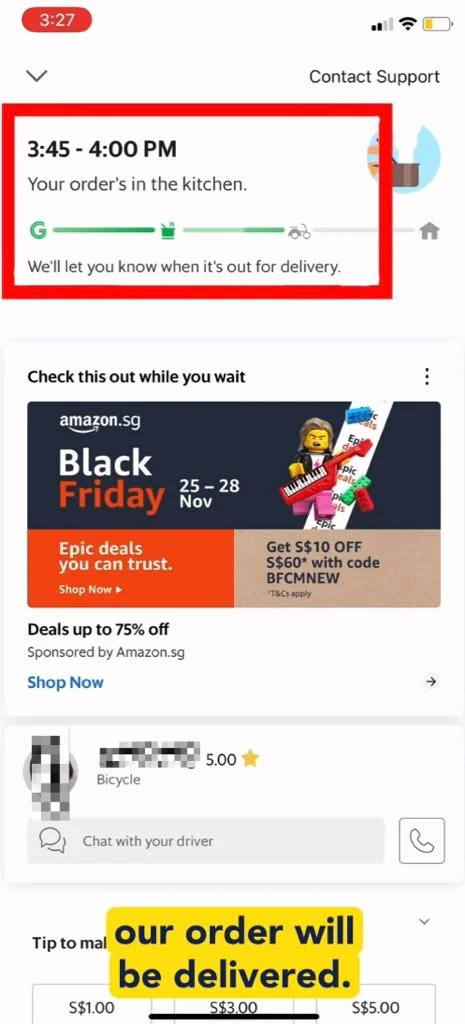
- We have successfully ordered and this is the estimated time our order will be delivered.
Video Tutorial
Related Posts

Do Apps Like WhatsApp, Gmail Work in China? How Singapore Travellers Stay Connected

AI Generated Photos and Videos: Safety Tips and New Ideas to Try

Why More Singapore Seniors Are Joining Instagram (and How to Start)

How to Build a Design System for your Business and Brands Using Claude Design

Claude Plugins Explained: What They Are and How to Use Them for Business

Edit images using Google Gemini Nano Banana without photoshop

Leading Image, Video and Audio Generative AI Companies With Free Tiers and Usage

Leading Generative AI Companies Around the World With Free Tiers and Usage
