
Dec 18, 2025 • Adrian T
Empowering Singapore's Silver Generation: A Comprehensive Guide to Senior Digital Literacy and Beyond
Why Digital Literacy is the Key to Active Aging in Singapore
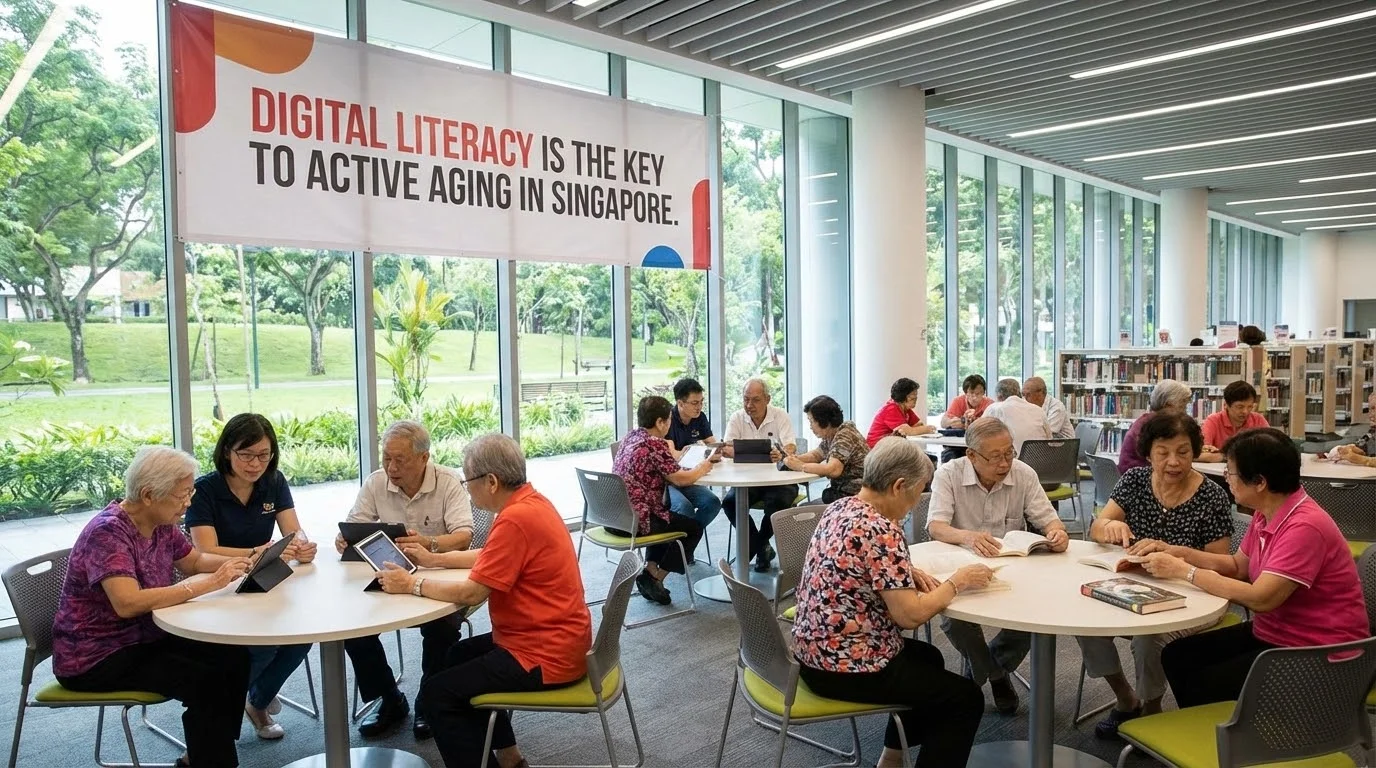
In the rapidly evolving landscape of Singapore’s "Smart Nation" initiative, digital literacy has transitioned from a modern convenience to a fundamental necessity for daily survival and social participation. For the Silver Generation, those aged 50 and above, the ability to navigate a smartphone or use a government application is no longer just about keeping up with the times; it is about maintaining independence, dignity, and a sense of belonging in a society that is increasingly digital-first. Active aging is often discussed in terms of physical health and financial planning, but cognitive and social engagement through technology is a third, equally critical pillar.
The digital divide is often mischaracterized as a simple lack of access to devices. In reality, the divide is defined by a gap in confidence and the lack of tailored instruction that respects the life experiences of seniors. When a senior feels empowered to use technology, the benefits ripple through every aspect of their life. They can manage their own healthcare appointments through the HealthHub app, stay connected with grandchildren via video calls, and protect themselves from the rising tide of digital scams. Digital literacy acts as a bridge, closing the intergenerational gap and ensuring that the elderly remain active contributors to their communities rather than passive observers of a world they no longer recognize.
Furthermore, the shift toward a digital society offers an unprecedented opportunity for creative expression. For a generation that may have missed the first wave of the personal computer revolution, the advent of intuitive interfaces and, more recently, Generative AI, provides a second chance to engage with technology as a tool for creation. By moving beyond the basics of "consuming" content and learning to "create" it, seniors can experience a renewed sense of purpose. This guide explores the pathway from fundamental digital skills to advanced AI mastery, specifically designed for the unique needs of Singapore’s seniors.
Mastering the Essentials: Navigating Messaging Apps, Zoom, and Social Media
For many seniors, the gateway to the digital world is communication. Messaging applications like WhatsApp have become the primary mode of social interaction in Singapore, replacing traditional phone calls for many families. However, the complexity of these apps, managing privacy settings, identifying "fake news" forwarded in group chats, and organizing media can be overwhelming. Mastery of these tools involves more than just knowing where the "send" button is; it requires an understanding of digital etiquette and data management.
Video conferencing, particularly Zoom, became a vital skill during the pandemic and remains a cornerstone for virtual family gatherings, religious services, and community workshops. To set up a Zoom call for a virtual family gathering, a senior must first understand the concept of a "link" and how it acts as a digital doorway. The process typically involves:
-
Opening the invitation message
-
Clicking the URL
-
Granting the app permission to use the microphone and camera, and
-
Navigating the "Mute" and "Unmute" functions. While these steps seem intuitive to younger generations, they represent a significant cognitive load for a new learner. Breaking these tasks into repeatable, low-stakes exercises is essential for building long-term memory.
Social media platforms like Facebook and Instagram also play a role in active aging by allowing seniors to follow their interests, whether it be urban gardening, cooking, or local history. However, the challenge here is often the "noise" of the interface. Learning to filter content, recognize sponsored advertisements, and manage who can see their posts is critical for a safe experience. When seniors master these essentials, the primary problem they solve is social isolation. They are no longer left out of the "family chat" or the community updates, allowing them to remain integrated into the lives of their loved ones regardless of physical distance.
Beyond Tablets: Choosing and Using Smartphones and Desktop Computers
The choice of hardware is a significant hurdle for many seniors. There is a common misconception that tablets are the only suitable device for the elderly due to their larger screens. While tablets are excellent for media consumption, they are not always the most practical tool for a mobile lifestyle or for complex tasks like document creation or advanced AI work. A smartphone is often the most essential tool because it houses the identity-verifying apps required for daily life in Singapore, such as Singpass.
When choosing a smartphone, seniors should look for devices with high-contrast displays, long battery life, and robust "Easy Mode" features that simplify the home screen. However, as a senior moves from basic literacy to digital creation, the limitations of a mobile interface become apparent. This is where the desktop computer or a laptop becomes relevant again. For tasks like "Coding with AI" or high-end video editing, the precision of a mouse and the screen real estate of a monitor are invaluable. Learning to transition between these devices—understanding that the "Cloud" allows them to start a task on their phone and finish it on a computer—is a hallmark of digital independence.
Hardware troubleshooting is another area where seniors often feel vulnerable. A "slow" smartphone is frequently caused by a full cache or too many background apps, yet to a non-tech learner, it can feel like the device is broken. Basic maintenance skills, such as knowing how to perform a soft reset, clearing browser history, and identifying when an operating system update is required, empower seniors to solve their own problems. This reduces the frustration that often leads to tech-avoidance and saves them from unnecessary trips to repair shops for simple software issues.
Breaking Language Barriers: The Importance of Multi-lingual Tech Support for Seniors
In a multicultural society like Singapore, language is one of the most significant barriers to digital inclusion. Much of the world’s technology is designed with an English-first bias, which can alienate seniors who are more comfortable in Mandarin, Malay, Tamil, or various dialects like Hokkien and Cantonese. When technical jargon like "syncing," "uploading," or "authenticating" is only explained in English, it adds an extra layer of difficulty to an already complex subject.
Effective tech education for seniors must be empathy-led and multilingual. This means using analogies that resonate with their cultural context. For example, explaining "Cloud storage" as a "digital rented storeroom" or "Singpass" as a "digital NRIC" helps bridge the conceptual gap. Instruction that switches fluidly between English and the learner’s preferred language reduces the "tech anxiety" that often prevents seniors from asking questions. It creates a safe space where they don't feel "stupid" for not knowing a term.
Furthermore, many government and essential apps in Singapore are now offering multilingual interfaces. A key part of digital literacy training is teaching seniors how to find and toggle these language settings. By empowering a senior to use their device in the language they think in, we move from mere instruction to true inclusion. This approach acknowledges that the barrier isn't the senior's ability to learn, but rather the way the information is being delivered.
The Cost of Connectivity: Budgeting for Hardware and Internet Services in Singapore
Financial considerations are a practical reality for many retirees. Staying connected requires an ongoing investment in hardware and monthly data plans. Fortunately, Singapore has several initiatives aimed at making technology more affordable for the Silver Generation. Understanding these options is a vital component of digital literacy, as it ensures that the "cost of entry" does not become a permanent barrier.
For hardware, seniors should look into the "Seniors Go Digital" mobile access plans supported by the IMDA, which offer subsidized smartphones and data plans for low-income seniors. For those with more flexibility, the market offers a range of "Senior Plans" from major telcos like Singtel, StarHub, and M1. These plans typically offer lower monthly subscriptions with a focus on data for messaging and basic browsing. Below is a general comparison of what seniors should look for in a data plan:
| Feature | Ideal for Light Users | Ideal for AI/Video Learners |
|---|---|---|
| Data Allowance | 5GB - 10GB | 30GB+ or Unlimited |
| Monthly Cost | $5 - $15 | $20 - $40 |
| Contract Type | SIM-only (No contract) | SIM-only or Device Bundle |
Beyond the device and data, there is the cost of education. While there are free community workshops, some seniors may require more specialized, high-impact training—especially in areas like Generative AI. Budgeting for "upskilling" should be seen as an investment in mental acuity and social connection, similar to how one might budget for a hobby or a fitness class.
Safety First: Identifying AI Scams, Deepfakes, and Basic Hardware Troubleshooting
As seniors become more active online, they also become targets for increasingly sophisticated cybercrimes. The rise of Generative AI has given birth to a new generation of scams that are far more convincing than the "Nigerian Prince" emails of the past. Deepfake technology can now mimic the voice or face of a loved one in distress, leading to "kidnapping" or "emergency fund" scams that prey on the emotions of grandparents. Digital literacy must, therefore, include a robust curriculum on safety and skepticism.
Seniors must be taught the "Pause and Verify" method. If a "grandson" calls from an unknown number claiming to be in trouble, the senior should be trained to hang up and call the grandson’s known number directly, or contact another family member to verify the story. Understanding that AI can synthesize voices is the first step in de-fanging the threat. Additionally, training should cover the basics of identifying phishing links—checking the sender's email address for misspellings and being wary of messages that create a false sense of urgency.
Safety also extends to the physical health of the device. Many seniors worry that they will "break" the internet or their phone by clicking the wrong button. Teaching basic troubleshooting—how to clear a browser's "cookies" to speed up a site, or how to identify a "pop-up" ad versus a legitimate system notification—builds the confidence necessary to explore the digital world without fear. When a senior knows how to "undo" a mistake or "reset" a frozen screen, the technology stops being a source of stress and starts being a tool for empowerment.
From Consumer to Creator: Introduction to Generative AI for the Silver Generation
The most exciting frontier in senior education is the shift from being a consumer of digital content to being a creator. Generative AI (GenAI) is a democratizing force; it removes the "technical barrier" of needing to know complex software like Photoshop or programming languages. With tools like ChatGPT, Midjourney, or DALL-E, a senior can generate high-end digital art, write stories, or even design simple applications using nothing but natural language—their own words.
Consider the case study of Mdm Tan, a 70-year-old grandmother who had never used a design tool in her life. Through a "Design with AI" workshop, she learned to use image generators to create personalized digital storybooks for her grandchildren. By describing the characters—"a brave cat in a spacesuit exploring the moon in the style of a watercolor painting"—she was able to produce professional-quality illustrations that would have previously required years of artistic training. This is not just a "fun activity"; it is a form of cognitive stimulation that encourages linguistic precision, imagination, and a sense of modern accomplishment.
Advanced workshops like "Code with AI" using tools like Cursor or V0 allow non-technical seniors to build functional websites or apps. This level of mastery transforms the senior from someone who "needs help with their phone" to someone who "understands the engine of the future." Normalizing AI as a daily utility—using it to summarize long news articles, plan travel itineraries, or even check for potential scams—ensures that the Silver Generation is not just included in the digital future, but is actively shaping it.
How XIOHOO Transforms Digital Beginners into Tech-Savvy Seniors
XIOHOO serves as a vital link in Singapore’s digital ecosystem, operating as a Social Enterprise / Tech Education for Seniors & Professionals, Applied AI Education & Digital Inclusion Agency. Their mission is rooted in the belief that technology should be a tool for social good, specifically aimed at empowering under-served learners who might otherwise be left behind by the rapid pace of innovation. XIOHOO’s approach is empathy-led, focusing on practical, real-world tech skills that have an immediate impact on a learner’s quality of life.
The primary offering at XIOHOO is Digital Literacy & Generative AI Training. This includes basic smartphone/government app skills for seniors and specialized AI workshops (Design, Code, and Daily Productivity), g High-Impact GenAI Masterclasses: "Design with AI" (Image & Video), "Code with AI" (App/Web building with Cursor/V0), and "AI for Active Aging. By positioning senior app mastery as a gateway to digital independence, XIOHOO helps solve problems ranging from the digital divide and social isolation to the complexity of modern government apps and vulnerability to AI scams.
What sets XIOHOO apart is its unique perspective on active aging. They view technology not as a challenge to be overcome, but as a medium for "Active Aging through continuous tech-learning." Their curriculum is designed to democratize AI, making it "senior-friendly" without being patronizing. Whether it is helping a digital beginner send their first WhatsApp message or guiding a solopreneur to use AI as a co-pilot, XIOHOO fosters an inclusive learning community. For those looking to bridge the gap between "struggling with a smartphone" and "creating with AI," more information and course registrations can be found at their website: https://www.xiohoo.com/.
Ultimately, digital literacy for seniors is about more than just the apps. It is about closing the intergenerational gap, ensuring safety in an era of deepfakes, and fostering a society where everyone, regardless of age, has the tools to create, connect, and contribute. Through partnerships with government and community programs, XIOHOO continues to position Singapore as a leader in digital inclusion, proving that the Silver Generation is more than capable of mastering the tools of tomorrow.
Related Posts

AI Generated Photos and Videos: Safety Tips and New Ideas to Try

Why More Singapore Seniors Are Joining Instagram (and How to Start)

How to Build a Design System for your Business and Brands Using Claude Design

Claude Plugins Explained: What They Are and How to Use Them for Business

Edit images using Google Gemini Nano Banana without photoshop

Leading Image, Video and Audio Generative AI Companies With Free Tiers and Usage

Leading Generative AI Companies Around the World With Free Tiers and Usage

Deepfake Technology Explained: How It Works, Risks, and the Future of AI
